Hosting
A hosting is a node Jaah runs for your organization: a Dedicated machine or a Shared node, added under Products › Add-ons › Add in Billing, or included with your plan. Each one has its own page. Only Owners and Admins can open it.
Open it from Billing: under Products › Add-ons, select its name. Billing at the top of the page takes you back.
The page's title is the node's name, with its status beside it. The actions its status allows sit at the top right; see Status and actions.
The page has up to three tabs: Overview (Details), Changes (Change product, shown once a product change has steps to show) and Sessions (a running Dedicated node only).
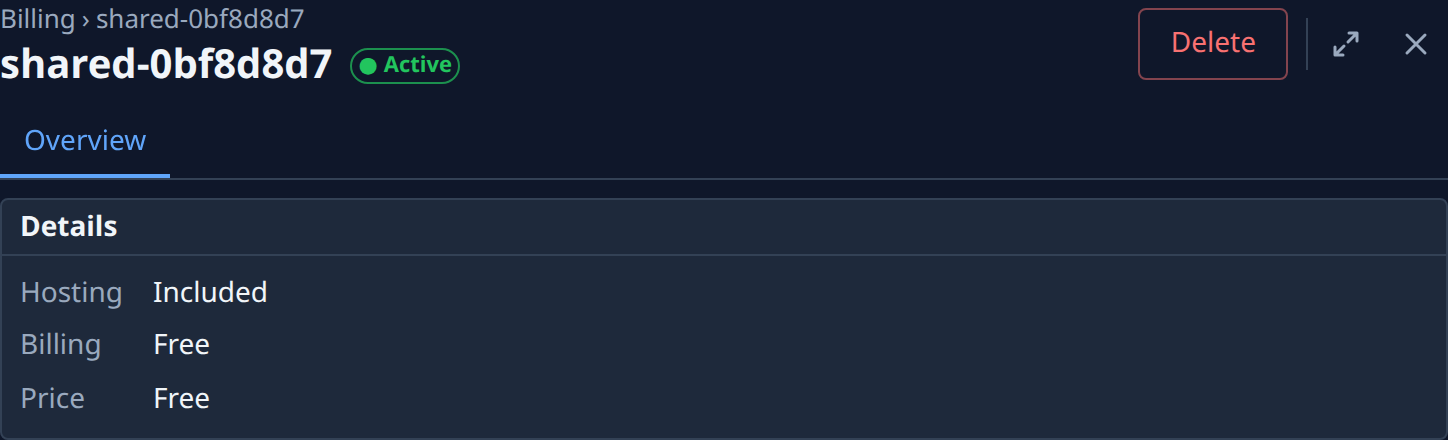
Details
| Field | Meaning |
|---|---|
| Hosting | Its kind and size, for example Dedicated · m8i.large · 50 GB or Shared, or Included for a node your plan includes. |
| Billing | Monthly, or Free for a node your plan includes. |
| Price | The monthly price, or Free; once ended, what it cost, as Was price. |
| Period | Renews date, Ends date, Due since date, Until date (a node your plan includes) or Stopped. Not shown when none applies, as for an ended node. |
| Machine | Dedicated only: its instance type and disk, for example t4g.small · 47 GB usable of 50 GB (the space the disk gives you, then the size you pay for); below it, its instance ID and Up since date. |
Status and actions
| Status | Meaning | Actions |
|---|---|---|
| Awaiting payment | Ordered, not yet paid. | — |
| Active | Paid and running. | Change product (Dedicated, monthly), Cancel, Delete |
| Cancelling | Runs until the date shown, then stops. Nothing is credited. | Undo cancel, Delete |
| Past due | Its payment failed. | Pay now opens the Subscription page; Delete |
| Stopped | Its paid period ended, or your plan stopped including it. | Resume charges a new month to your default card and starts it again; Delete. Stopped for an unpaid bill, it offers Pay now instead of Resume. |
| Ended | Deleted. | — |
A node your plan includes offers only Delete: there is nothing to cancel or change. While a product change runs, every action waits.
Cancel opens Cancel hosting: it keeps running until the date shown, then stops, and nothing is credited. Cancel hosting confirms; Keep backs out. You can undo it until the date shown.
Resume opens Resume hosting, which names the month's price charged now to your default card; Resume confirms.
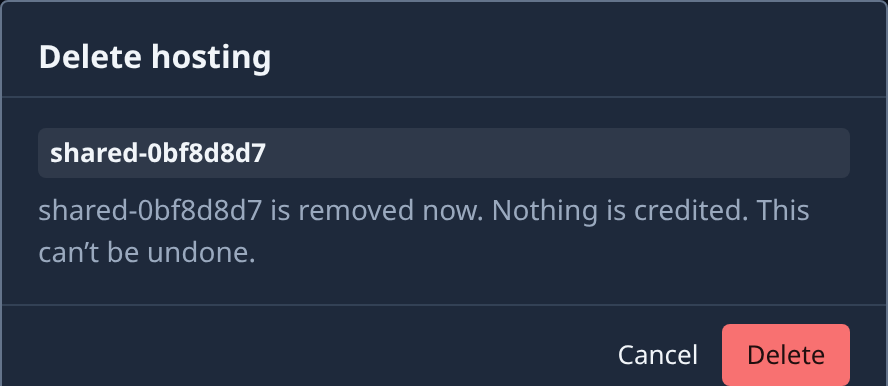
Delete opens Delete hosting, naming the node. It removes the node now; a Dedicated machine's nodes go with it. The dialog says what happens to the money: the unused days are credited to your next bill (or refunded to your card when nothing else will be billed), or nothing is credited. Delete confirms; Cancel backs out. This can't be undone.
Change product
Change product moves an Active, monthly Dedicated hosting to another offered instance type, more storage, or both. Shared hosting and a node your plan includes can't change.
The Change product dialog has two screens. See also Cancel or resume a hosting.
| Screen | Shows |
|---|---|
| Pick | The instance types and storage sizes. Current marks what you have now. Storage only grows: smaller sizes say Storage can’t shrink. A type that can't be had says why and can't be picked. A Windows hosting moves only to another type with a Windows license price, and its storage can't grow. Review stays disabled until you pick a new type or storage. |
| Review | The New monthly price and what is Due now, or the Credit to your next bill, and how many running sessions a type change interrupts. Confirm pays what is due with your default card; if it is declined, nothing changes. Back returns to the pick. |
| Change | What happens |
|---|---|
| Storage | Grows while the node stays online. After a resize, wait for it to finish; at most 4 resizes per 24 hours. |
| Instance type | Applies at once: the machine stops and restarts on the new type. Running sessions are interrupted. |
| Type marked Needs a new machine | A new machine replaces the old one, after you confirm Replace machine? |
Replace machine? lists what is kept: the hosting and its billing, your nodes with their names and settings, your projects and their history. And what is lost: anything on the old disk that isn't in a repository, NodeLink or a backup (worktrees and checkouts included), and every running session. Back changes nothing.
Billing. The old product ends and the new one starts now. The difference for the rest of the period is prorated: charged now, or credited to your next bill.
While it runs, a chip beside the status shows Confirming payment, Resizing storage, Changing instance type, Reprovisioning, Reverting or Change stuck, and a Product change card lists its steps, each with when it happened. One change runs at a time, and other actions wait for it. If a change fails, it is reversed and anything you paid is credited to your next bill; storage that already grew stays, and stays billed. If a change gets stuck, the page says why; Cancel and Delete stay available.
Once a change is done, a Last product change card sums it up in one line, for example t4g.small → t4g.medium · 50 → 100 GB · Oct 11. Show steps lists its steps; Hide steps folds them away.
Sessions
Dedicated only. The sessions running now on the nodes of this hosting: each one's node, the task it works on (select it to open the task), and when it started. No running sessions. when there are none. Check it before a type change, which interrupts every session listed.
If the hosting no longer exists, the page says Hosting not found; the Billing link above it returns to the list.