Subscription
The Subscription page shows which plan your organization is on, its billing state, how much of each limit it uses, and the plans you can move to. Only Owners and Admins can open it.
Open it from Billing: on the Products tab, select your plan's row or its Change button. Billing at the top of the page takes you back.
The page's title is your plan's name. Beside it:
| Button | What it does |
|---|---|
| Upgrade | After a plan ended: buy a paid plan. See Buying a plan. |
| Upgrade — coming soon | Paid plans can't be bought yet. Use Contact us. |
| Contact us | Opens a support request with your plan and limits filled in. Edit the Subject and Message, then Send. |
A billing banner appears above the page when a payment needs you; see Notices.
Subscription
Your plan and its state, with the actions that state allows. Shown once card billing is set up.
| State | Meaning | Actions |
|---|---|---|
| Trial | No paid plan. | Upgrade |
| Your plan's name | A paid plan is active; the line under it gives the next charge, for example $49.00 on Nov 3. | Change plan, Cancel |
| Changes to plan on date | A downgrade or cancel is scheduled. You keep the current plan until then. | Undo |
| Payment not completed | A purchase was started but not paid; you are still on Trial. | Retry, Abandon |
| Upgrade pending — complete payment | An upgrade is waiting for 3-D Secure. | Complete payment |
| Payment failed — update your card, then pay now | A charge failed. Stripe retries it automatically; you keep your plan meanwhile. | Pay now |
| Plan ended date | Payments stopped and the plan ended; you are back on Trial limits. Nothing running is stopped. | Resubscribe |
Cancel asks you to confirm: you keep the plan until the end of the period you paid for, then move to Trial. Select Keep plan to back out.
If a card is declined, Stripe's reason is shown under the subscription and nothing changes. Add another card on Payment methods, then try again.
Limits
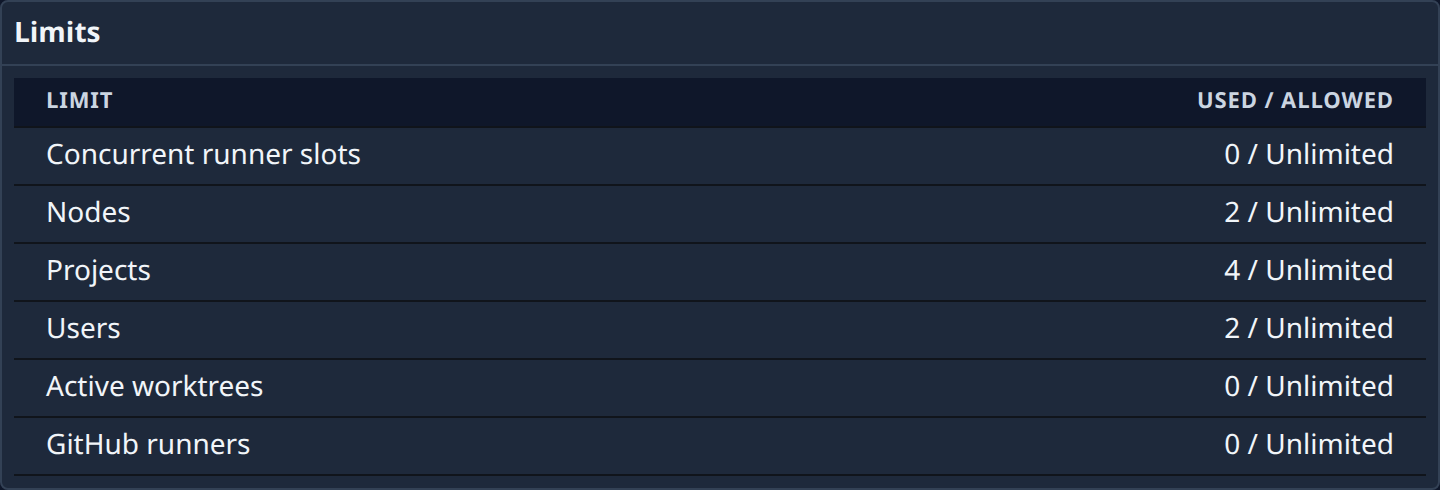
Each limit of your plan with Used / allowed: Concurrent runner slots, Nodes, Projects, Users, Active worktrees and GitHub runners. Unlimited means the plan sets no cap. When you reach a limit, Jaah refuses to add more until you upgrade or free some up. Nothing already running is stopped.
Plans
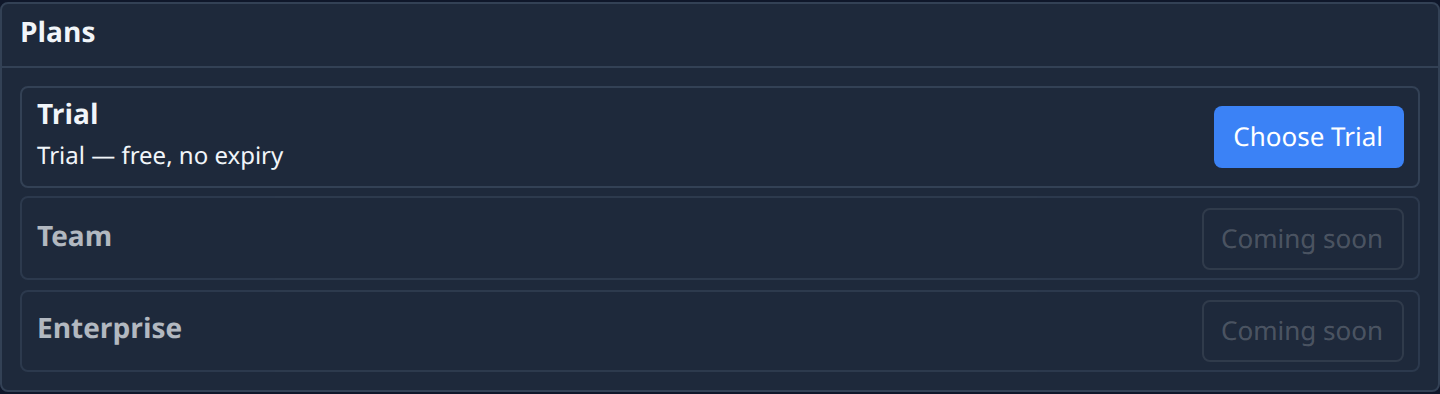
Every plan, with its limits and what you can do with it:
| Shows | Meaning |
|---|---|
| Current plan | The plan you're on. |
| A monthly price, with Upgrade or Switch | You can buy it here. Upgrade for a dearer plan; Switch for a cheaper one. |
| Downgrade, on the Trial row | Cancels your paid plan at the end of the period. |
| Choose plan | A free plan you can move to at once. |
| Contact us | This plan is arranged with us directly. |
| Coming soon | Not on sale yet. |
Buying a plan
Upgrade, Switch, or Add product > Subscription on Billing opens one dialog that asks only for what's missing:
- Which plan, if you didn't pick one.
- Billing details — name and email for your invoices — if none are on file.
- A card, in Stripe's form, if you have no valid default card.
- Confirm. The dialog states exactly what you'll pay: for an upgrade, the prorated amount due now for the rest of this period, then the full price from the next charge date. That amount is what you're charged.
If your bank asks for 3-D Secure, confirm it in the window that opens. If you close it instead, you stay on your current plan, and the page offers Retry. If a card is declined, the reason is shown and nothing changes; Use another card lets you try a different one.
An upgrade takes effect as soon as it's paid. A switch to a cheaper plan, or a downgrade to Trial, takes effect at the end of the period you've paid for; until then you can Undo it here.