Compliance
Compliance checks your repositories and accounts against a set of engineering rules — for example code review, coding standards and architecture decision records — and shows which ones each of them meets. Use it to see where a repository falls short, and to have a runner open a pull request that fixes it.
Open it from the sidebar: select Compliance. You need permission to view compliance; without it the item does not appear.
The header says when the checks last ran (Last audited:). A banner under it says how many of your repositories and accounts were checked. If nothing has been checked yet, the page says Not audited yet. If you see Refresh in the header, press it to run the checks now; otherwise ask an operator.
The page has four tabs: Compliance matrix, Rules catalog, Per-subject rollup and Deficiencies. Each looks at the same results from a different side.
Compliance matrix
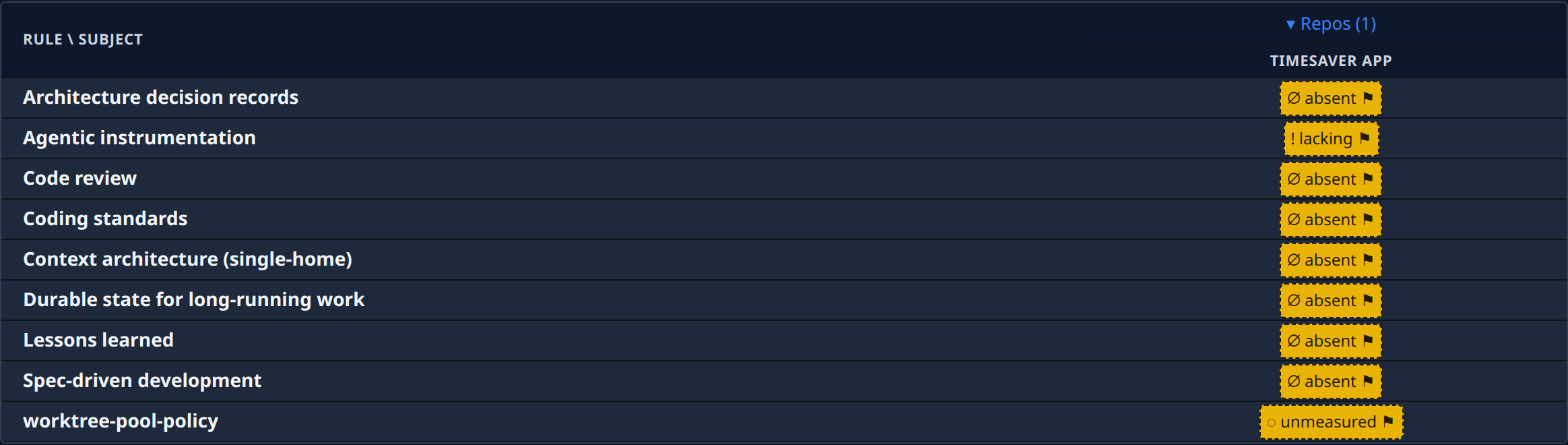
One row per rule, one column per repository or account (a subject). Columns are grouped by kind, such as Repos; select a group's heading to collapse or expand it. Use the Subject and Kind filters to narrow the table.
By default the matrix shows only rules that need attention somewhere. Tick Show all to see every rule and subject.
A rule is either Enforced — it must pass, and a failure is a deficiency — or Advisory — measured and reported, but it gates nothing. An advisory rule carries an advisory chip.
Each cell shows a mark and a word. Hover a cell for the full detail; select it to open the rule's detail for that subject. The legend below the table explains the colours. A cell shows one of these states, among others:
| State | Meaning |
|---|---|
| current | All of the rule's files are in sync. |
| behind, absent | Some or all of what the rule needs is missing. |
| lacking | The check found something missing, for example a file the rule expects. |
| unmeasured | Nothing measured this here. It is not a pass. |
| n/a | The rule does not apply to this subject. |
| not enrolled | The subject exists but is opted out. |
| check failed | The check itself raised an error. |
| ⚑ | Flagged: kept that way on purpose. |
Rules catalog
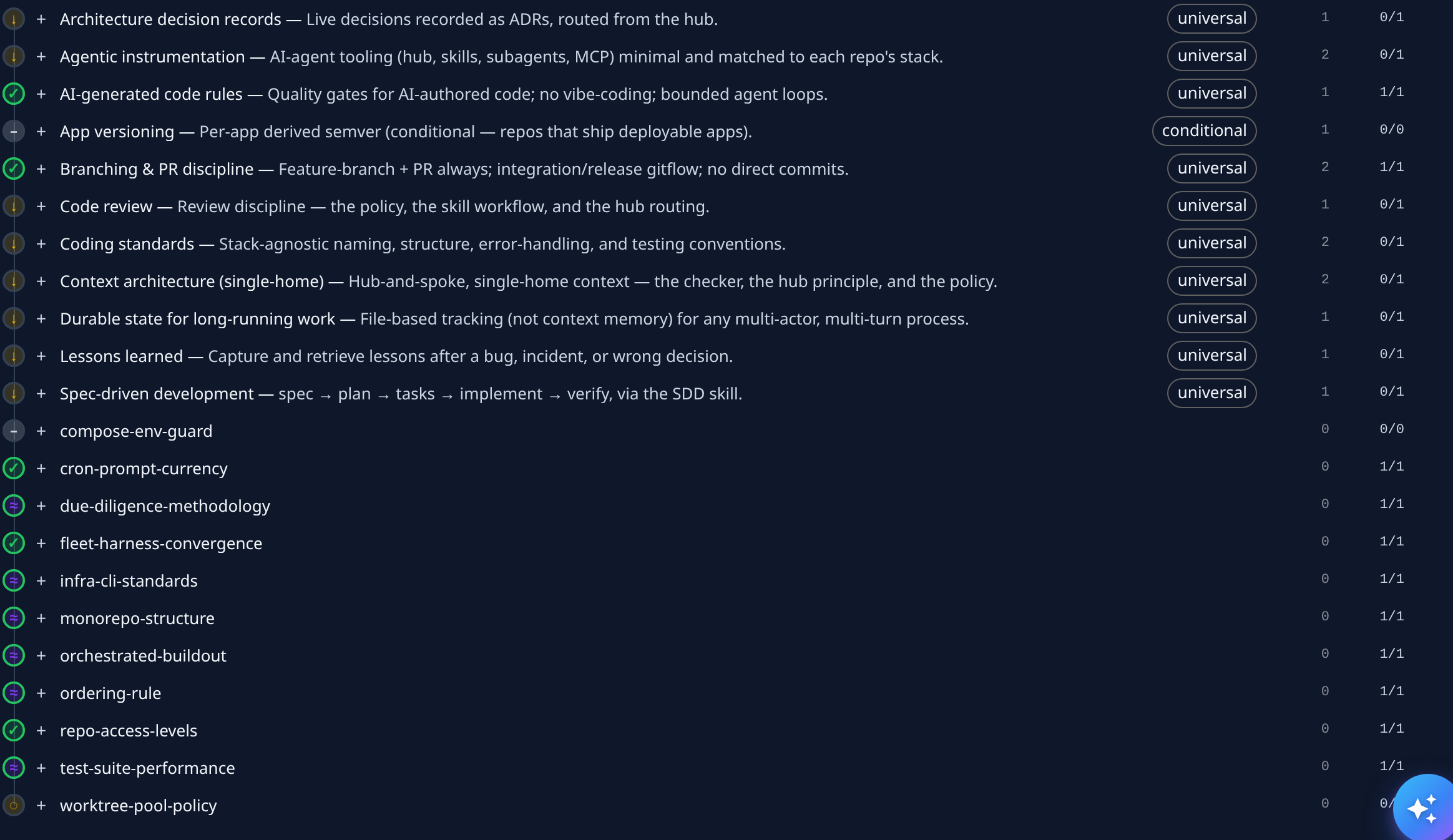
Every rule, with what it asks for. Each row shows the rule's tier (universal applies to every repository, conditional only to some), how many files it carries, and how many subjects meet it, for example 0/1. Select + on a row to see its files; Expand all and Collapse all open or close every row. Pick a Subject to see the catalog for one repository only.
From a file you can open Detail ↗ or jump to its Deficiencies ↗.
Per-subject rollup
One row per repository or account, with how it stands overall: ✓ in compliance, not audited yet, or how many rules need attention. A row that needs attention opens to list those rules; select one to see its detail. Each row also shows how many rules it meets, when it was last checked, and links to its Deficiencies ↗.
Deficiencies
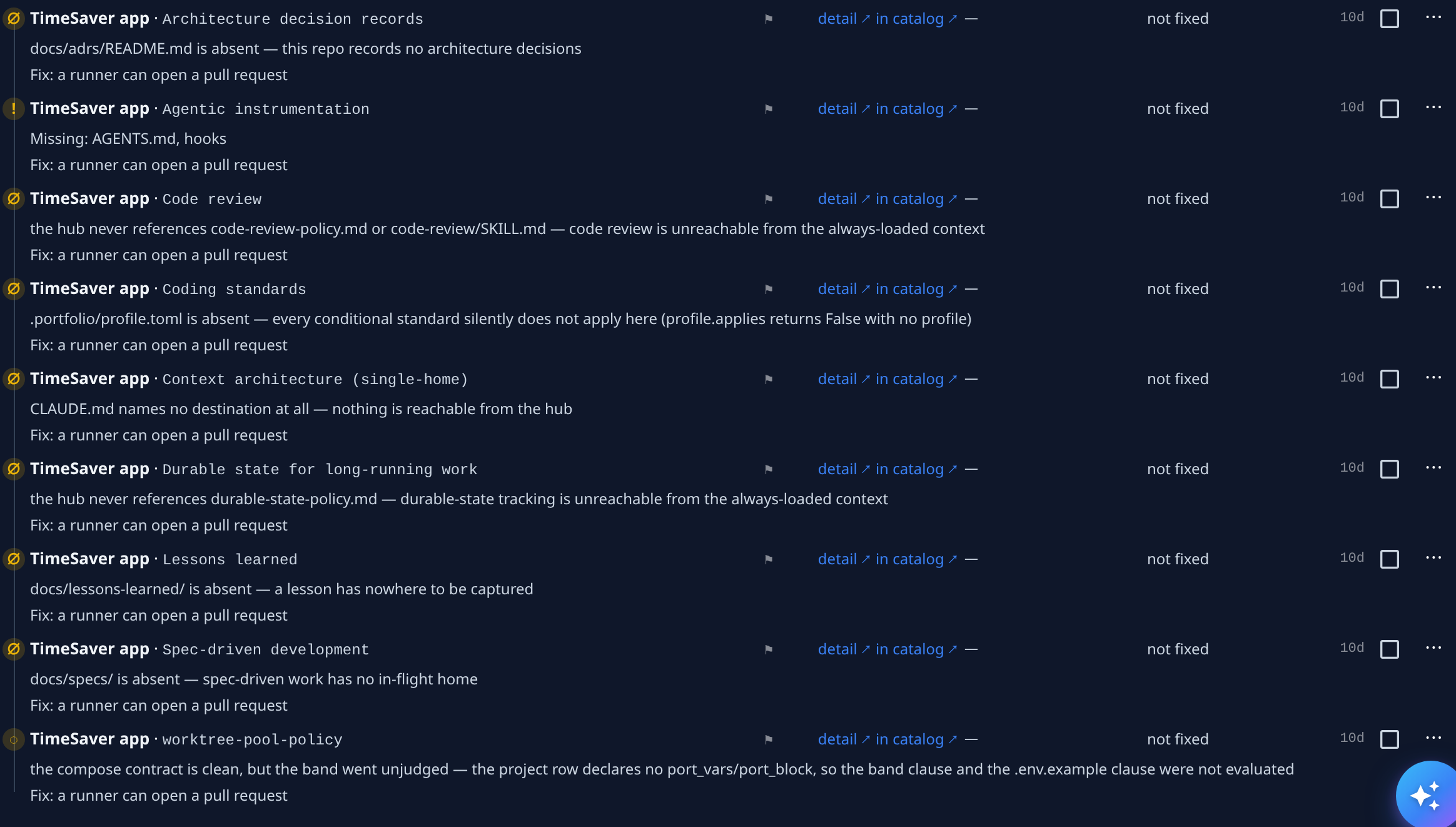
Every rule a subject does not meet. Each row names the subject and the rule, says what is missing, and says how it can be fixed — Fix: a runner can open a pull request, or a reason it can't. Its status shows not fixed until a fix is under way, then the fix's state and its pull request.
Filter by Subject, Kind or State, and sort with Sort by. Tick Show completed to add Completed fixes: fixes that merged, failed or were blocked.
Fix deficiencies
Requires permission to edit compliance. Without it, Fix N selected still shows, but sending a fix fails.
- Tick each deficiency to fix, or Select all. Only those a runner can fix can be ticked.
- Select Fix N selected, where N is how many you ticked.
- Read the preview: what will be submitted, and anything rejected or blocked, with the reason.
- Select Fix N selected in the preview to send it, or Cancel.
A runner then opens a pull request on each repository. Its progress shows in the row's status.