Schedule
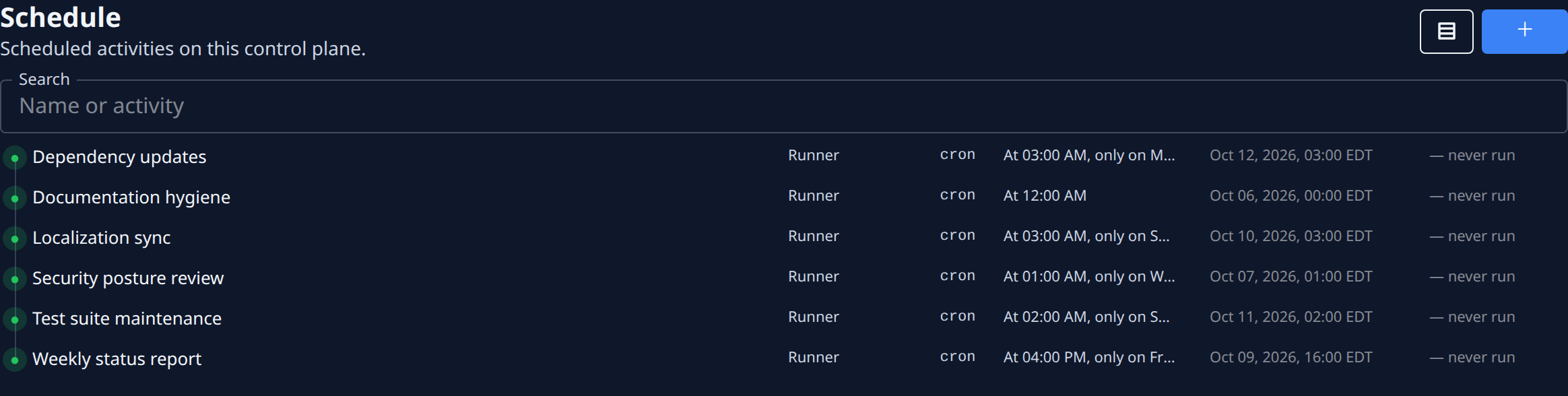
Schedule lists the activities that run on their own, on a timer, for your organization. Each one is a cron: an activity, such as Runner, and a schedule that says when it fires. A Runner cron files a task each time it fires, so work that recurs — a weekly report, a dependency update — happens without anyone starting it.
Open it from the sidebar: select Automation, then the Schedule tab.
Schedule is shown only to Owners and Admins of your organization. Everyone else sees only the Playbooks tab. See Playbooks.
For the steps, see Create an automation schedule and Run, pause or change a schedule.
The list
| Item | What it does |
|---|---|
| Tree view button | Switches between a flat list and a tree. In the tree, names that use / are grouped as folders. |
| + (New schedule) | Opens the New cron form. |
| Search | Narrows the list to schedules whose name or activity contains what you type. |
Your search and your view stay as you left them the next time you open the tab.
Each row is one cron. Select it to open its page.
| Column | Meaning |
|---|---|
| Mark | ● enabled, ○ disabled. A warning mark means it's overdue or stuck; hover it for why. |
| Name | The cron's name. |
| Activity | What it does each time it fires, such as Runner. |
| Kind | cron for named times, interval for a fixed interval. |
| Schedule | When it fires, in words. |
| Next fire | When it fires next. |
| Last run | When it last fired, or — never run. |
Empty states
| Message | Meaning |
|---|---|
| No crons yet | Your organization has no scheduled activities. Select + to add one. |
| Nothing matches these filters | No schedule matches your search. Select Clear filters to see them all. |
| Cron list unavailable | The list couldn't be read. Nothing was changed. Select Retry. |
New cron
| Field | What it means |
|---|---|
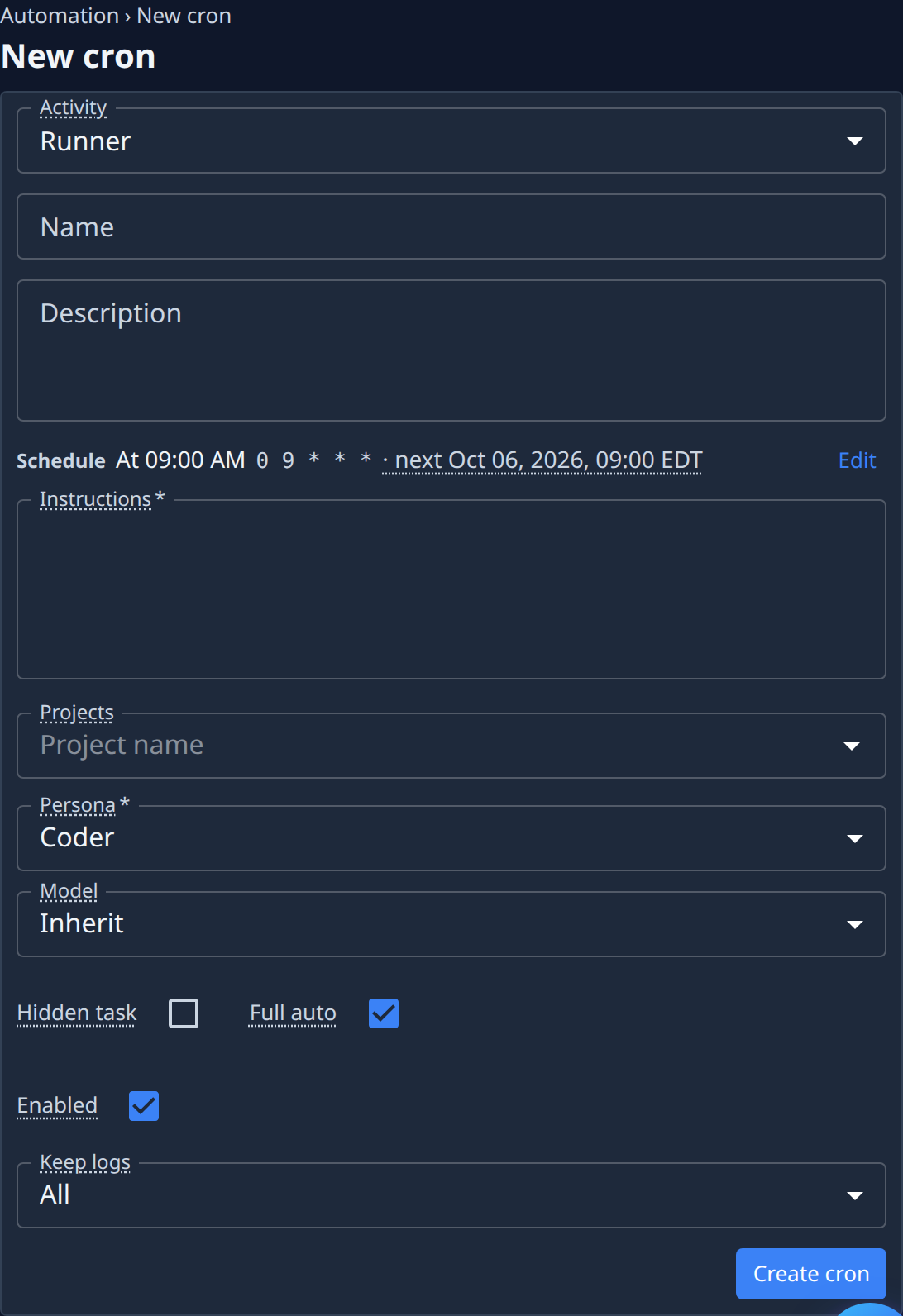
| Activity | What the cron does when it fires. Runner files a task for a runner. The fields below it depend on the activity. |
| Name | The cron's name in the list. Use / to group crons into folders in the tree view. |
| Description | Optional. What the cron is for. |
| Schedule | When it fires, in words and as a cron expression, with the next firing. Select Edit to change it. See The schedule editor. |
| Instructions | Required. Becomes the description of the task each firing files. |
| Projects | The projects to work on. Each firing files one task per project. |
| Persona | Required. The kind of expert the task runs as. Coder is the default. |
| Model | The model level. Inherit uses the persona's or project's default. |
| Hidden task | Keeps the tasks it files off the default task board. |
| Full auto | The runner never asks you anything; anything only a person could decide makes the task fail instead. On by default. |
| Enabled | Off: nothing fires, but the schedule is kept. |
| Keep logs | Which firings are recorded on the Runs tab. See below. |
Hover a field's label for a short explanation. Select Create cron to save it. Its page opens.
| Keep logs | Records |
|---|---|
| All | Every firing. The default. |
| When it acted | Skips firings that found no work. |
| Errors only | Only failures and unexpected skips. |
The schedule editor
| Item | What it does |
|---|---|
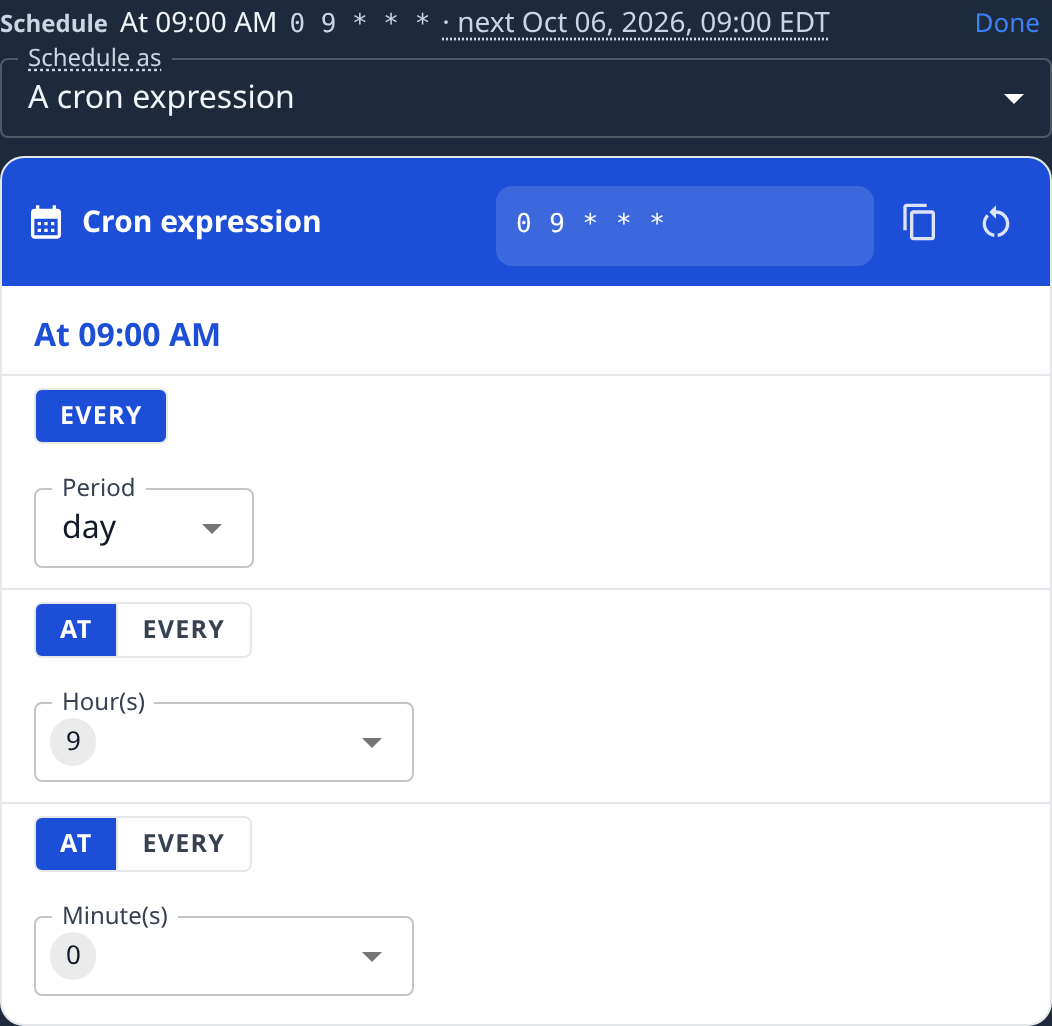
| Schedule as | A cron expression fires at named times, in the time zone shown beside the next firing. A fixed interval fires every so many seconds, minutes or hours. |
| Cron expression builder | Pick a Period (such as day or week) and the times within it. The expression above it changes as you pick. |
| Every, Unit | For a fixed interval: the number and seconds, minutes or hours. The number must divide its unit evenly. |
| Done | Closes the editor. The Schedule line shows the new schedule and its next firing. |
A cron's page
At the top are the cron's name, whether it's Enabled, its activity, and Run now, which fires it once straight away. Run now is unavailable while the cron is disabled. After you select it, the page says Fired. The outcome lands on the Runs tab., or Not fired. and why.
Settings
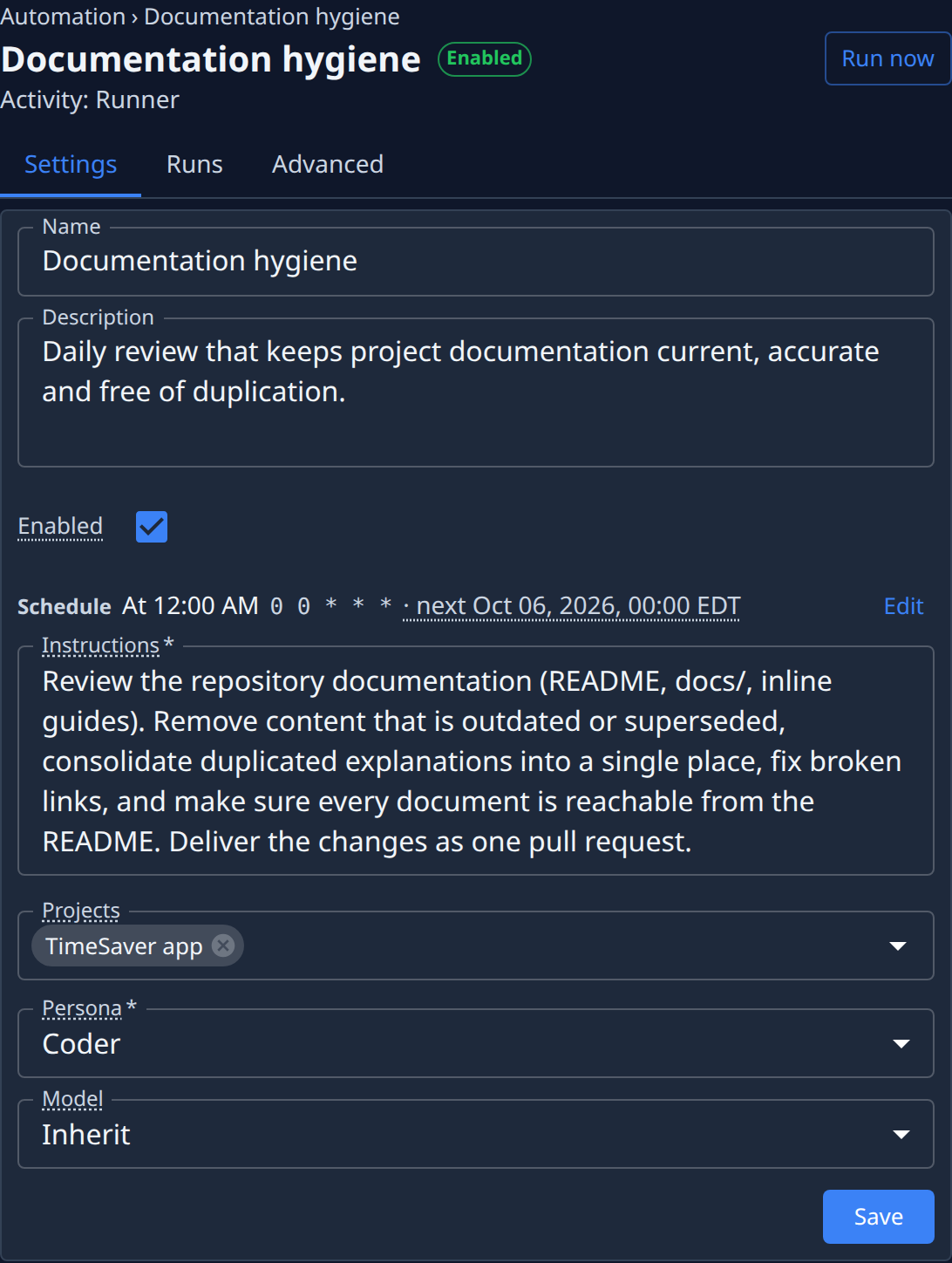
The same fields as New cron, except those on Advanced. Change them and select Save. If you leave with unsaved changes, the page asks first.
Runs
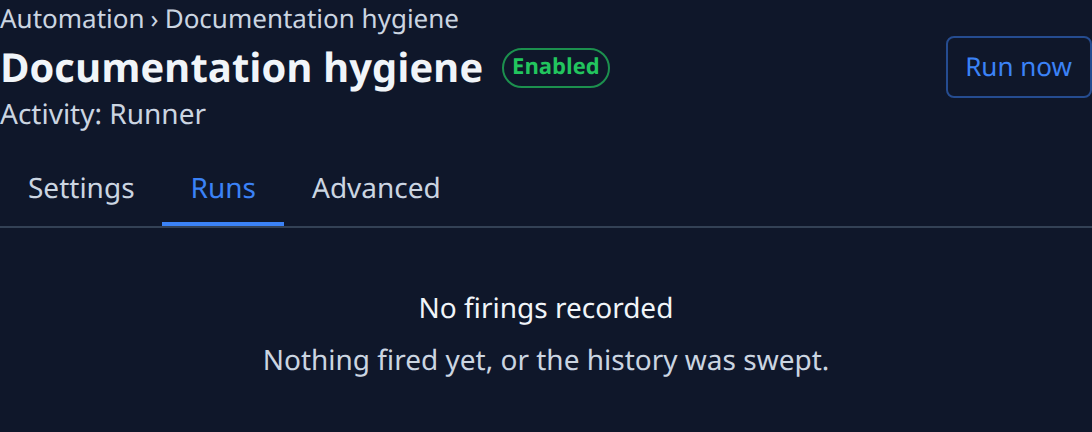
Each firing the cron has recorded, newest first: when it fired, its outcome, and the task it filed. In the menu on each row, select Open firing to see This firing: when it fired, started and finished, its delay and duration. Select Load older firings for more. Which firings are recorded depends on Keep logs.
Advanced
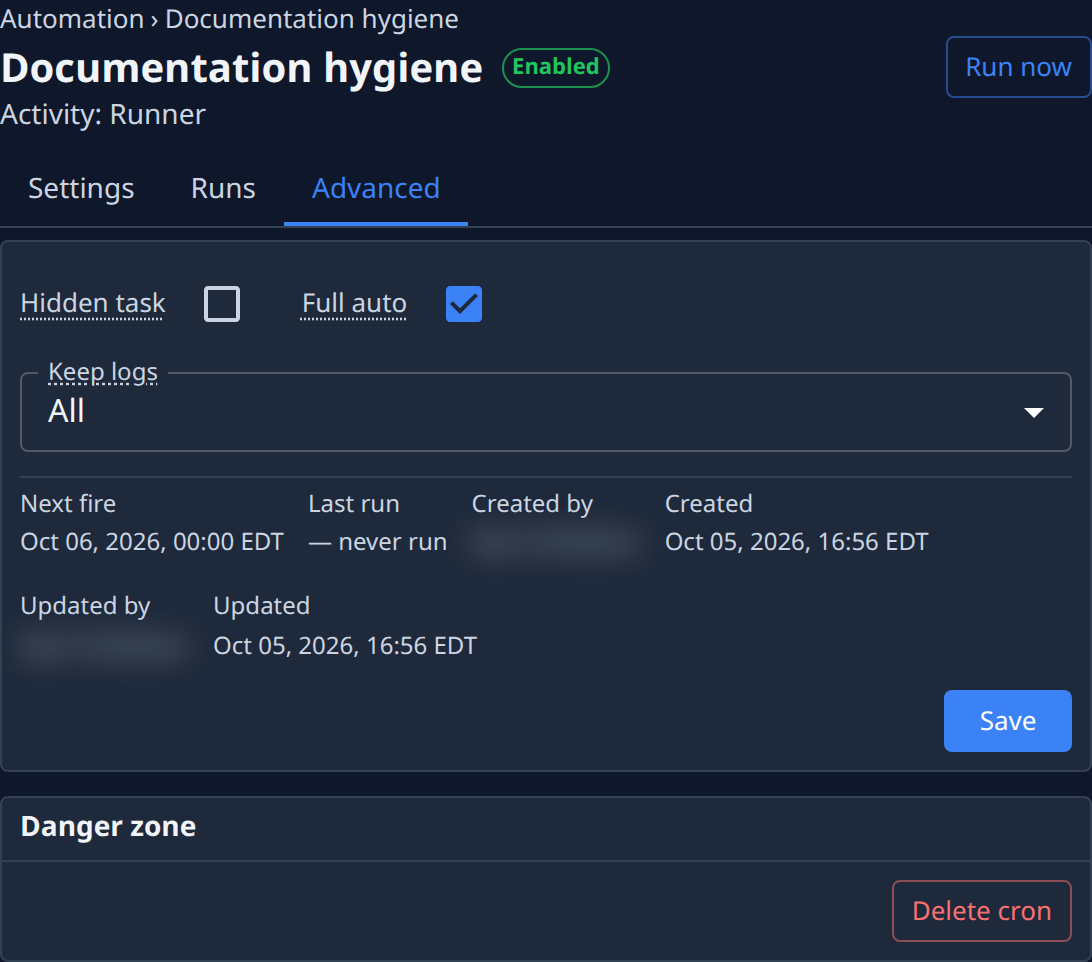
| Item | What it shows |
|---|---|
| Hidden task, Full auto, Keep logs | As on New cron. Select Save to keep a change. |
| Next fire | When it fires next. |
| Last run | When it last fired, or — never run. |
| Created by, Created, Updated by, Updated | Who made the cron and last changed it, and when. |
| Delete cron | In Danger zone. Deletes the cron and every firing it recorded. It asks you to confirm and can't be undone. |
To pause a cron without deleting it, turn off Enabled on Settings.