Webhooks
A webhook endpoint is a URL Jaah sends events to, as signed HTTPS POSTs. To set one up and verify its
deliveries, follow Receive events with webhooks.
Open it from Settings: select Integrations, then Webhooks. Webhooks is shown only to Owners and Admins of your organization, and only while your plan includes webhooks. Anyone else who opens a webhook link lands on the no-access page.
The list
Each row is one endpoint. Select its name to open its page; New webhook opens an empty one. With no endpoints, the list says No webhooks yet.

| Column | What it shows |
|---|---|
| Name | The endpoint's name. The mark before it is filled while the endpoint is enabled. |
| URL | The host part of the URL, on a wide window. Hover it for the whole URL. |
| Events | How many event types it sends. Hover it for their names. |
| Last delivery | The latest attempt's result and how long ago it was, or — when nothing was sent yet. Hover it for the status code and time, or Nothing sent yet. |
An endpoint's page
The header shows the endpoint's name and Enabled or Disabled.
- Send test sends a
pingevent now and opens Deliveries, where its result appears. - ⋯ > Delete deletes the endpoint and its delivery log, after Delete webhook? asks you to confirm. Nothing more is sent to its URL.
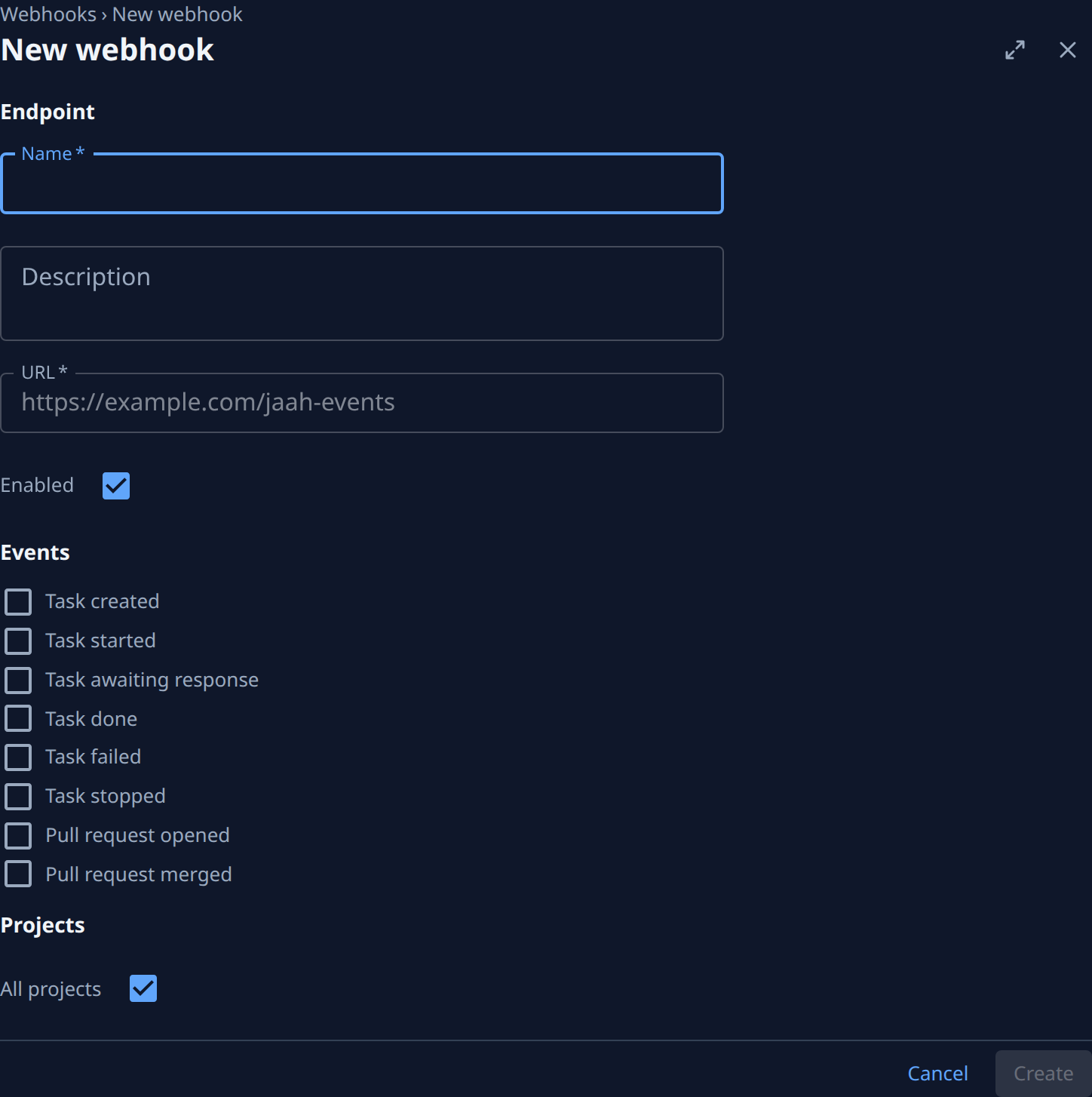
A new endpoint has only its settings. Once you create it, a dialog titled with its name and signing secret shows the secret once; Done closes it and opens the endpoint's page.
Settings
Three sections: Endpoint (Name, Description, URL and Enabled), Events and Projects.
| Item | What it does |
|---|---|
| Name | The endpoint's name in Jaah. |
| Description | An optional note. |
| URL | Where Jaah posts. https:// only. A private, local, link-local or metadata address is refused, and the reason shows under the field. |
| Enabled | When cleared, nothing is sent. Events while it is off are not sent later. |
| Events | The event types to send: one compact row per type, its box before its name. Hover a name for when it is sent. The full list is in the event catalog. |
| Projects | All projects, including ones added later, or the projects you tick. With no project to tick, the list says No projects. |
Save keeps your changes; Discard drops them. On a new endpoint the buttons are Cancel and Create;
hover a disabled Create or Save for what is missing (a name, an https:// URL, an event, or a project).
Leaving with unsaved changes asks This webhook has unsaved changes. Save them before leaving?
Secret
| Field | What it shows |
|---|---|
| Secret | Set once the endpoint has a secret, else Not set. The secret itself is never shown again. |
| Created | When the endpoint was created, and by whom. |
| Rotated | When the secret was last rotated, or Never. |
Rotate makes a new secret after Rotate secret? asks you to confirm, and shows it once. For 24 hours each delivery is signed with both the new and the old secret.
Deliveries
The endpoint's deliveries, newest first, from the last 30 days; Nothing sent yet until the first one. If the list can't load, it says Deliveries unavailable with the reason and Retry. The list refreshes itself every 15 seconds until you select Load more, which shows older ones.
| Column | What it shows |
|---|---|
| When | How long ago the delivery was made. Hover it for the time. |
| Event | The event type, such as task.done. |
| Status | Delivered, Retrying, Failed or Queued. Hover it for the last error and the next attempt's time. |
| Code | Your receiver's last HTTP status code. |
| Latency | How long your receiver took to answer. Hidden on a phone. |
| Tries | How many attempts were made. Hidden on a phone. |
Redeliver sends that delivery again now, with a fresh round of retries.
Creating, changing, rotating, testing, redelivering and deleting an endpoint each add a row to Audit.