Run a project's stack in each slot
Many projects need something running before their tests pass: a database, an API, a web server. Give the project a stack command and each slot starts its own copy of that stack. Each slot gets its own ports, so two tasks on one node never fight over a port. A slot left idle has its stack stopped and its data kept, so the stack comes back warm when a task next uses the slot.
Who can do this: anyone who can edit the project opens these tabs. Changing Stack commands requires the org owner role, or the org admin role with permission to edit nodes, because the commands run as a shell on every node. A project with no repository runs no stack and shows neither field.
Set the stack commands and ports
-
In the sidebar, select Directory, then the Projects tab.
-
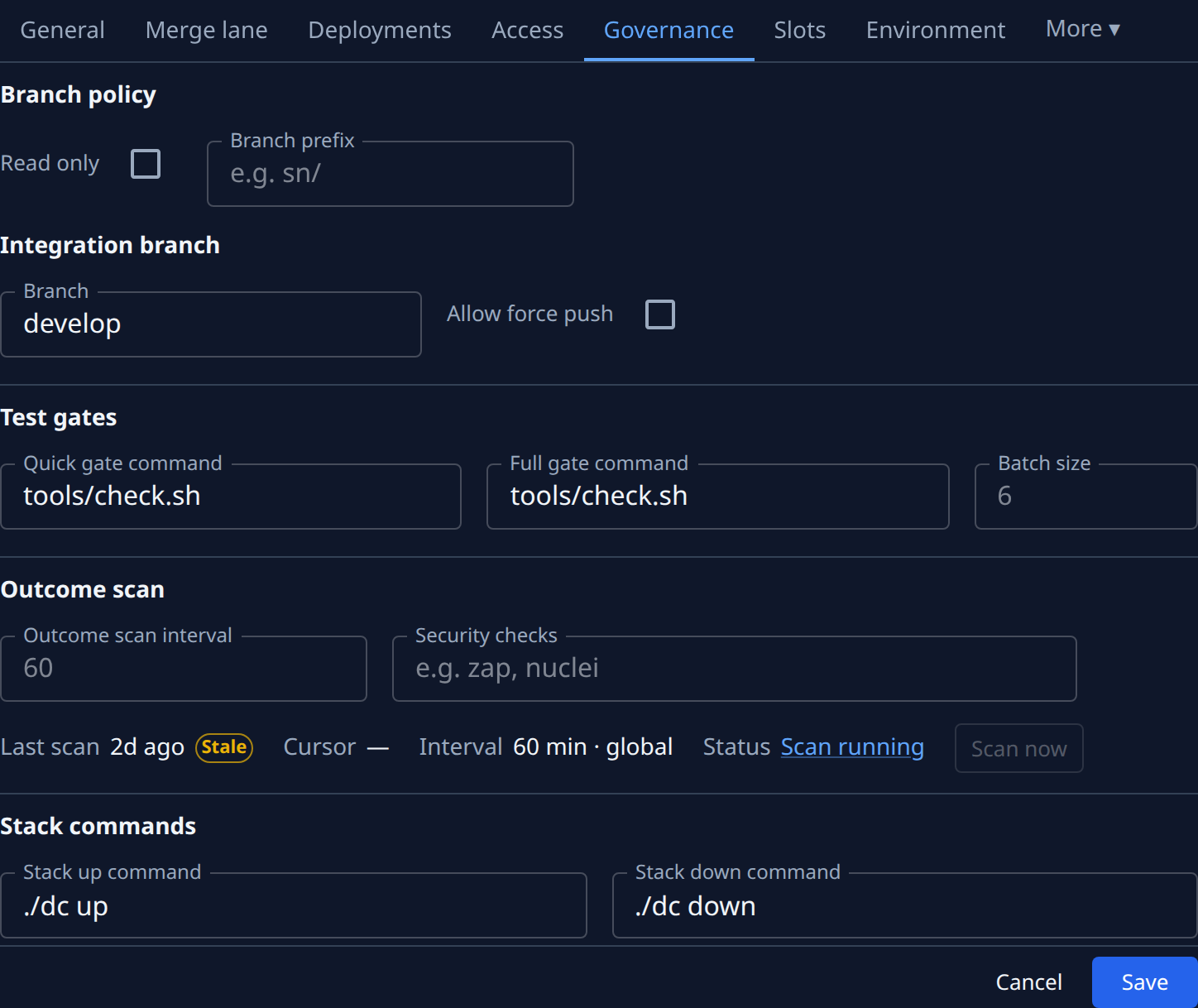
Select the project's name to open its settings, select the Settings tab, then Testing.
-
Type the Stack up command: the command that starts the stack, such as
docker compose up -d. Leave it empty for no stack. -
Type the Stack down command, such as
docker compose stop. It must stop containers only and keep their data: Jaah runs it on idle slots, and refuses one that would delete volumes. -
Select Save.
-
Select Variables in the project's settings, then Add variable, for each port your stack reads, such as
FRONTEND_PORTandAPI_PORT:- Enter the Variable name.
- In Value from, pick Port.
- In Port, keep Auto-assigned per slot, or pick Preferred port and type one. The node uses a preferred port when it is free on that host and no other slot has it, else the next free port.
- Select Create.
Each slot gets its own port for each variable. Two slots never share one.
Anyone who can view the project can read the commands, so never put a password or token in them; give the stack its secrets through the project's environment instead. A new project starts with your organization's default commands. Jaah sets the range slot ports come from.
Related
- What a slot is and who holds it: How worktrees work.
- Running more stacks at once: Give a project more slots.
- The same port in every slot: Give a service a fixed port in every slot.
- Giving the stack a value or secret: Add an environment variable.