Connect Gmail
A Gmail connection lets your organization send email from its own address. Mail goes out from that mailbox through Google, so recipients see your address, and replies land in your inbox, not Jaah's. The same screen holds the addresses that automations receive email at.
Email is a section of Settings › Integrations. Only an Org Owner or Org Admin sees it, and only while your plan includes Tenant email (every plan does unless Jaah turned it off). Off the plan every list still shows, so you keep your history and can remove a mailbox or an address, but nothing new can be added.
The section has three tabs: Connections, Addresses and Inbound.
Connections
The mailboxes your organization sends from. With none, the tab reads No Gmail connected. and offers Add service account, and Connect with Google once Jaah has set it up. With one or more, the same buttons sit above the list.

Each mailbox is a row, read left to right:
| Field | Meaning |
|---|---|
| State mark | Connected, Last send failed or Receiving failed; a failure's reason shows under the address. |
| Address | The mailbox. The row opens its page. |
| Kind | Google sign-in or Service account. Hover it for Send only, or for when a service account last read the inbox. |
| Last used | How long ago it last sent, Never used, or Send failed (hover it for why). |
The two kinds differ in what Jaah may do:
| Google sign-in | Service account | |
|---|---|---|
| Who it suits | Anyone with a Gmail or Google Workspace address | A Google Workspace admin |
| What Jaah may do | Send only (Send email on your behalf, nothing else) | Send and read |
| What you provide | Your consent on Google's screen | A service-account key and the mailbox address |
Connect with Google leaves for Google's consent screen and returns to the new connection's page with Gmail connected. Clearing the sending box on Google's screen connects nothing.
Add service account
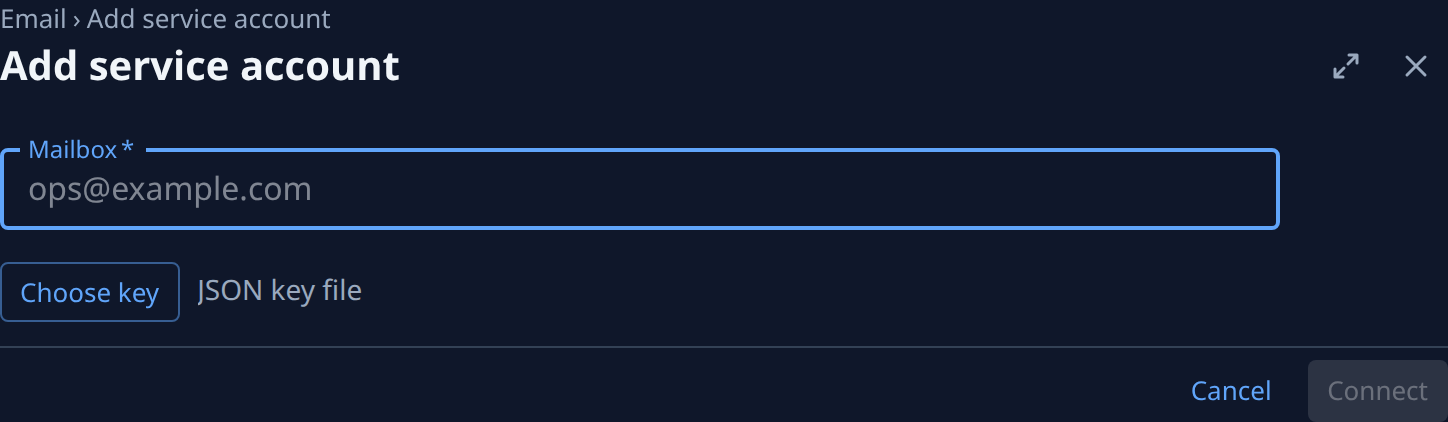
| Field | What it means |
|---|---|
| Mailbox | Required. The Workspace mailbox the key sends and reads as, for example ops@example.com. |
| Choose key | Picks the service account's JSON key file; its name shows beside the button, which then reads Change key. |
Connect stays off until both are filled. The key needs domain-wide delegation, granted by a Google
Workspace super admin, for this mailbox with the gmail.send and gmail.readonly scopes. Jaah checks with
Google that the key may act as the mailbox before it saves anything; if Google refuses, the message says
what to grant. Connecting the same mailbox again replaces its key.
The key or Google's grant stays on Jaah's control plane, sealed. It is never shown again, never sent to a node, and never given to an agent: Jaah itself sends.
A connection's page
The header shows the mailbox with Connected, or Failing after a send failed, and Disconnect. Two tabs: Overview and Sent.
| Overview field | What it shows |
|---|---|
| Mailbox | The connected address. |
| Connected by | Google sign-in or Service account. |
| Can | Send, or Send, receive for a service account. |
| Synced | A service account only: when Jaah last read its inbox, or Not yet. |
| Connected | When, and by whom. |
| Last used | When it last sent, or Never. |
| Last error / Receiving | Why the last send, or the last inbox read, failed; only while it did. |
Sent lists every message sent from the mailbox, newest first: the subject, to whom (with how many more and how many in Cc), Sent or Failed, the task or automation run that sent it (also in the row's ⋯), and how long ago. A message Google refused shows why. With nothing sent it reads Nothing sent yet. The list is kept for a year, and also after a disconnect.
Disconnect asks "Disconnect mailbox?": Jaah stops sending from it at once and deletes its key or grant; its sent list stays. A Google sign-in connection can also be removed from the Google account (Security › Your connections to third-party apps).
Receive email into automations
An automation whose Source is Email receives at one of two kinds of place, picked in Receives at:
- A service-account mailbox. Jaah reads new mail in its inbox about once a minute; mail already there when it was connected is not read. A Google sign-in mailbox only sends, so it is not offered.
- A Jaah address, from the Addresses tab. Each address feeds one automation.
With a mailbox or address chosen, To contains, From and Subject contains are optional: left empty, every message there starts the automation. Spam, viruses and mail that fails its sender's DMARC policy are never passed on, and one sending domain can start at most 50 messages a day in your organization.
Addresses
With none, the tab reads No addresses. with New address.

Each address row starts with a mark, In use or Not used, then shows the address with its label under it and Copy address. On the right is the automation it feeds (a link to it), or Not used, with Not used — mail goes to Unmatched under the address. Revoke asks Revoke address?: mail sent to it no longer arrives, its automation stops receiving, and mail already received is kept. Deleting the automation removes its address too.
While your plan leaves Tenant email out, the tab reads Plan has no Tenant email: no new addresses. and offers no New address; while Jaah does not receive email yet, it reads This deployment doesn’t receive email yet. instead.
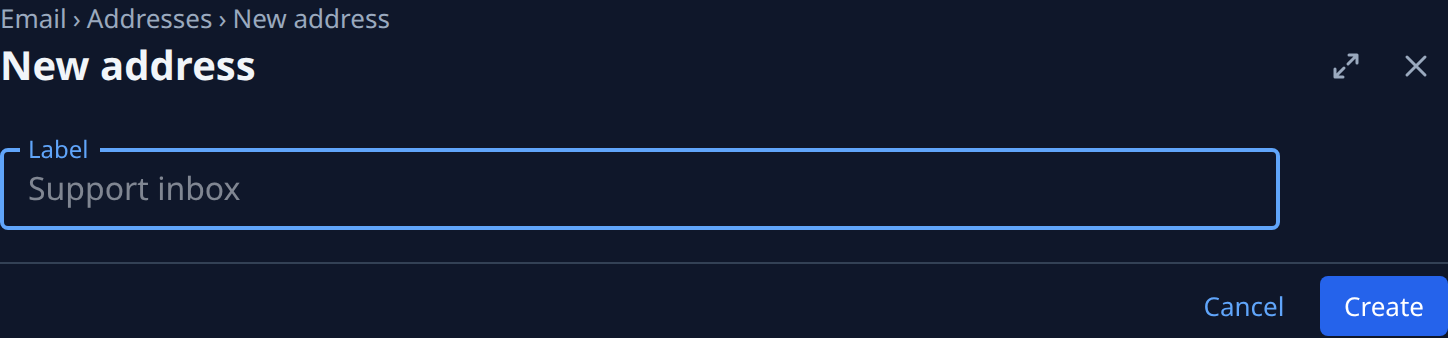
New address has one optional field, Label, which names the address in lists; Jaah picks the
address itself. Create returns to Addresses with a Created banner holding the address and
Copy. An address looks like acme-k3v7q2m9xa@mail.jaah.ai: the random part means nobody can guess it.
Inbound
Mail that no automation took, newest first: each message's subject, its sender and when it came. Mail refused before it reached an automation is marked Rejected with why: Spam, Virus, Failed DMARC, Too many from this sender or Plan has no Tenant email. The list checks for new mail every 30 seconds; Refresh reads it at once. With nothing there it reads No unmatched emails.

If your plan stops including Tenant email, connections, addresses and their history are kept, but nothing sends and mail to your addresses starts nothing until it's back.