Check which version an agent runs
Jaah never runs the newest code in an agent's repository by chance. A custom agent runs the commit Jaah pinned when it was registered or last refreshed, and a registry agent runs the version it was installed at. Before you trust a run, or after you push a fix, check which version Jaah holds. You only read the agent's page, so this needs no edit permission and changes nothing.
-
In the sidebar, select Settings, then Agents under Customize, then the Custom agents tab. The list shows every agent your organization registered or installed, with its state on the left, for example Active, Disabled or Last refresh failed.
-
Hover the agent's name. The hover names its facts and where it comes from: the repository, its folder and the branch, tag or commit after @. A registry agent also shows Key: with its key account, or No key account.
-
Select the agent's name to open its page beside the list.
-
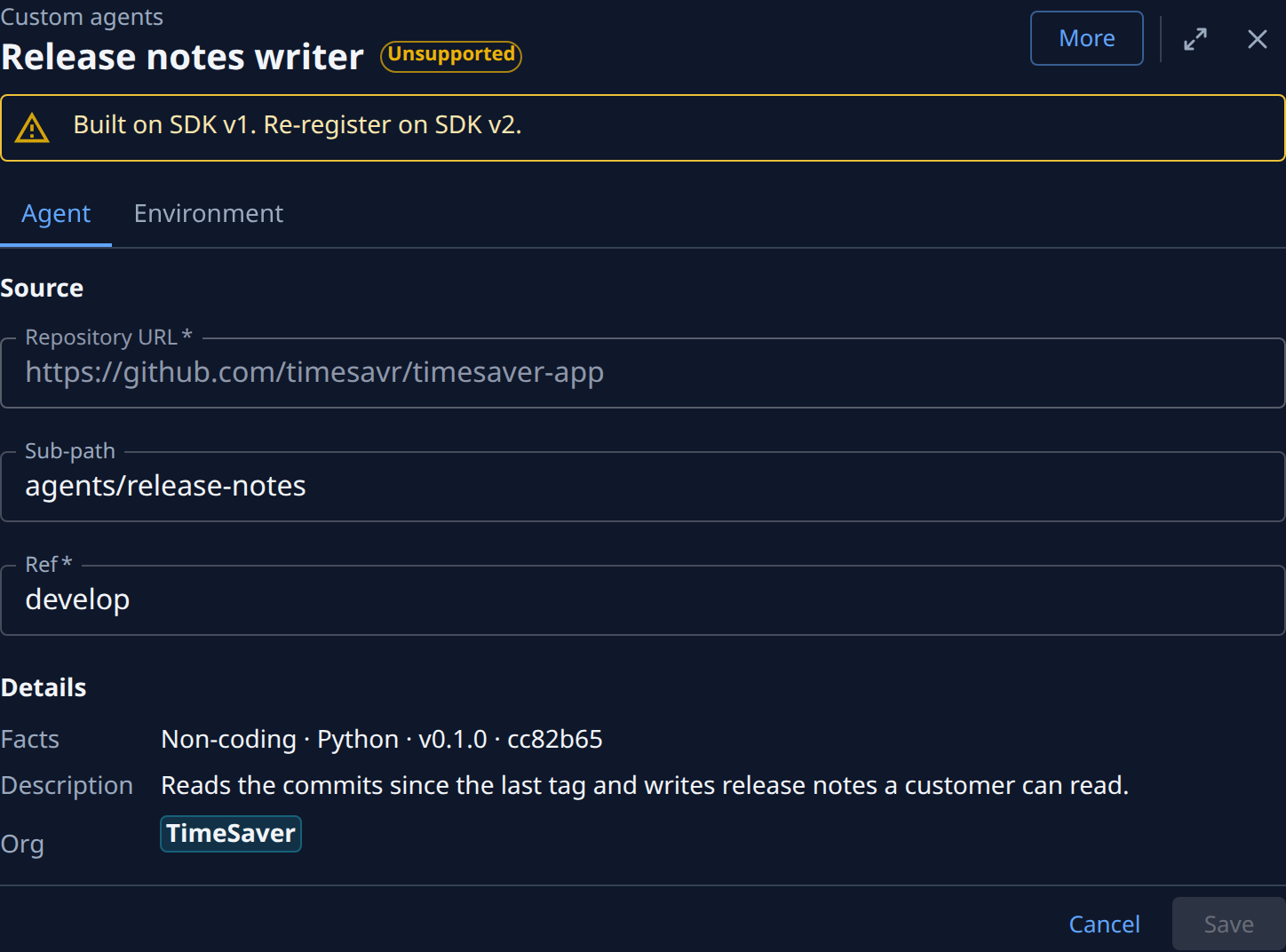
Under Source, read Repository URL, Sub-path and Ref: the place Jaah takes the agent from. A registry agent shows only its Repository.
-
Under Details, read Facts. For a custom agent it lists the kind of agent, its language, the version its manifest declares and the short commit Jaah pinned, for example Non-coding · Python · v0.1.0 · cc82b65. For a registry agent it ends with ACP registry · pinned and the installed version.
-
Compare that commit with the newest commit on the ref in your repository. When they match, your tasks run your latest push.
-
When they differ, wait: Jaah picks up the ref's newest commit within about 15 minutes of a push. To pick it up now, select More, then Refresh (this needs the permission to edit agents). A registry agent has no Refresh: it stays on its installed version.
If the agent shows Last refresh failed, Jaah keeps running the commit in Facts until the refresh works. If it shows Unsupported, it was built on an older SDK and does not run until you port it.
Related
- Change or remove a custom agent: point an agent at another ref or folder, refresh, disable or delete it.
- Fix a custom agent whose refresh failed: get Jaah pinning new commits again.
- Move a custom agent to SDK v2: bring an Unsupported agent back into service.
- Install an agent from the ACP registry: install an agent at a pinned version.