Change or remove a custom agent
A custom agent runs the commit Jaah pinned when it was registered or last refreshed. This page covers what you do with it afterwards: change the ref or folder it runs from, pick up a new commit, stop it, or remove it. Registering one in the first place is step 4 of Build an agent with the SDK. Changing an agent needs the permission to edit agents; without it its page says You can view this agent but not edit it.
-
In the sidebar, select Settings, then Agents under Customize, then the Custom agents tab.
-
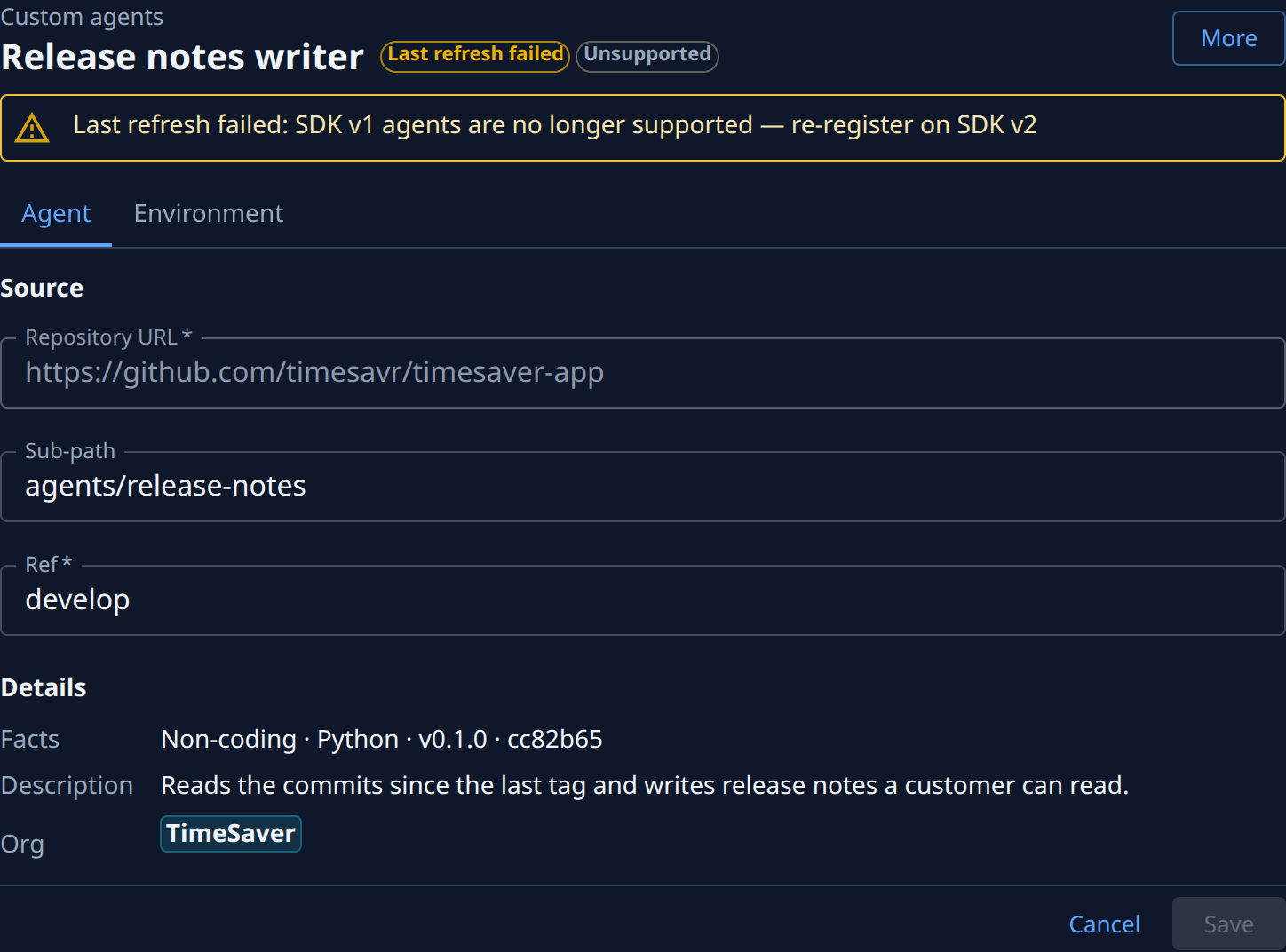
Select the agent's name. Its page opens beside the list, with its state next to the name — for example Active, Disabled or Last refresh failed.
-
To run it from another branch, tag or commit, change Ref on the Agent tab; to run it from another folder of the repository, change Sub-path. Repository URL cannot change: for another repository, register a new agent. To change the variables set on each run, open the Environment tab and edit the Name and Value rows, or select Add variable.
-
Select Save. Jaah fetches the repository and checks its manifest, which takes a few seconds. Each problem it finds is listed on the page; fix it, push, and save again. Cancel drops your changes.
-
To pick up a commit you just pushed without waiting, select More, then Refresh. Otherwise Jaah pins the ref's newest commit within about 15 minutes of a push.

-
To stop new tasks from using the agent while keeping it registered, select More, then Disable. Tasks can no longer pick it. More, then Enable, turns it back on.
-
To remove it for good, select More, then Delete, and confirm Delete in the dialog. Past runs keep their record. If a project still uses it as its default agent, or a task still uses it, Jaah lists them instead of deleting and suggests Disable it from More instead. Change those first, or disable the agent: see Delete an agent that is still in use.
Related
- How agents work — what a custom agent is and how a task runs it.
- Build an agent with the SDK — write an agent and register it.
- Custom agent page — every field on the agent's page.