Review flaky and quarantined tests
The merge lane tests every batch of pull requests before it merges them. A test that fails and then passes on a rerun is flaky. The lane records it, opens a task to fix it, and quarantines it: the test still runs in the lane's full gate but can no longer fail it, until a date. A test that flakes again stays quarantined longer. Each tree of code that passed the gate gets a certificate.
Three tabs of a project's lane show these records. Read them to see which tests are unreliable, which no longer block a merge, and who is fixing them.
Who can do this: anyone who can view the project, when your plan includes the merge lane.
-
In the sidebar, select Audit, then the Merge lanes tab.
-
In Project, pick the project. Selecting a project's name on any row does the same. The lane's tabs show, each with a count.
-
Select Flakes. Each row is one flaky test, marked !, with its name, then:
- Fix and a task number, when a task to fix the test exists. Select it to open that task.
- The first characters of the code tree it flaked on. Hover to read the whole value.
- Its age. Hover to see the exact time.
No flaky tests. means the lane has recorded none.
-
Select Quarantined. Each row is a test that runs without blocking the lane, marked ◐:
- Hover the mark to read Runs without blocking the lane's full gate until and the date.
- Fix and a task number, when a fix task exists.
- to and a date: the day the test blocks merges again. Hover it to read Gates again after and the exact time.
- The age of its latest flake.
-
Open a test's Fix task to follow the fix. Once the test stops flaking, it leaves Quarantined on its date.
-
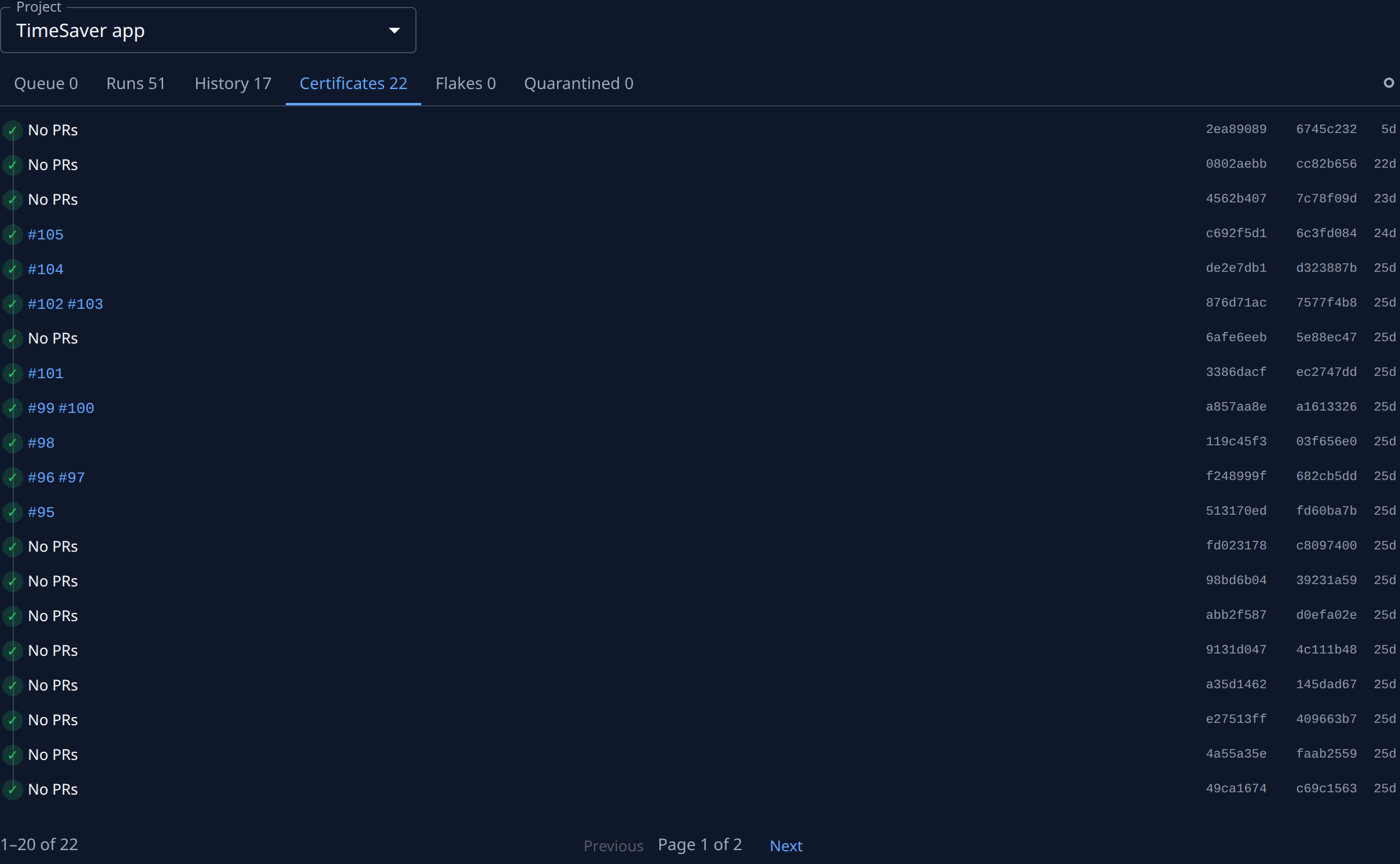
Select Certificates. Each row, marked ✓, is a tree of code that passed the gate:
- The pull requests it merged, each linking to the forge, or No PRs for a check of the branch alone.
- The tree it tested, then the integration branch commit it was tested on. Hover each for the whole value.
- Its age.
-
Use Next and Previous at the bottom to page through a long list.
-
To leave the project's lane, set Project to All projects.
What every tab and icon of a lane means is in Audit › Merge lanes.
Related
- Review a project's merge lane history: the lane's Queue, Runs and History.
- Find out why the merge lane is stuck: read the lane's state and get it merging again.
- Use the merge lane: what the lane does, which plans include it and how to turn it on.