See what an API key was used for
Before you revoke a key that may have leaked, or when a script starts failing, check what the key has done. A key's Activity tab lists its whole history, newest first: when it was created, edited, rotated or revoked, every call made with it, and every call Jaah refused.
To review everything one person did, keys included, see Review what a person did.
Who can do this: every member can open their own keys, and an Org Owner or Org Admin can open every key in the organization. Seeing a key's Activity also needs a role that may view audit activity, as org admins have.
Plan: the history comes from Audit, so your organization's plan must include Audit. Without it, the Activity tab reads Audit is not on your plan. Upgrade in Billing. above Nothing yet.
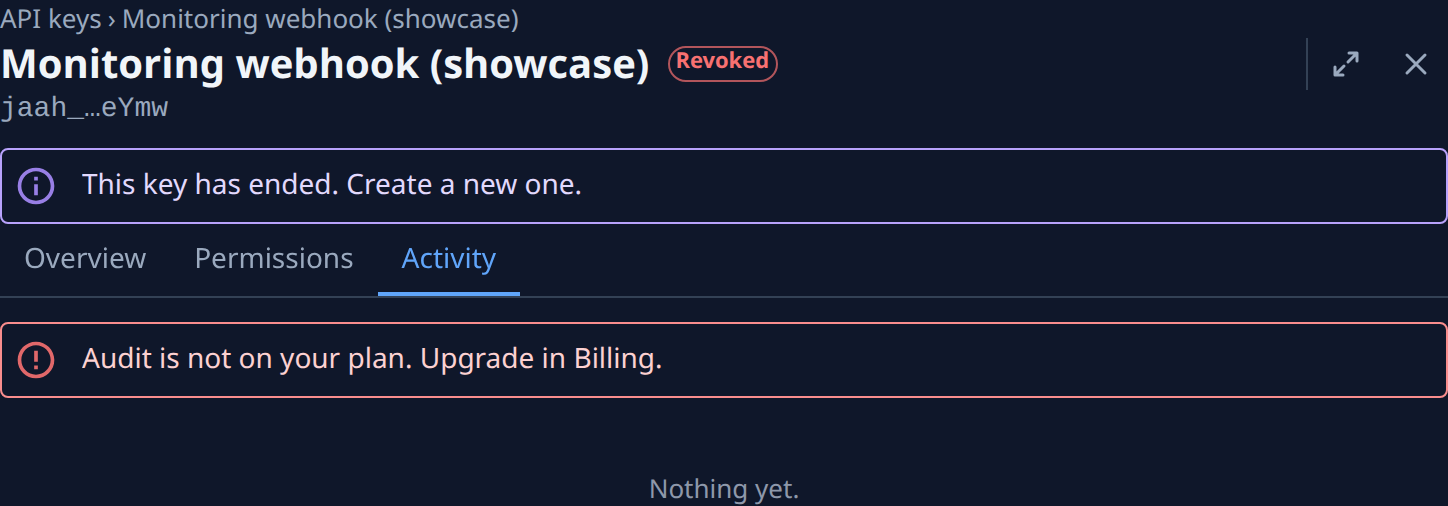
- Open the list of keys: select your initials at the bottom of the sidebar, then My Profile, then Security. Your keys are under API keys.
- Select the key's row. Its page opens on Overview, where Last used says when the key last made a call and from which address. A revoked or expired key is still listed and still has its history.
- Select the Activity tab. Each row says what was done, who did it and how long ago. Hover the age to see the exact time.
- Read the mark at the start of each row: ✓ for a call that worked, ⊘ for one Jaah refused, such as a call without the permission it needed or from an address the key does not allow, and ✕ for a server error. A run of ⊘ rows usually means a script still uses a key that was revoked or narrowed.
- Select a row. The event opens in Audit, on its Event tab: When, the Actor, the Result, and, when they were recorded, the Browser or client and the Address the call came from. An address you don't recognize is a reason to revoke the key.
- Select the Request tab to see what was asked: the Method, the Path and the Status.
- Go back in your browser to return to the key, and open the next row.
The tab shows the latest 50 events. For older ones, search Audit's Activity tab for the key's owner and narrow the dates; see Find an event in the audit log. No secret is ever recorded.
Related
- Rotate or revoke an API key — give the key a new secret, or end it.
- Review refused requests and sign-ins — every refused call in the organization, not only one key's.
- API keys — every tab and field of a key's page.
- How audit works — what Audit records and who may read it.