Custom agent page
A custom agent is a program your organization registers from a GitHub repository to do a task's work. What an agent is and how a task runs it is on How agents work.
Open it from the sidebar: select Settings, then Agents under Customize, then the Custom agents tab. Add agent opens the New agent page; an agent's name opens its own page beside the list. On a wide screen that page is a pane: Maximize pane gives it the full width, Restore pane brings the list back, and Close pane closes it. On a phone it opens as a full page. The tab shows only when your plan includes SDK agents. Seeing the page needs the permission to view agents; registering or changing one needs the permission to edit them. Without it the page says You can view this agent but not edit it. and every field is locked.
New agent
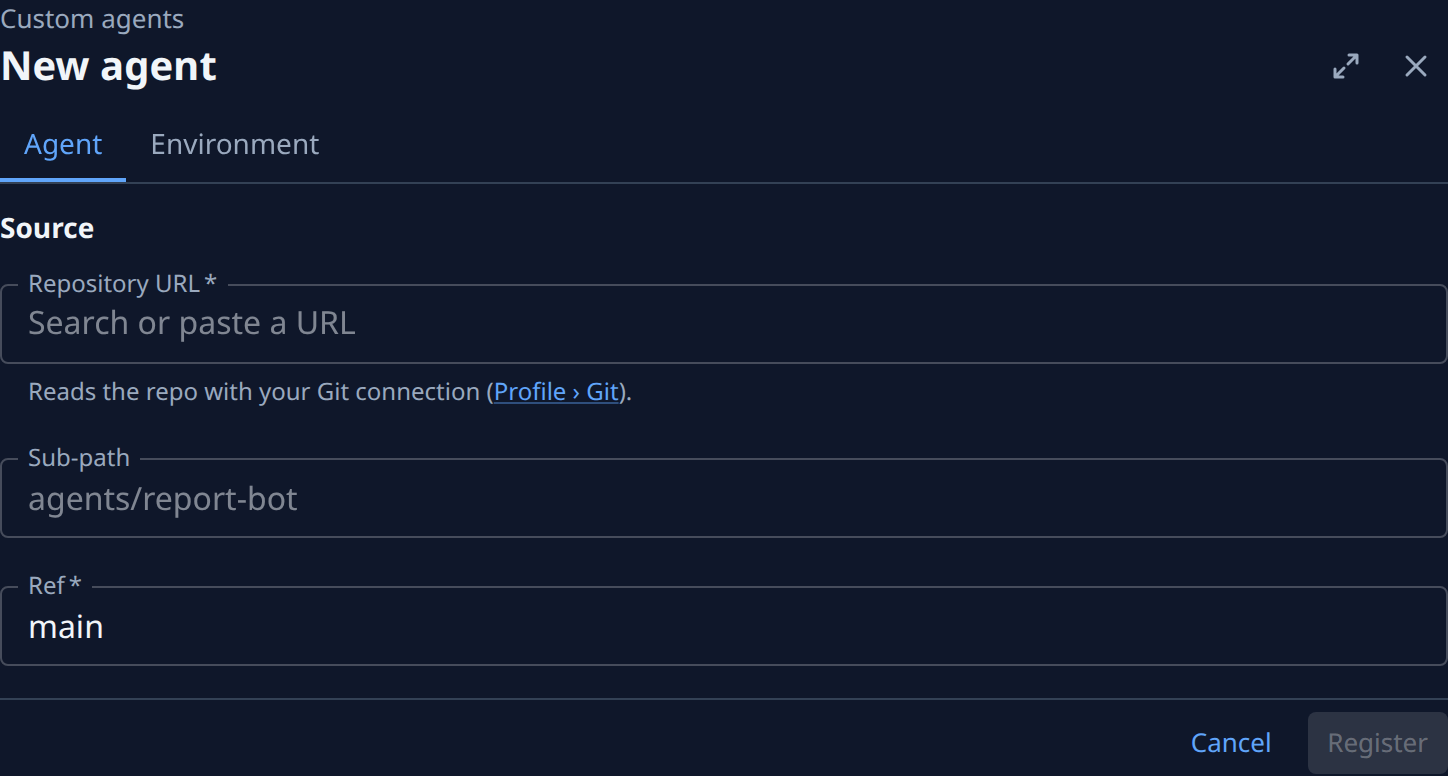
The page has two tabs, Agent and Environment. The Agent tab holds the Source section:
- Repository URL (required): the GitHub repository that holds the agent. Its placeholder reads Search or paste a URL when your Git connection lists repositories, and an example address otherwise. Jaah reads it with your own Git connection, so it suggests that connection's repositories and warns when the address is not among them. The Settings › Personal › Git link under it opens that connection.
- Sub-path: the folder holding the agent's manifest,
jaah-agent.toml. Blank for the repository root. - Ref (required): a branch, tag or commit; main by default. Jaah pins the commit it names. A branch or tag is pinned again to its newest commit within about 15 minutes of a push.
Register stays off until both required fields are filled. It fetches the repository and checks its manifest, which takes a few seconds; the page shows Fetching the repository and checking its manifest… meanwhile. Each problem it finds is listed in red above the buttons. Once registered, the agent's own page opens. Cancel goes back to the list.
An agent's page
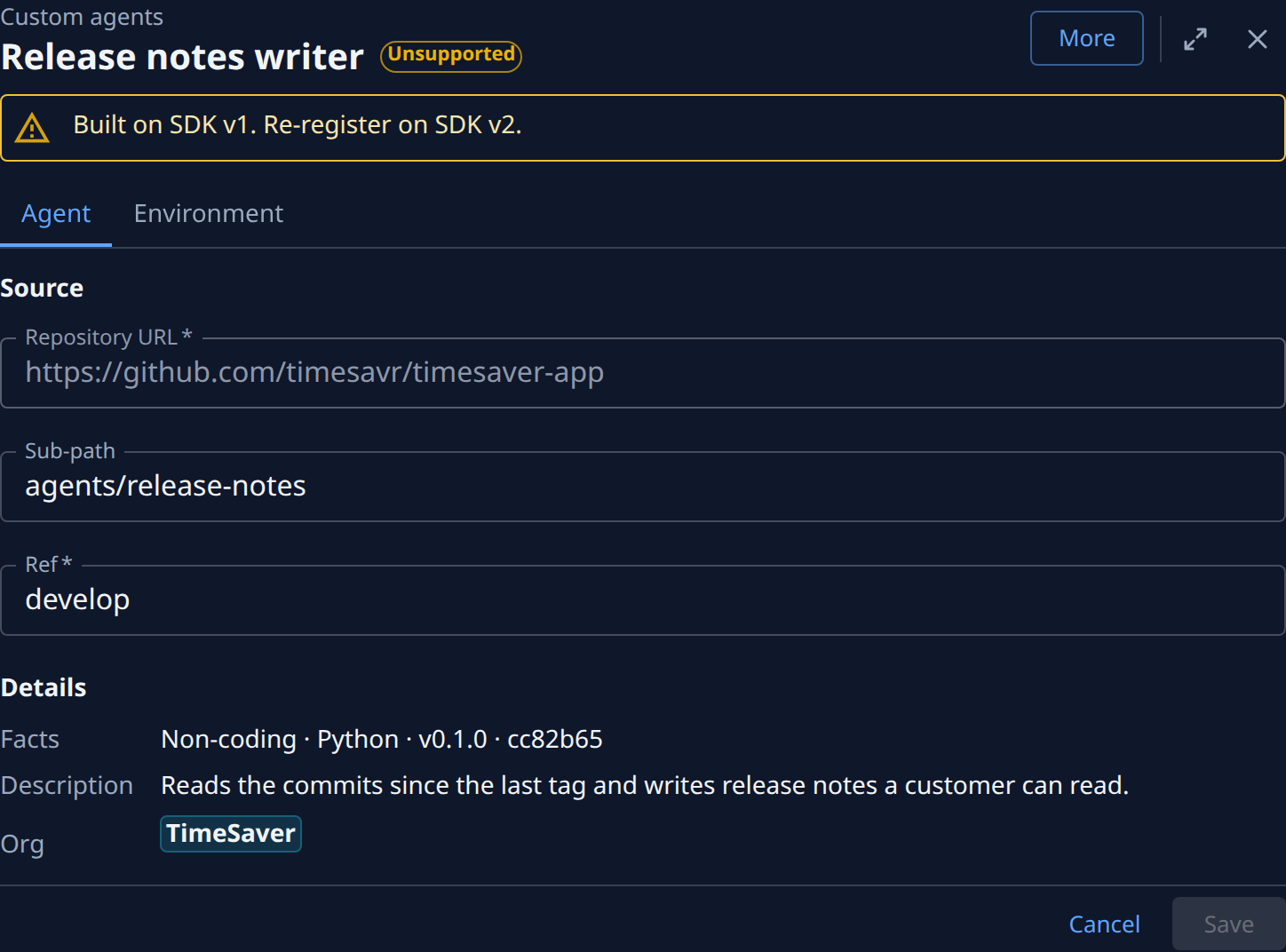
The title is the agent's name, with its state beside it: Active, Disabled, Last refresh failed, Never fetched, Unsupported or Removed from catalog. An agent built on SDK v1 reads Unsupported in place of Last refresh failed; hover it for the reason. A disabled or removed SDK v1 agent shows its state and a second Unsupported mark. An SDK v1 agent cannot run until it is registered again on SDK v2.
- Last refresh failed: and the reason, in a yellow banner, when the last fetch of the ref did not work. Jaah keeps running the commit it pinned before. An agent built on SDK v1 shows Built on SDK v1. Re-register on SDK v2. in that banner instead.
- Source: the same fields as on New agent. Repository URL is locked; Sub-path and Ref can change.
- Details: Facts (the kind of work: Coding, Non-coding or CLI wrapper; its language, its version and the pinned commit), the Description from its manifest, and the Org it belongs to.
Save stays off until something changes. A save that works says Saved and the agent's name in a banner; on a registry agent, the banner names the key account change instead. Leaving with unsaved changes opens Unsaved changes: Cancel stays, Discard leaves without them, and Save saves them and leaves; while a required field is empty, Save stays on the page.

More holds the agent's actions. Each one reports in a banner at the top, such as Refreshed and the agent's name, or the reason it was refused:
- Refresh: pins the ref's newest commit now.
- Disable or Enable: a disabled agent stays registered but no new task can use it.
- Delete: asks first, then removes the registration for everyone; past runs keep their record. When a project's default agent or a task still uses it, the page lists them instead and suggests Disable.
A connector turned on from the Catalog tab opens read-only here, with A catalog connector: turn it on or off on the Catalog tab.
An agent installed from the registry
An agent installed from the Registry tab has no Environment tab and nothing to refresh. Its Source shows the Repository alone, and a Key account section holds API-key account: an API-key model account whose key is sent to the agent on each run. Only org admins can change it; None leaves it unset. The key is sent per run, never as an environment variable. Its Details read like Coding · npm · ACP registry · pinned v1.2.0. More starts with Open key account when one is set. The registry is a separate plan option; see Install an agent from the ACP registry.
Environment
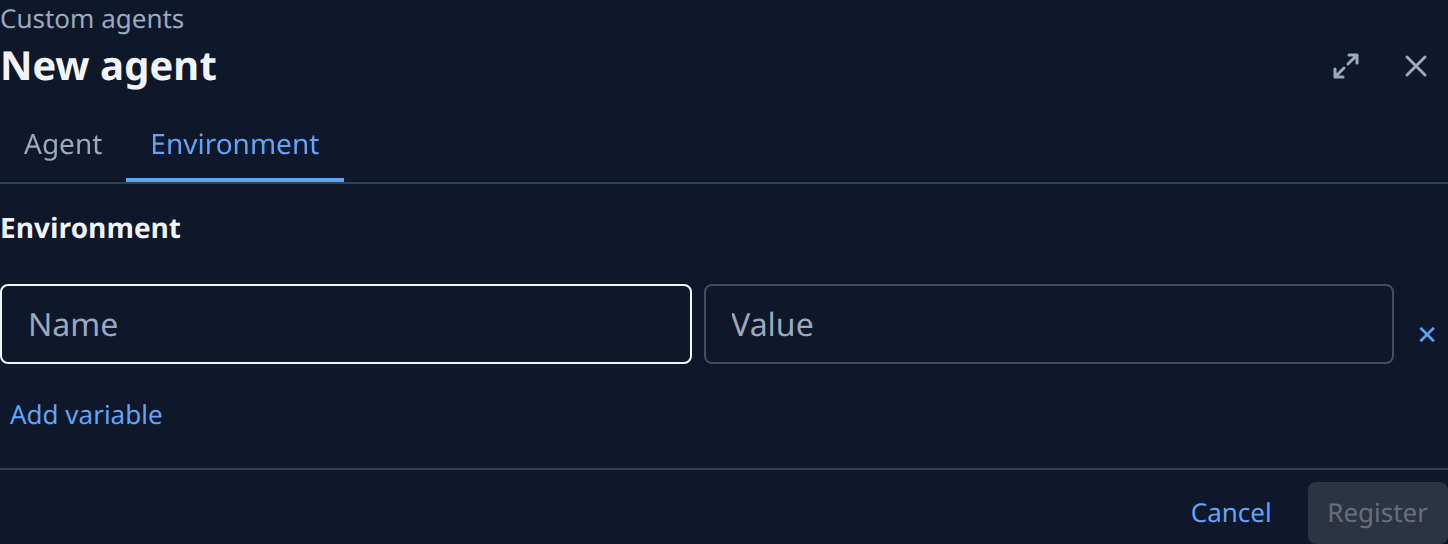
Variables set on the agent's process when a task runs, such as the model a connector uses.
- Name and Value: one row per variable. A name takes letters, digits and _, not starting with a digit, and each name once. Names that look like secrets (ending _TOKEN, _API_KEY, _SECRET or PASSWORD) are refused: give the agent a secret instead.
- ✕ removes the row; Add variable adds one.