Accept the terms
This screen asks you to accept Jaah's Terms of Service and Privacy Policy. It appears only in one case: right after you sign in, before any console page, when Jaah set up your organization for you and you have not accepted the terms yet. If you signed up yourself, you accepted them then and never see this screen. Once you have accepted, opening its address takes you straight to Tasks instead.
It opens on its own, with the Jaah logo and no console sidebar. Its heading is Accept the terms, and under it reads Review and accept them to start using Jaah. Until you accept, every console page brings you back here. If your session has ended, it opens the sign-in page instead.
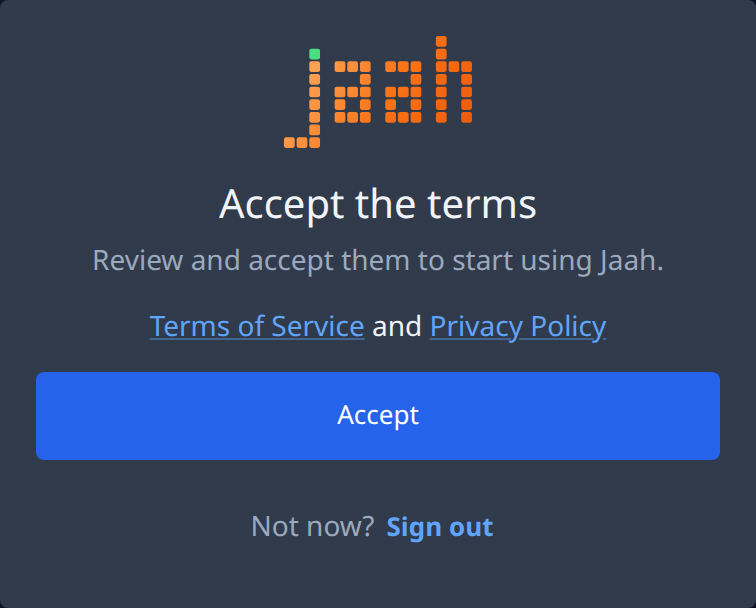
| Item | What it does |
|---|---|
| Terms of Service | Opens the terms in a new tab. See Legal pages. |
| Privacy Policy | Opens the privacy policy in a new tab. |
| Accept | Records that you accept both, then opens the console where you were headed. |
| Sign out | Next to Not now?. Signs you out without accepting. The next time you sign in, this screen comes back first. |
If it fails
| What you see | What to do |
|---|---|
| Could not load the terms. Reload the page. | Reload the page. |
| Could not record your acceptance. Try again. | Select Accept again. |
| The terms just changed. Review them, then accept again. | The terms were updated while the screen was open. Read the new versions from the links, then select Accept. |
To sign in again, see Sign in.