Legal pages
The legal pages are public: a link to one opens without signing in, on a page of its own with no console sidebar. Each legal document has its own link, and the same page shows to everyone, whatever their role.
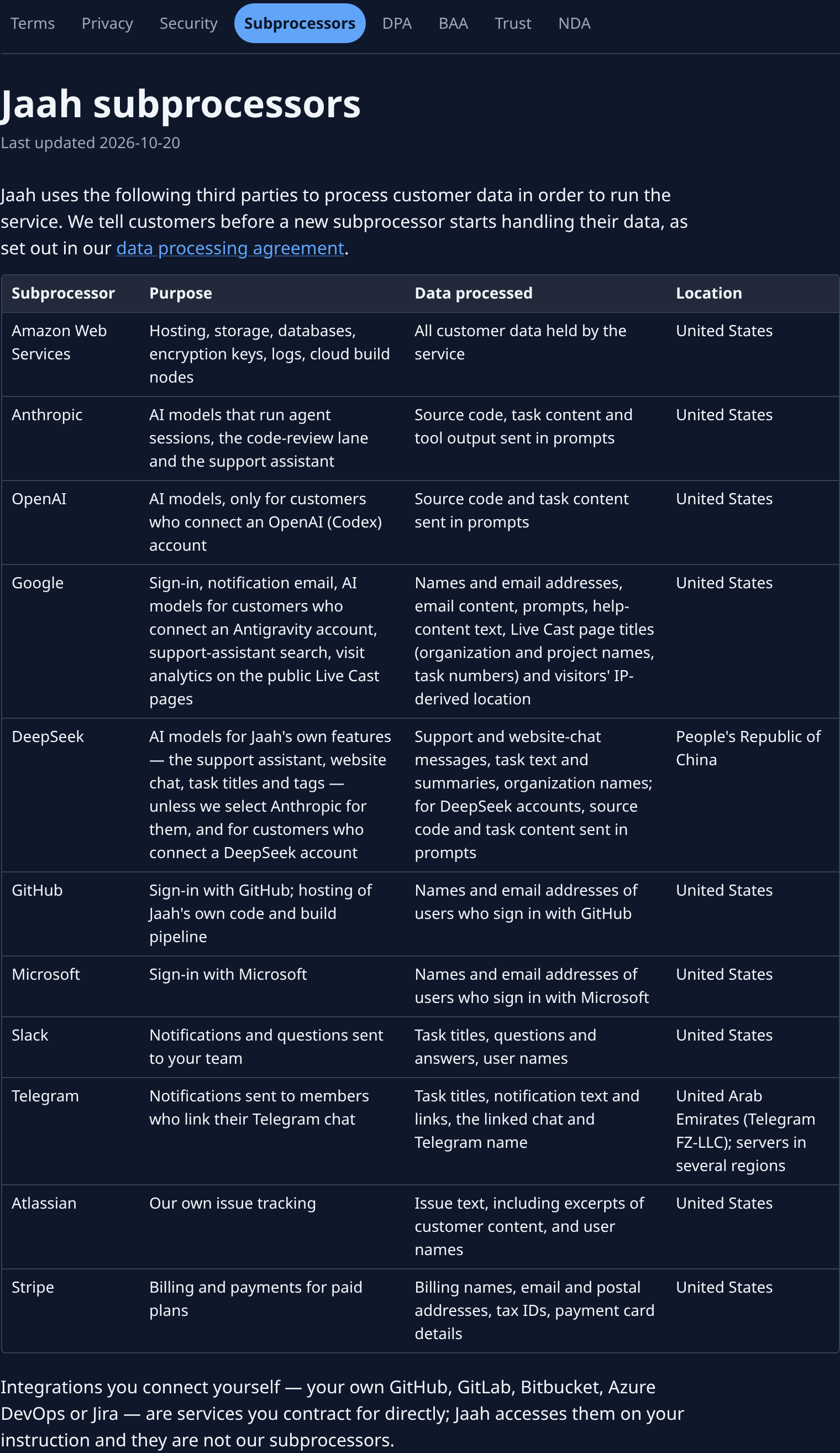
| Item | What it shows |
|---|---|
| Jaah logo | At the top of the page. Takes you to the sign-in page. |
| Terms, Privacy, Security, Subprocessors, DPA, BAA, Trust, NDA | One link per legal page, in one row. The page you are reading is highlighted; select another to open it. On a phone, swipe the row to see the rest. |
| Title | The legal page's name, for example Jaah subprocessors or Jaah trust center. |
| Last updated | The date the page was last changed. |
| Body | The page's text: numbered sections, lists and tables. On a phone each table row shows as a card, each value under its column's name. Links to another legal page open it here; an email address opens your email app. |
Trust center
Trust opens the Jaah trust center: where Jaah stands on each security and privacy framework, how data is handled, and the documents you can read or ask for.
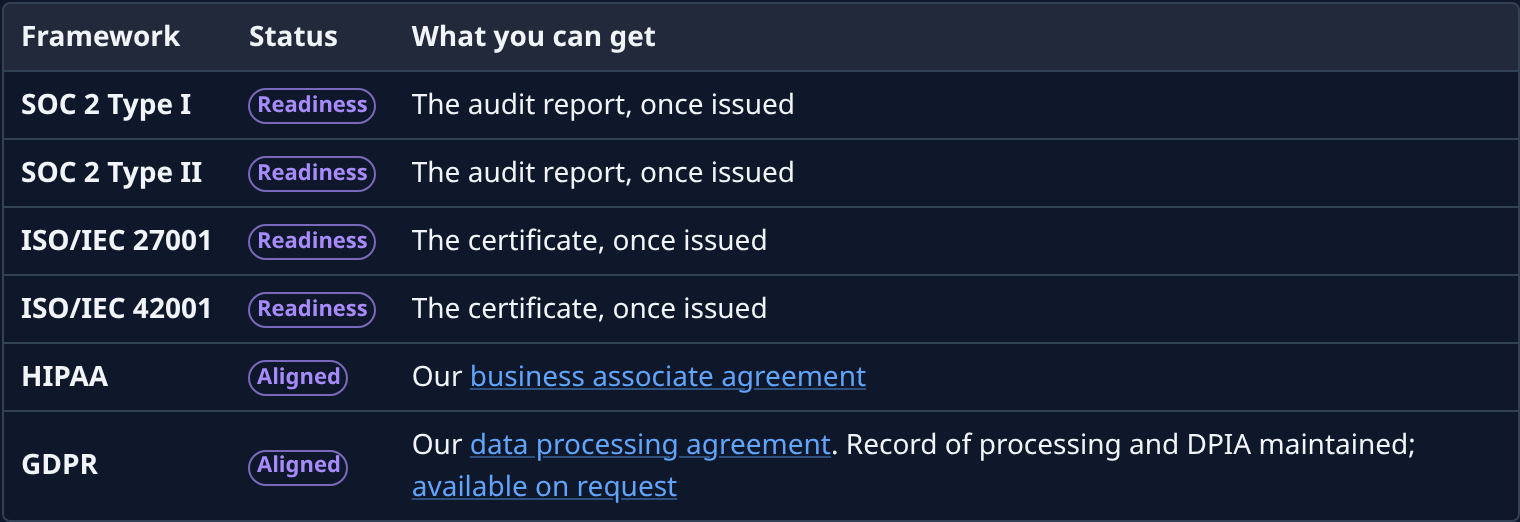
| Column | What it shows |
|---|---|
| Framework | The security or privacy framework, for example SOC 2 Type II or GDPR. |
| Status | Where Jaah stands on it, as a coloured label: Available, Aligned, Readiness, In preparation or Planned. The list under the table says what each one means. |
| What you can get | The document that framework gives you. A link opens it here; available on request jumps to Request documents at the foot of the page. |
Request documents
Some documents are shared only under the mutual NDA. The Request documents form at the foot of the trust center asks for them. Jaah reviews each request and answers by email; approved documents are sent separately, never downloaded from this page.
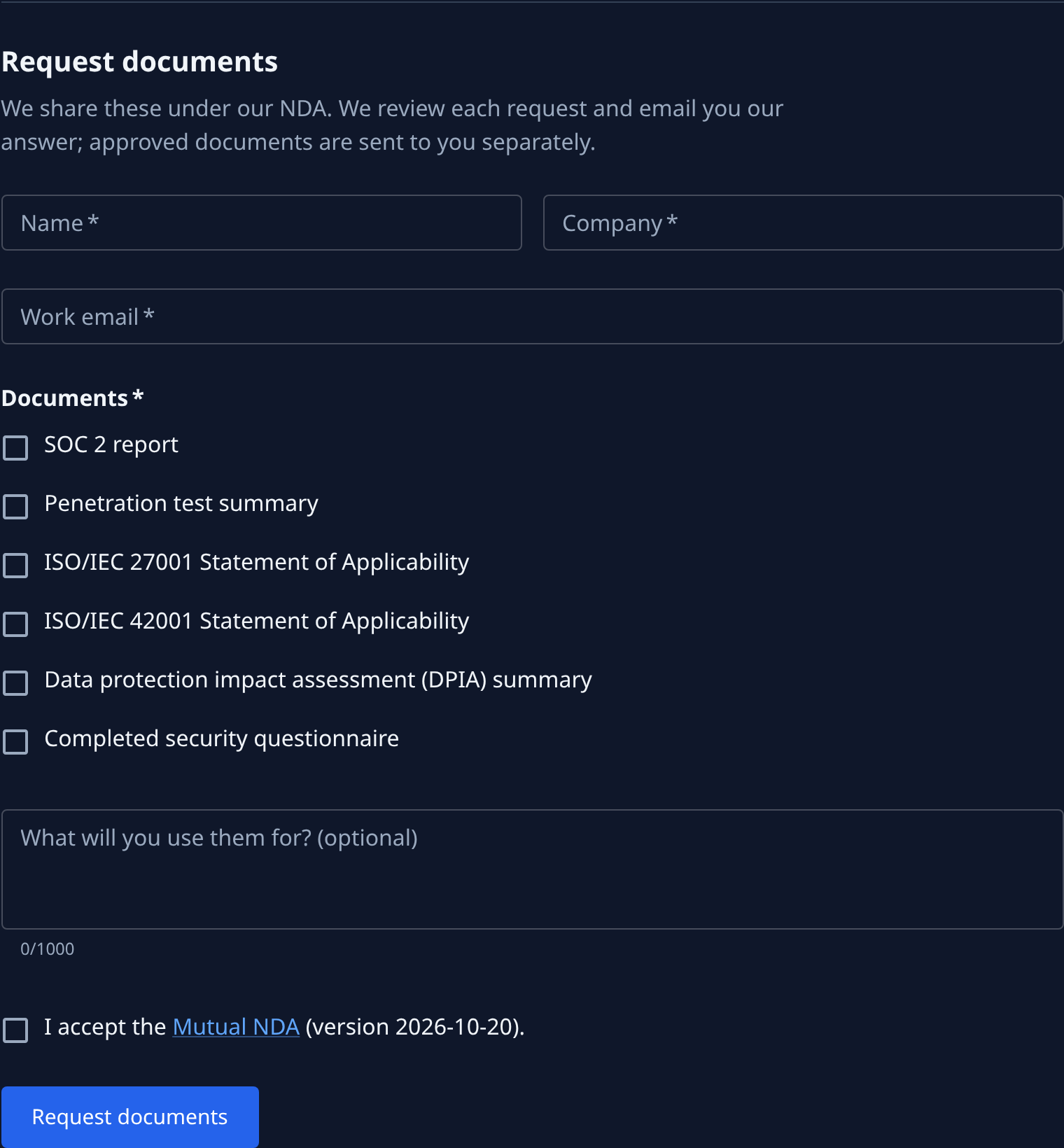
| Field or button | What it does |
|---|---|
| Name | Your name. Required. |
| Company | Your company. Required. |
| Work email | Where the answer goes. Required. |
| Documents | One checkbox per document you can ask for, for example SOC 2 report or Penetration test summary. Choose at least one. |
| What will you use them for? (optional) | A note for the reviewer, up to 1,000 characters; the count shows under the box. |
| I accept the Mutual NDA | Required. Mutual NDA opens the NDA page; the version you accept shows after it. |
| Request documents | Sends the request after a spam check (Google reCAPTCHA). It shows Sending… while it works, then "Request sent." with the email address the answer goes to. |
A missing or wrong field shows its message under the field. If the spam check is blocked by an ad or privacy blocker, a message says so: allow it, reload the page and send again. Other messages above Request documents:
| What you see | What to do |
|---|---|
| We couldn't confirm a person sent this. Reload the page and try again. | The spam check failed. Reload the page and send again. |
| Too many requests. Try again later. | Wait, then send again. |
| Requests can't be sent right now. Please try again later. | The request did not go through. Send it again later. |
If the form can't load, it says "Could not load the form. Try again." with Retry.
security.txt
/.well-known/security.txt on the console's address is the standard file (RFC 9116) security researchers
read to find where to report a vulnerability. It is plain text: Contact is Jaah's security contact,
Expires a date about six months ahead, and Policy the Security legal page once the legal pages
are published. Until a security contact is set, the file is not served.
Page not found
A link that names no legal page shows Page not found.

| Item | What it does |
|---|---|
| Page not found | The heading when the link names no legal page. |
| Sign in | Shown when you are signed out. Takes you to the sign-in page. See Sign in. |
| Back to console | Shown instead of Sign in when you are signed in. Takes you back to the console. |
If it fails
If the page can't be loaded, a red banner says "Could not load the page. Try again." with Retry at its end. Select Retry to load it again.