Reset your password
This screen sends you an email link that sets a new password. Use it when you have forgotten your password and can't sign in. You don't need to be signed in to open it.
Open it from the sign-in page: select Forgot password? under the Password field. See Sign in.
If you are signed in and only want to change your password, use Set new password on your profile instead.
Ask for a link
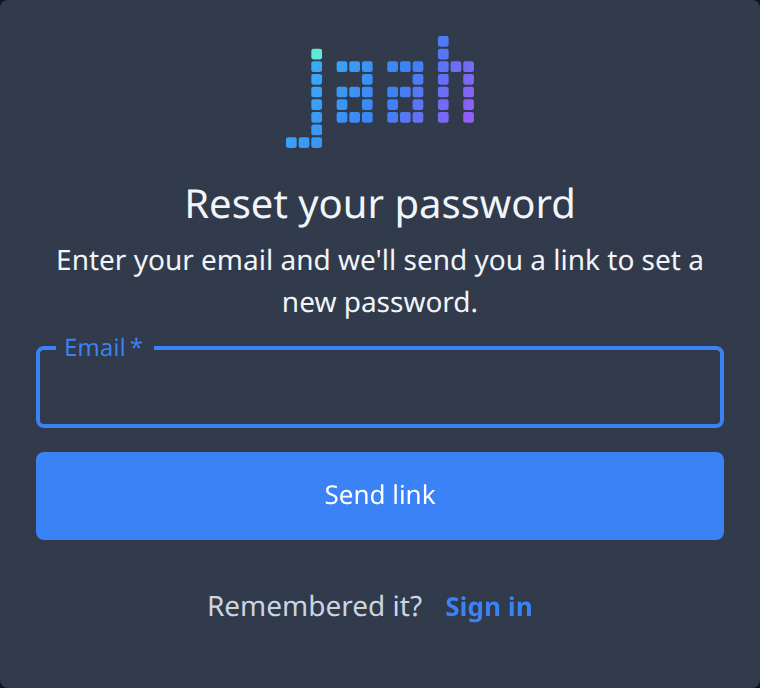
| Field or button | What it does |
|---|---|
| The email address you sign in with. Required. If you came from the sign-in page with an address already typed, it is filled in for you. | |
| Send link | Sends the link to that address. It shows Sending… while it works. |
| Sign in | Next to Remembered it?. Takes you back to the sign-in page. |
After you send
The screen changes to Check your email. It always says "If an account exists for that email, we've sent a link to set a new password.", whether or not that address has a Jaah account.
- The link works once and expires in 1 hour.
- If the email doesn't arrive, check your spam folder.
- Back to sign in takes you to the sign-in page.
- Send another link, next to Didn't get it?, brings the form back so you can send again.
Open the link from the email to choose your new password.
If it fails
If the link can't be sent, a message appears above the Email field:
| What you see | What to do |
|---|---|
| Too many password reset requests. Try again in an hour. | Wait an hour, then send again. |
| Could not send the link. Try again. | Select Send link again. |