Find where an incident happened
An incident your monitoring tool reports carries what that tool knows about it: where it ran, which build it was, and the code it failed in. This guide reads those facts on the incident's page and takes you to the same incident in your monitoring tool for the full detail. To find the pull request behind it instead, see Find the pull request behind an incident.
Before you start: Production QA is a plan feature. While your plan does not include it, Incidents is left out of the side menu and opening the page shows Not on your plan. Incidents from a monitoring tool appear only once its alerts are connected: see Record monitoring alerts as incidents.
Who can do this: anyone who can view the project.
-
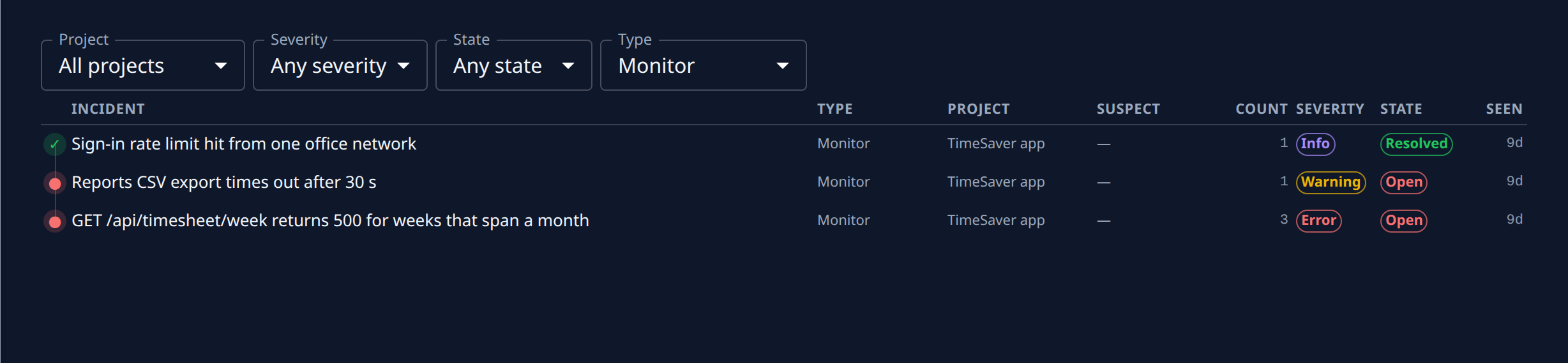
Select Incidents in the side menu.
-
Set Type to Monitor to keep only what your monitoring tool reported, and pick the Project. Narrow further with Severity or State if the list is long.
-
Select the incident's title to open it on its Overview tab.
-
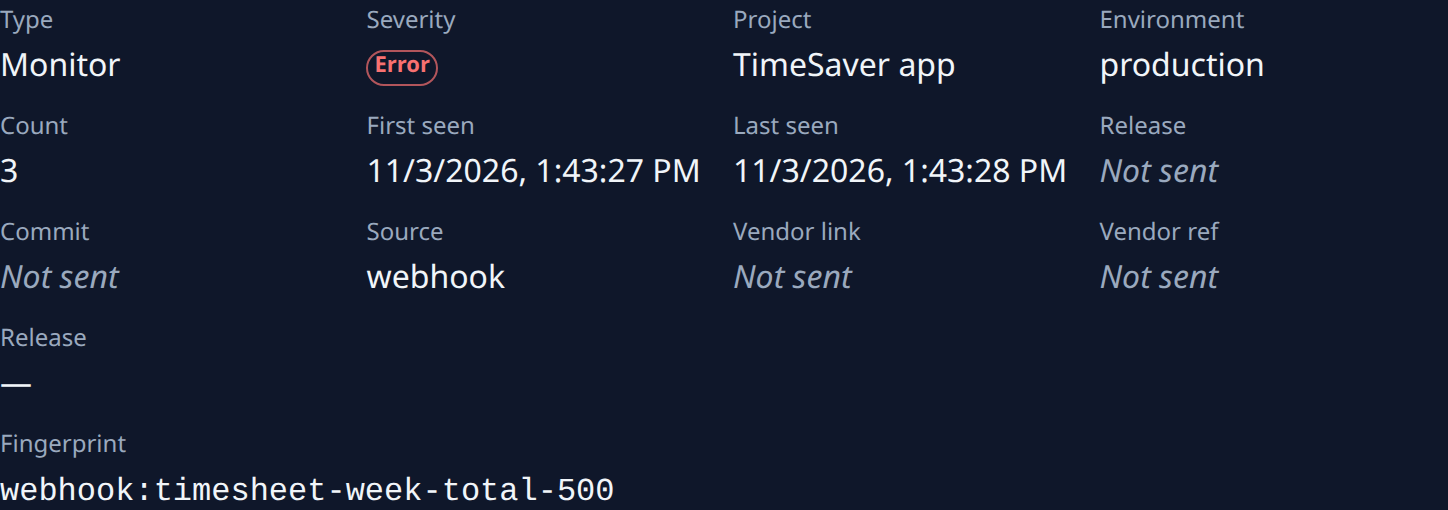
Read where it happened:
- Environment — where it ran, such as production.
- Reported release and Commit — the build your monitoring tool tied it to. Hover the commit for its full hash.
- Jaah release, shown as
#and a number — the Jaah release it followed; select it to see what that release shipped. — means none. - Count, First seen and Last seen — how often, and since when.
A field the monitoring tool did not send reads Not sent.
-
Read Stack below the fields: each frame as function, file and line, with frames outside your own code dimmed. Start from the first frame that is not dimmed.
-
To see the full event, select the reference under Vendor link (or Open). It opens the incident in your monitoring tool; Vendor ref is its reference there, to search by.
-
Fingerprint is how Jaah recognises a repeat of the same problem: the next time it happens, its Count rises on this incident instead of a new one appearing.
The page refreshes every 15 seconds, so a new occurrence shows without a reload.
Related
- Incidents — every column, filter and tab on the Incidents pages.
- Check that a fix resolved an incident — once you have fixed it.
- How Production QA works — incident types, and how repeats are counted.