Revert a release that breaks production
When a release makes a project's error rate or latency climb, Jaah records a Regression incident. With a Revert policy set, it also files a task that reverts the pull requests most likely behind it, so undoing a bad release doesn't wait for someone to notice. The revert is an ordinary task: its pull request goes through review and the merge lane like any other, and Jaah never merges it by itself. How releases, incidents and suspects fit together is in How Production QA works.
Before you start: the project needs Production QA set up, with its releases connected and its switch on: see Turn on Production QA for a project. Changing the tab's settings needs permission to edit the project; creating its automations is for Org Admins.
-
In the sidebar, select Directory, then the Projects tab, open the project, and select its Production QA tab.
-
Under Releases, set Revert policy:
- Draft files a draft revert task for someone to check and start. Pick it while you are learning how often regressions are real.
- Auto-file files a revert task that starts on its own.
- Off files nothing.

-
Under Regression, set what counts as one. Jaah compares the Window (min) after a release with as long just before it; a breach is an Error rate × or p95 latency × that many times what it was before. Min events is how many errors an error-rate breach needs, so a handful of errors on a quiet service doesn't revert anything.

-
Select Save at the bottom of the tab. Discard drops your changes instead.
-
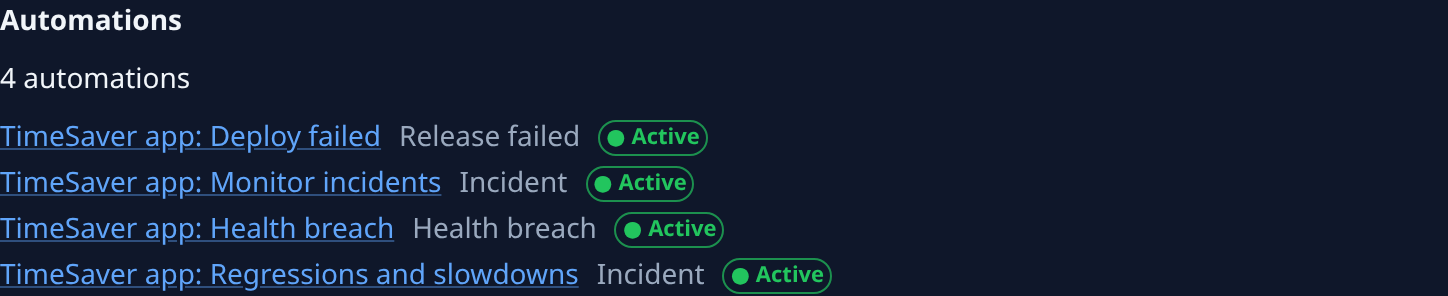
Check Automations further down. A revert rides on the automation that files a task from a regression, so the list needs an Incident automation that hears the project's regressions. With no automations at all, select Create defaults. Without one, no revert is filed, whatever the policy says.
-
After the next regression, select Incidents in the sidebar, set Type to Regression, and open the incident. Its Suspects tab lists the pull requests the revert undoes: the ones you Confirm, or, with none confirmed, those Jaah ranks High. Confirm or dismiss them before you start a draft revert, as in Find the pull request behind an incident.
-
Select the incident's Tasks tab. The revert is listed under Revert, named Revert: and the pull request numbers. Open it: start it if it is a draft, then follow its pull request through review. With no revert listed, the tab says why, such as no suspect pull request to revert.
Jaah files at most one revert per incident. When the incident stops after the revert ships, it reads Resolved; Check that a fix resolved an incident shows how to confirm it.
Related
- Check whether a release broke production — read a release's metrics and probes.
- Incidents — every field of an incident's page, including its Tasks tab.
- How tasks work — how a task's pull request reaches your branch.