Change where a NodeLink mounts
Every node a NodeLink is attached to mounts it at the same path, its Mount path. Change that path when the folder's name no longer fits what is in it, or when a tool your tasks run expects the files somewhere else. Each attached node moves its mount to the new path by itself, and the files stay where they are.
Who can do this: the permission to edit credentials, and access to the credential the NodeLink's storage uses. When nodes are attached, it also requires the org admin role. The NodeLink tab shows only while your plan includes NodeLink.
-
In the sidebar, select Directory, then the Networks tab, then NodeLink.
-
Select the NodeLink's name. Its page opens on General, with the current path under its name. Select Copy mount path beside it if you need the old path later.
-
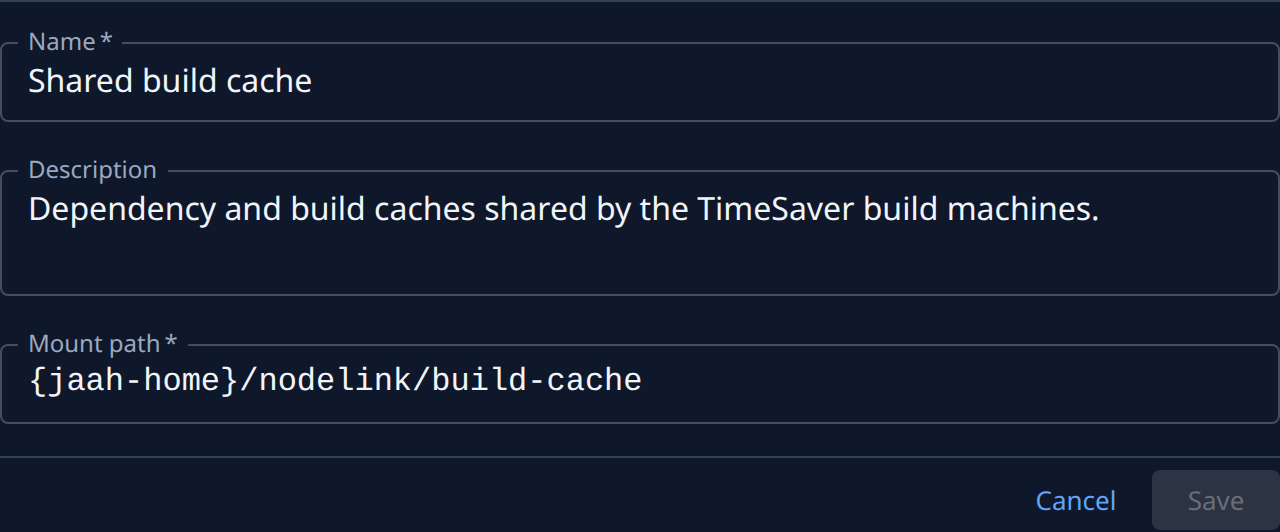
In Mount path, type the new path. It must start with
{jaah-home}/, which each node replaces with its own Jaah home, and each folder in it can use only letters, digits,.,_and-. Keep it under{jaah-home}/nodelink/unless a tool needs it elsewhere. -
If the path is outside
{jaah-home}/nodelink/, read the warning under the field: while mounted, it hides what is already at that path, files in it can't be run, and a later path change remounts it under tasks still running. Pick a folder nothing on your nodes uses. -
Select Save. Saved. shows beside the button. When the path can't be used, the reason shows under the field instead, such as This path overlaps NodeLink … when it is inside, or contains, another NodeLink's path.
-
Select the Nodes tab. Each attached node unmounts the old path and mounts the new one. Wait until every node reads Mounted. A node that reads Not mounted shows why beneath it.
-
On any attached node, open its NodeLinks tab to see the path as that node uses it, with its own Jaah home filled in.
-
Update anything that names the old path, such as a line in a project's Agent instructions or a script in its repository. Agents learn the new path by themselves.
Tasks running while the path changes keep the old mount until they let go of it. Change the path when no task is using the folder, or start those tasks again afterwards.
The NodeLink that shares model-account sign-ins mounts at {jaah-home}/auth/.shared, the only path
allowed under {jaah-home}/auth. Leave its path as it is.
Related
- Attach a NodeLink to nodes: create a NodeLink and choose its first path.
- Share files between tasks on different nodes: tell a project's agents where the folder is.
- Fix a NodeLink a node can't mount: what to do when a node reads Not mounted.
- How NodeLink works: where the files live and how a node mounts them.