Fix a node that can't run work
A node watches the agent sessions it starts. On a machine that hides one user's processes from another, it can't, so Jaah gives it no work at all. This happens most often in a container that shares its host's processes, such as a standard distrobox on a host set to hide them.
You see it in three places:
- On the Machines tab, the node's round mark is an orange ! instead of a green dot, even though the node is online. On the node's page, its status reads Can’t run work instead of Online.
- On the node's page, a warning above the tabs says This machine hides other users' processes, so the node can't watch its runners. Run it with its own process namespace, or on the host.
- A task waiting for that node says Waiting: node and its name, then can't run work; it hides other users' processes. Tasks that can run elsewhere go to your other nodes.
When you add a node on such a machine, the install command stops before it changes anything and says This machine hides other users' processes, so the Jaah node can't watch its runners and nothing was changed.
Who can do this: deleting and adding a node requires the org admin role.
Move the node to a machine that shows processes
- In the sidebar, select Directory, then the Machines tab. Hover the ! beside the node to confirm the reason.
- Choose where the node runs instead: on the host itself, or in a container with its own processes. A
Docker container has its own by default; a distrobox has its own when you create it with
--unshare-process. - Delete the old node: open its row menu ⋯, select Delete and confirm. See Delete a node.
- Select New node, pick Your machine, pick the OS, and select Next.
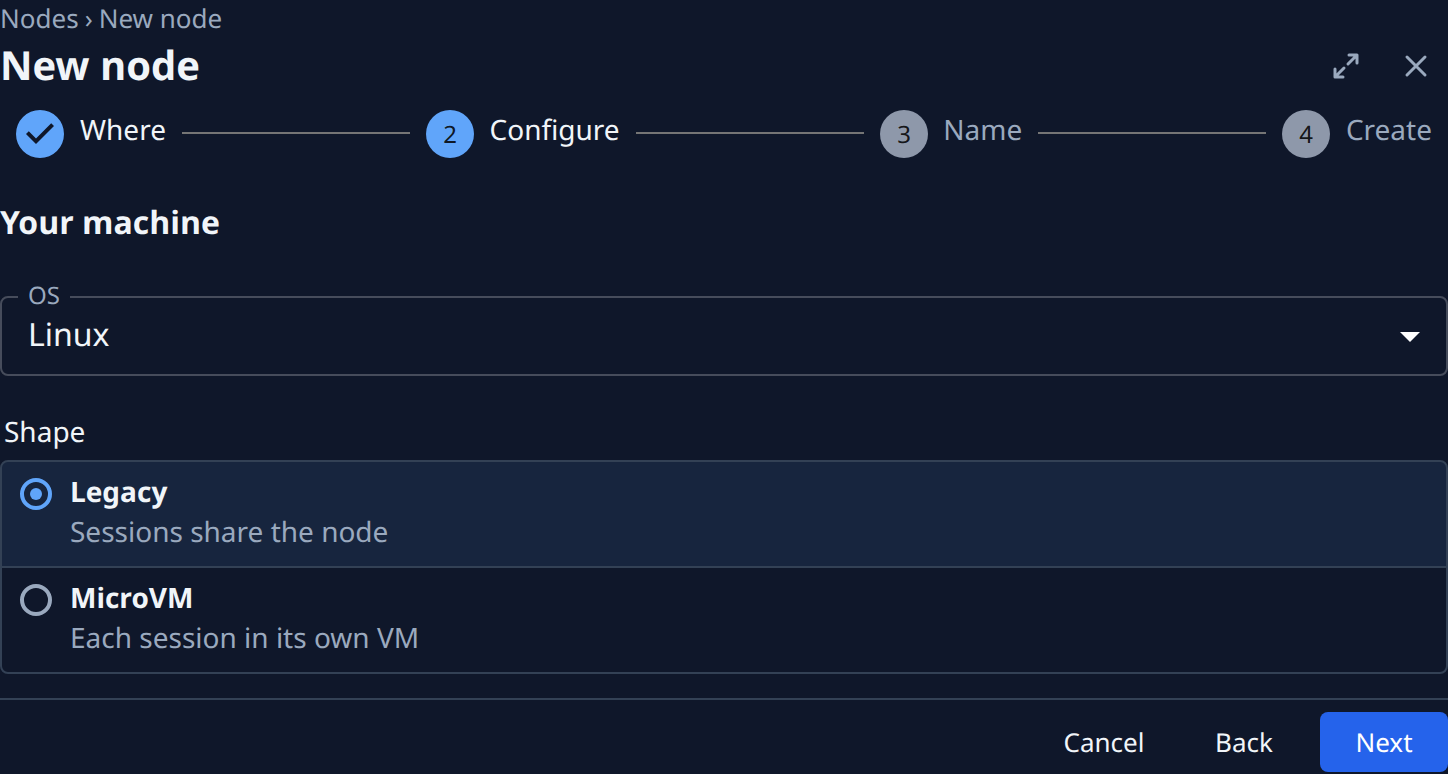
- Enter a Name, select Next, then Create.
- Select Copy command, and run the command on the host or in the new container.
- Back on the Machines tab, wait for the node's green dot. Tasks that were waiting start on it.
The full steps for adding a machine, and what it needs, are in Add a node.
If you change the machine instead
If you can turn off the setting that hides processes on the machine itself, keep the node. It checks again by itself, and once it sees other users' processes, the ! turns back into a green dot and tasks start on it. There is nothing to do in Jaah.
Related
- Read a node's status: every mark and warning a node can show.
- What a node can't do: features a machine lacks while still running tasks.
- Every column and tab on the Machines page: Machines.