Add a node
A node is a machine that runs your tasks. You can have Jaah launch one in your own AWS account, or register a machine you already run.
Who can do this: adding a node requires the org admin role. Without it, Add node doesn't appear.
Register a machine you run
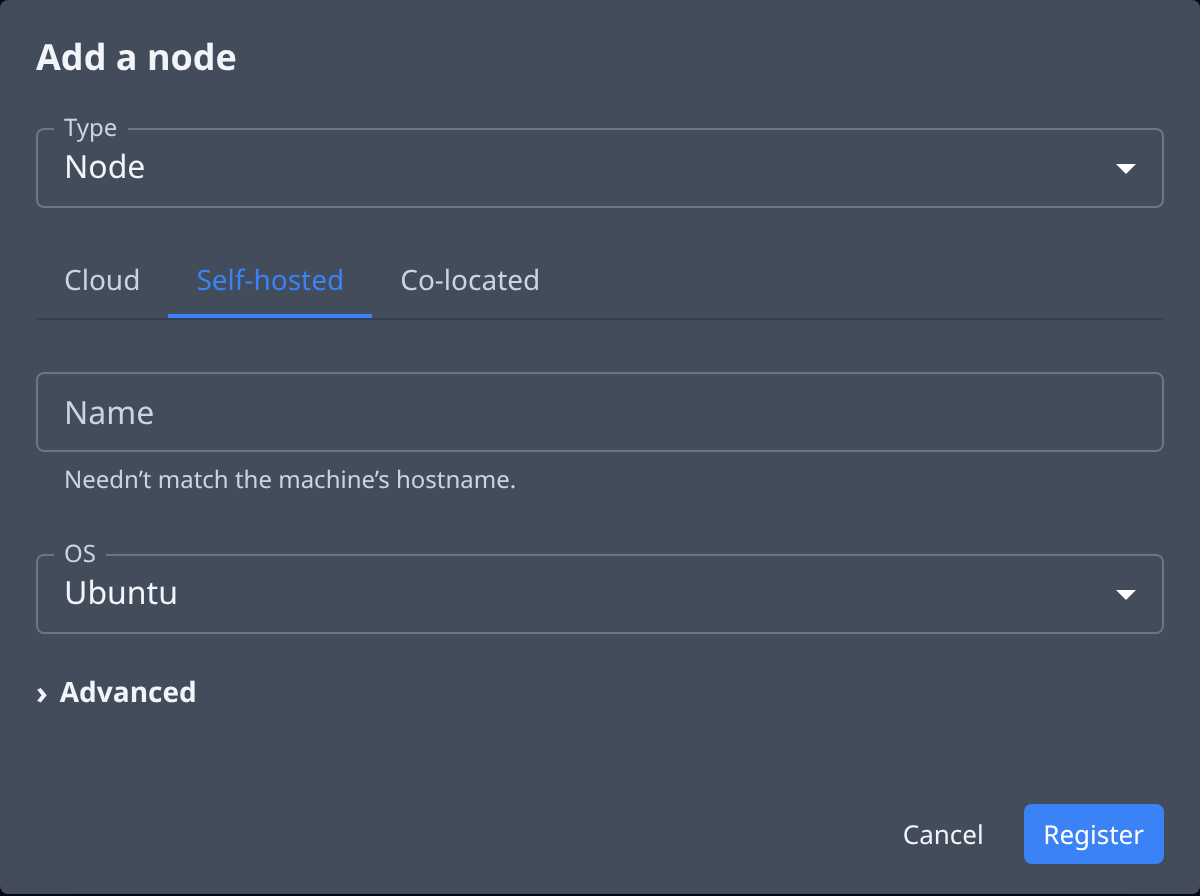
- In the sidebar, select Directory, then the Nodes tab.
- Select Add node. The Add a node dialog opens.
- Leave Type on Node.
- Select the Self-hosted tab.
- Enter a Name. It needn't match the machine's own name.
- Pick the machine's OS.
- Select Register. A dialog shows the command that joins the machine to Jaah.
- Select Copy, then paste the command whole into a terminal on the machine and run it.
- Select I’ve copied it.
The command holds the node's token and is shown only once. If you lose it before running it, use Re-issue token in the node's row menu to get a new one.
The node appears in the list. Once the command has run on the machine, its dot turns green. Then give it projects.
Launch a cloud machine
Jaah can start the machine for you in your AWS account. This launches a billed EC2 instance in that account. You need an AWS credential first: see Add a credential.
- Select Add node on the Nodes tab.
- Leave Type on Node and the Cloud tab selected.
- Enter a Name.
- Pick the AWS credential to launch the machine in. A credential that can't launch one is shown greyed out with the reason.
- Optional: open Advanced and pick the EC2 instance type, the machine's size.
- Select Create. The dialog says which instance is starting and where.
- Select Done.
The machine comes online on its own; there is nothing to run.
Give the node projects
A node with no project runs no tasks.
- Select the node's name in the list to open its details.
- Select the Projects tab.
- Tick the projects to run here under AVAILABLE.
- Select › (Assign selected) to move them to SELECTED.
- Select Save.
Changing a node's projects needs the org admin role and the permissions to create and delete projects; without them the lists are read-only. You can also place a project's worktrees from the Worktrees page: see Add worktree slots.
Related
- Read a node's status to check it came online.
- Every option in the dialog: Nodes.
- How nodes, worktrees and runners fit together: How nodes work.