Ask for a review when a task opens a pull request
A task that opens a pull request is often waiting on a person next: someone has to read the change before it merges. A webhook can tell your team the moment it opens. A small receiver of yours gets the event, checks it came from Jaah, and asks for the review where your team already looks: a message in your team chat, a reviewer assigned in your repository host, or a card on your review board. How endpoints, events and deliveries work is in How webhooks work.
You need to be an Owner or Admin of your organization, on a plan that includes webhooks, and a receiver at a
public https:// address that can post the request.
-
Open Settings, select Integrations, then Webhooks, and select New webhook.
-
Enter a Name that says where the events go, such as
Review requests, and the URL of your receiver. -
Under Events, tick Pull request opened and leave everything else clear, so the receiver only hears about new pull requests.
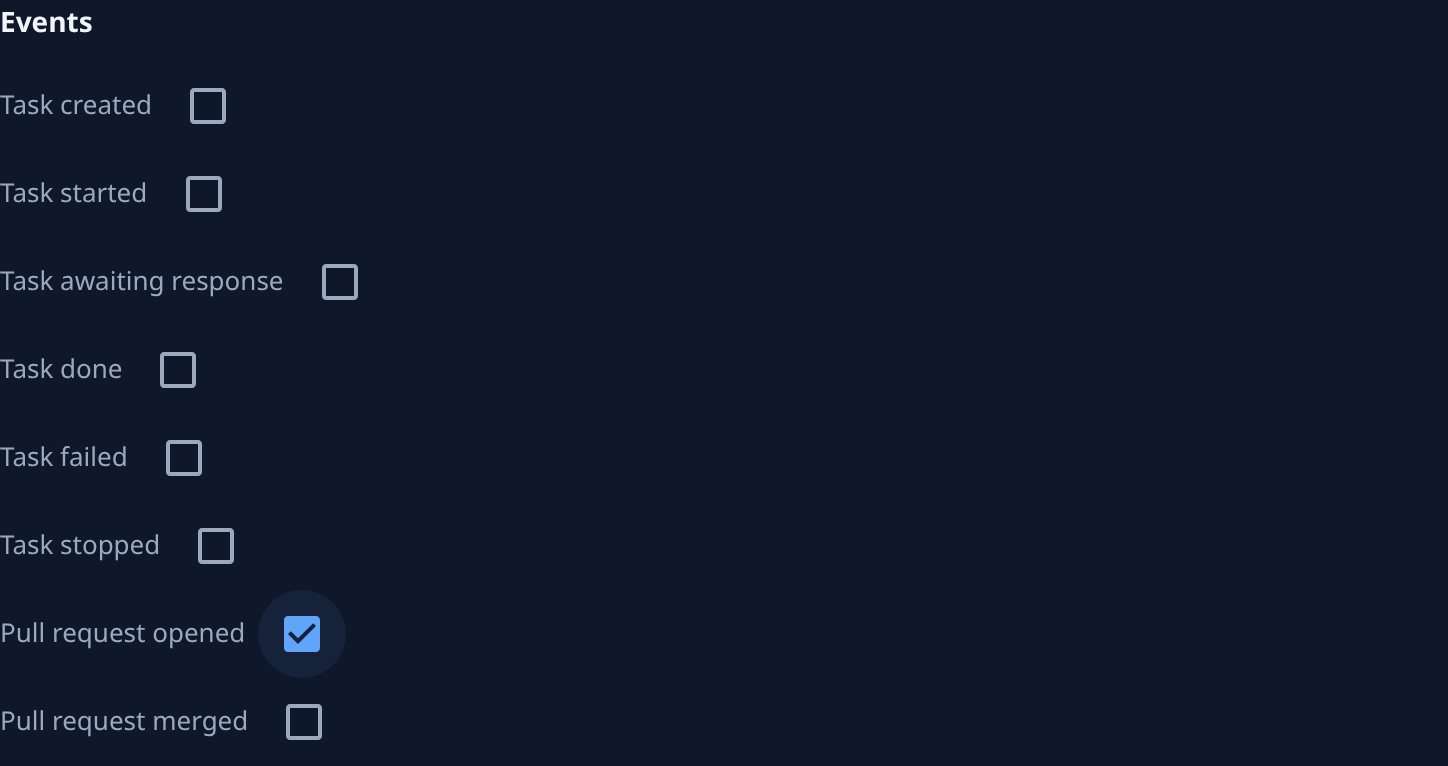
-
Under Projects, keep All projects, or clear it and tick only the projects this team reviews. Make one webhook per team when teams review different projects.
-
Select Create, and copy the signing secret into your receiver's configuration. Jaah shows it only once.
-
Have your receiver, for each delivery:
- check the signature first, as in Verify the signature, and refuse a delivery that fails it;
- skip a delivery it has already handled, since a delivery can arrive more than once;
- post the request from the pull request's
urlandnumber, the task's title and link, and the project's name, all in the body shown in What a delivery looks like; - answer with a
2xxstatus within 10 seconds, posting after it answers if the other system is slow.
-
Open the endpoint and select Send test. Its Deliveries tab shows the
pingas Delivered once your receiver answers. Apingnames no pull request, so your receiver should answer it without posting. -
After the next task opens a pull request, check that the request reached your team, and that the Deliveries tab shows it Delivered. If it failed, fix the receiver and select Redeliver on its row; Fix a failing webhook shows how to read why it failed.
Only pull requests a task opened send this event; one your team opened by hand sends nothing. To also tell the team once a pull request is in, tick Pull request merged on the same endpoint, and have the receiver tell the two apart by the event's type.
Related
- Receive events with webhooks: the delivery body, its headers, retries and the delivery log.
- Start a deploy when a pull request merges: the same setup for the merge that follows the review.
- Change which events a webhook sends: add a project or an event later.
- Event catalog: every event a webhook can send.