Post to a team chat when a task finishes
Your team may live in a chat channel rather than the console. A webhook sends each finished task to a small receiver of yours, which posts the task's title, project and a link to it in that channel, so people see work land without opening Jaah. Your chat tool can't read a Jaah delivery as it is, and can't check its signature, so the receiver sits in between: it checks the delivery, then posts its own message through your chat tool's incoming-message address. How endpoints, events and deliveries work is in How webhooks work.
Requires the org admin role, on a plan that includes webhooks. You also need a receiver at a public
https:// address that can post to your chat tool.
-
Open Settings, select Integrations, then Webhooks, and select New webhook.
-
Enter a Name that says where the events go, such as
Done tasks to team chat, and the URL of your receiver. Use Description to note which channel it posts to. -
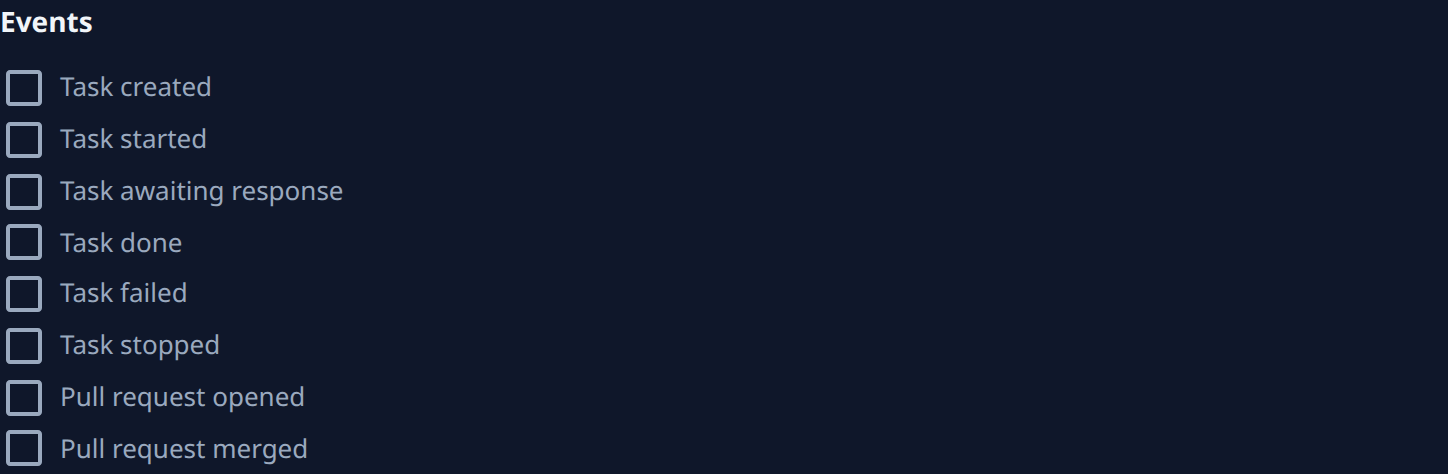
Under Events, tick Task done. Tick Task failed and Task stopped too if the channel should also hear about work that didn't finish. Leave the rest clear, so the channel only gets news worth reading.
-
Under Projects, keep All projects, or clear it and tick only the projects this channel follows. For a channel per team, make one endpoint per channel, each with that team's projects.
-
Select Create, and copy the signing secret into your receiver's configuration. Jaah shows it only once.
-
Have your receiver, for each delivery:
- check the signature first, as in Verify the signature, and refuse a delivery that fails it;
- skip a delivery it has already posted, since a delivery can arrive more than once;
- build a one-line message from the event's type, the task's title and link and the project's name, all in the body shown in What a delivery looks like, and post it to the channel;
- answer with a
2xxstatus within 10 seconds, posting after it answers if your chat tool is slow.
The body carries ids, titles and links only, never the task's description or transcript, so nothing private lands in the channel. The link is how people reach the details.
-
Open the endpoint and select Send test. Its Deliveries tab shows the
pingas Delivered once your receiver answers. Apingnames no task, so your receiver should answer it without posting, or post a short "connected" line if you want to see the path work end to end. -
After the next task finishes, check the channel and the endpoint's Deliveries tab. If a delivery failed, fix the receiver and select Redeliver on its row; Fix a failing webhook shows how to read why it failed.
To post when a pull request
merges instead, tick Pull request merged in step 3 and post its link from the body's pull_request.
For news that should reach one person rather than a channel, use notifications: they reach people in the console or on email, Slack or Telegram with no receiver to run.
Related
- Receive events with webhooks: the delivery body, its headers, retries and the delivery log.
- Open a ticket when a task fails: send failed tasks to your tracker instead.
- Pause a webhook: stop posting while your receiver is down.
- Event catalog: every event a webhook can send.