Review your organization's webhooks
Webhooks pile up. A receiver gets replaced, a project moves to its own endpoint, a test endpoint stays behind. A short review every few months keeps each endpoint pointed at a receiver you still run, sending only what it needs, with a secret that is not years old. This guide walks the list once. What endpoints and deliveries are is in How webhooks work.
Requires the org admin role: you need to be an Owner or Admin of your organization, on a plan that includes webhooks.
-
Open Settings, select Integrations, then Webhooks. With no endpoints, the list says No webhooks yet and there is nothing to review.

-
Read each row from left to right:
- the mark before Name: filled while the endpoint is Enabled, hollow while it is Disabled;
- URL: the receiver's host. Hover it for the whole URL, and check it is a receiver you still run;
- Events: how many event types it sends. Hover it for their names;
- Last delivery: the latest result and how long ago, such as Delivered · 3d. — means nothing was ever sent. Hover it for the status code and time.
-
Note the rows that need a closer look: a host you don't recognise, a Failed last delivery, an endpoint that is Disabled, or one whose last delivery is weeks old.
-
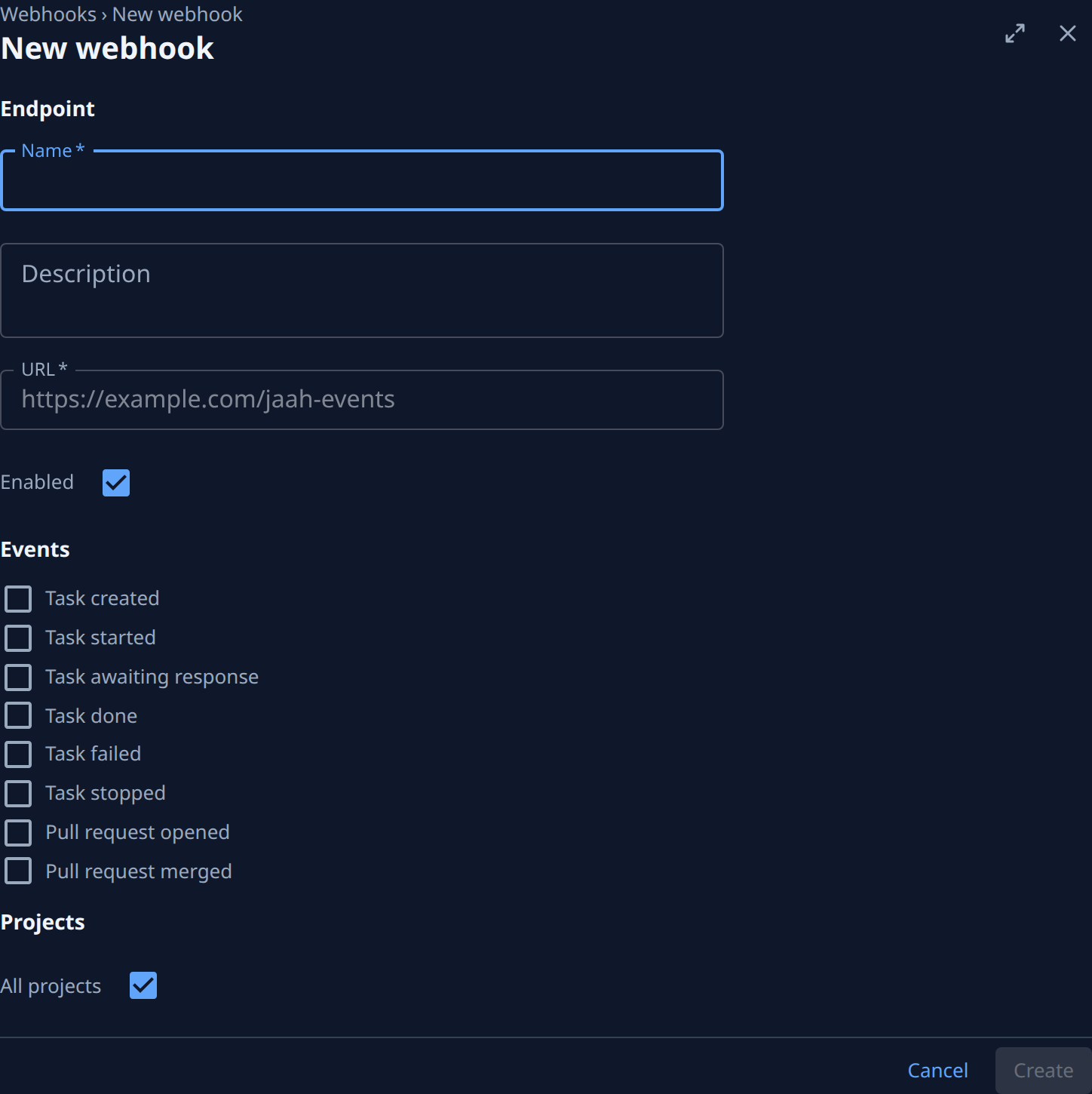
Select a noted endpoint's name. On Settings, check its Description says who owns the receiver, its Events are only the ones the receiver uses, and Projects is All projects or the projects you expect.
-
Select the Secret tab. Rotated shows when the secret was last replaced, or Never. If that is older than your team allows, replace it as in Replace a webhook signing secret.
-
Select the Deliveries tab and scan the last 30 days. Rows marked Failed or Retrying mean the receiver is having trouble: follow Fix a failing webhook.
-
Fix what you found on Settings: correct the Description, clear events nobody uses as in Change which events a webhook sends, then select Save.
-
For an endpoint nobody needs any more, select ⋯ > Delete and confirm, as in Delete a webhook. If you are not sure, clear Enabled and select Save instead, as in Pause a webhook, and delete it at your next review if nobody asked for it.
Each change you make here is recorded in Audit, so the next reviewer can see what you did: see Find out who changed a webhook.
Related
- How webhooks work: endpoints, events and a delivery's life.
- Webhooks: every column, tab and button on the screens.
- Send a project's events to its own receiver: split one project off a shared endpoint.