Open a ticket when a task fails
A task that fails, or stops to ask a question while nobody watches the console, can sit unnoticed. A webhook sends each such event to a small receiver of yours, which files a ticket in your tracker with the task's title and a link back to it. This guide sets that up. How endpoints, events and deliveries work is in How webhooks work.
You need to be an Owner or Admin of your organization, on a plan that includes webhooks, and a receiver at a
public https:// address that can create tickets in your tracker.
-
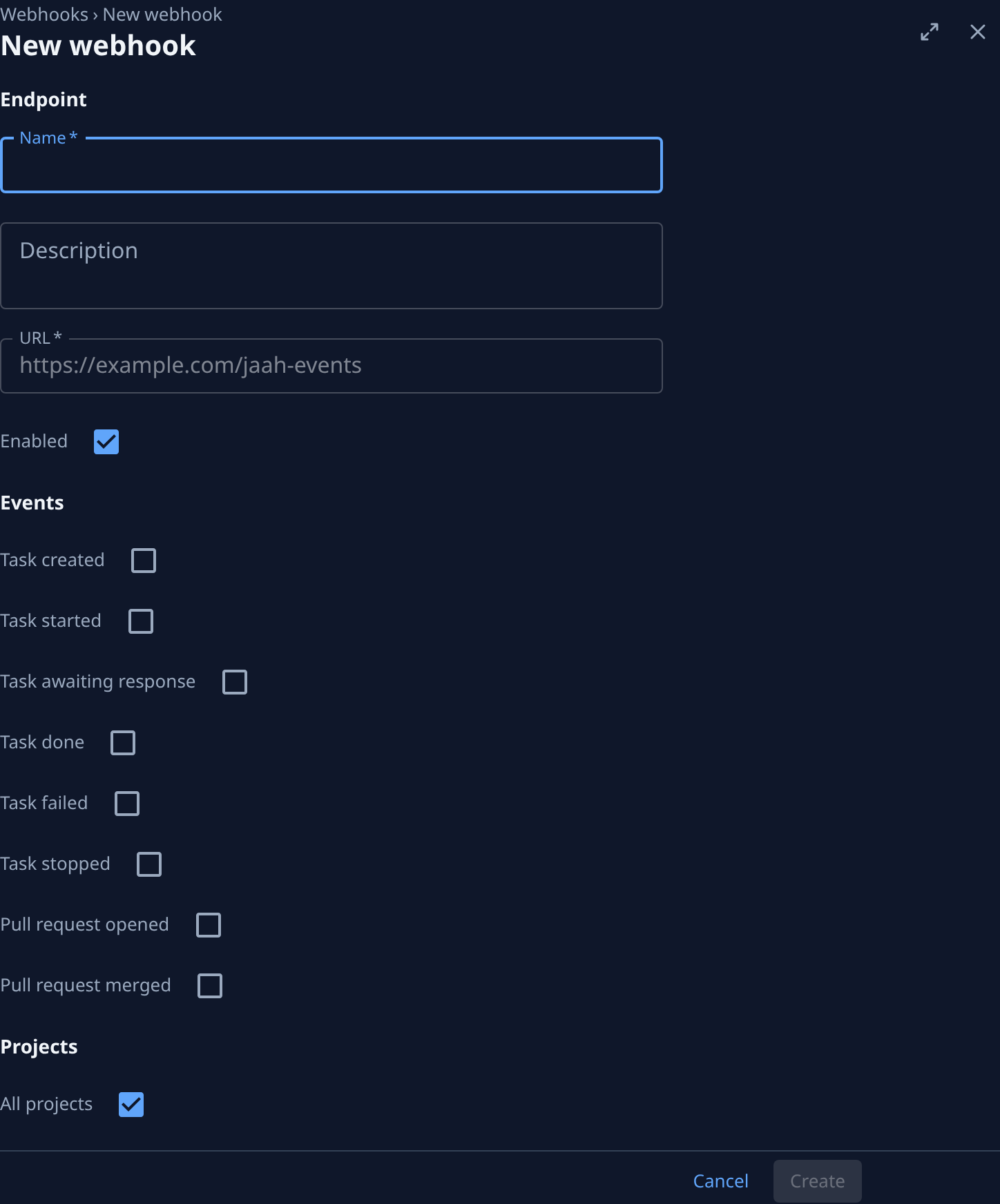
Open Settings, select Integrations, then Webhooks, and select New webhook.
-
Enter a Name that says where the events go, such as
Tickets for failed tasks, and the URL of your receiver. -
Under Events, tick Task failed. Tick Task awaiting response too if a task waiting for an answer should also get a ticket. Leave everything else clear, so the receiver gets nothing it has to ignore.
-
Under Projects, keep All projects, or clear it and tick only the projects whose failures your team handles in that tracker.
-
Select Create, and copy the signing secret into your receiver's configuration. Jaah shows it only once.
-
Have your receiver, for each delivery:
- check the signature first, as in Verify the signature, and refuse a delivery that fails it;
- skip a delivery it has already handled, since a delivery can arrive more than once;
- file the ticket from the task's title and link, its project's name and the event's type, all in the body shown in What a delivery looks like;
- answer with a
2xxstatus within 10 seconds, filing the ticket after it answers if your tracker is slow.
The body carries ids, titles and links only, never the task's description or why it failed: the ticket's link is how whoever picks it up reaches the details.
-
Open the endpoint and select Send test. Its Deliveries tab shows the
pingas Delivered once your receiver answers. Apingnames no task, so your receiver should answer it without filing a ticket. -
Wait for the next failed task, or check the Last delivery column on the webhooks list later. If a delivery fails, Fix a failing webhook shows how to read why and send it again.
When the task is retried and finishes, nothing closes the ticket on its own. To close tickets automatically,
also tick Task done in step 3 and have your receiver close the open ticket for that task's id.
Related
- Receive events with webhooks — what a delivery looks like, its headers, retries and the delivery log.
- Change which events a webhook sends — add Task done or another event later.
- Answer a question — what to do with a task that is waiting for an answer.
- Event catalog — every event a webhook can send.