Roll back a custom agent to an earlier commit
A custom agent that follows a branch picks up each push within about 15 minutes. When a push breaks it, every new task the agent takes runs the broken code. Set the agent's Ref to the last commit that worked: Jaah pins that exact commit and stops following the branch, so tasks run the good code while you fix the branch. How Jaah pins an agent's code is in How agents work.
You need the permission to edit agents. Without it, the agent's page says You can view this agent but not edit it. A registry agent has no Ref to change; it stays on the version it was installed at.
-
Find the last commit that worked in your agent's repository, and copy its full 40-character commit hash. A branch name keeps the agent following new commits, so use the full hash.
-
In the sidebar, select Settings, then Agents under Customize, then the Custom agents tab, and select the agent's name. Its page opens beside the list.
-
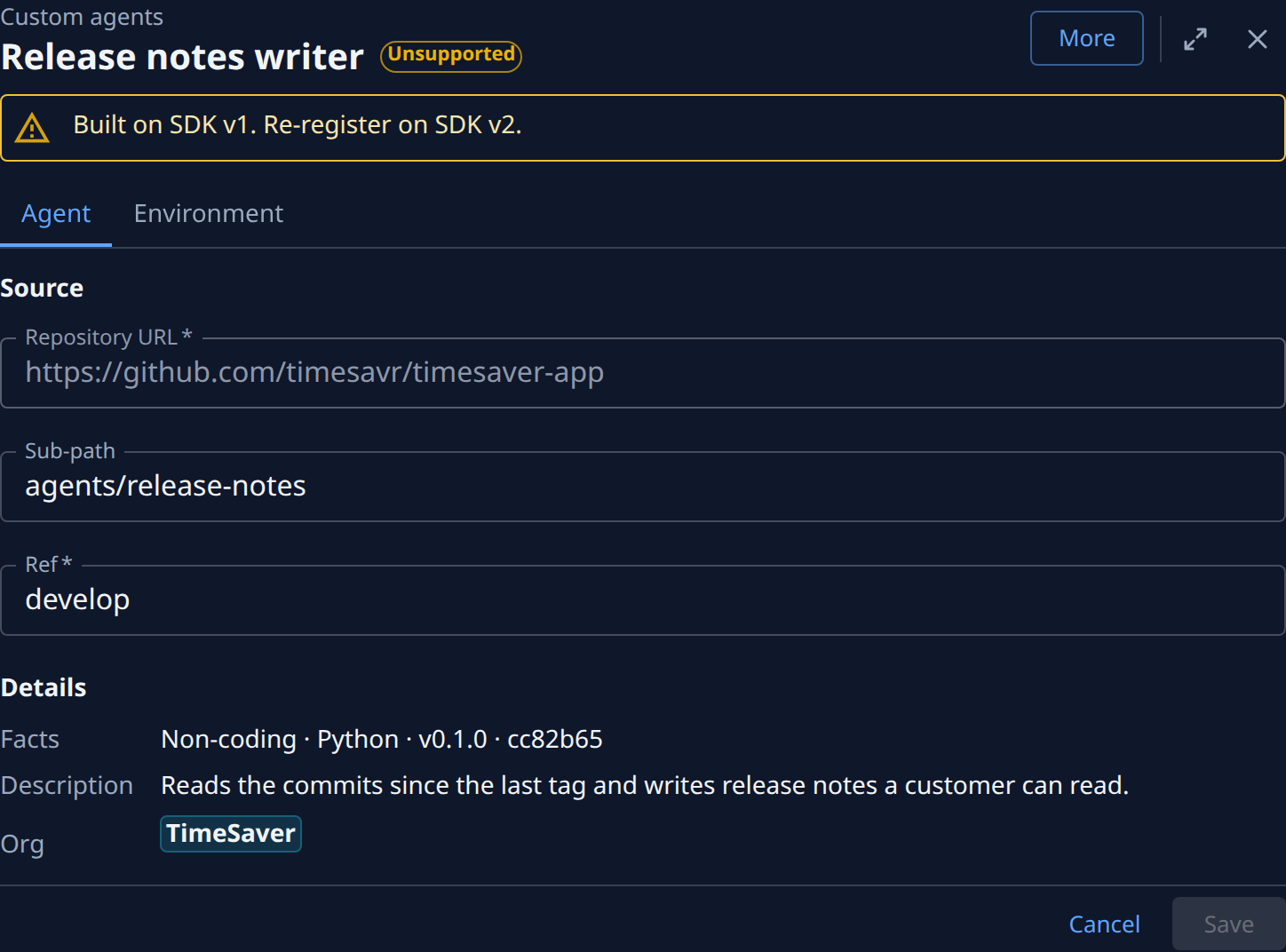
Under Details, read Facts: it shows the agent's version and the commit Jaah pinned. Note that commit, to confirm the rollback in step 6. Check which version an agent runs shows how to read it.
-
Under Source, replace Ref with the commit hash you copied in step 1. Leave Sub-path as it is.
-
Select Save. Jaah fetches that commit and checks its manifest, which takes a few seconds. A problem it finds is listed on the page; the agent keeps running its old commit until a save works.
-
Check Facts again. It now names the commit you entered. New tasks that use the agent run that code.
-
Fix the problem on your branch and push the fix.
-
To follow the branch again, set Ref back to the branch name, such as
main, and select Save. To test the fix first, set Ref to the fix's own commit hash, and move it to the branch once tasks run cleanly.
A commit you set by hash never moves, and More, then Refresh pins the same commit again. If you need to stop new tasks using the agent while you look into the problem, select More, then Disable instead, as in Change or remove a custom agent.
Related
- Check which version an agent runs: read the commit Jaah pinned.
- Fix a custom agent whose refresh failed: when Jaah can't pin a new commit at all.
- Custom agent page: every field on the agent's page.