Buy a hosted node
A node is the machine your tasks run on. Instead of setting one up yourself, you can buy one that Jaah runs for you. A Shared node runs on a machine Jaah shares between organizations. A Dedicated node is a machine of its own, in the size and storage you pick. Both are charged monthly to your default card.
Who can do this: Requires the org admin role (Org Owners and Admins). Your organization needs a saved card first; see Add a payment method.
-
In the sidebar, select Settings, then Billing. The Products tab opens.
-
Scroll to Buy. Each product shows its price, for example From a monthly amount for a node.

-
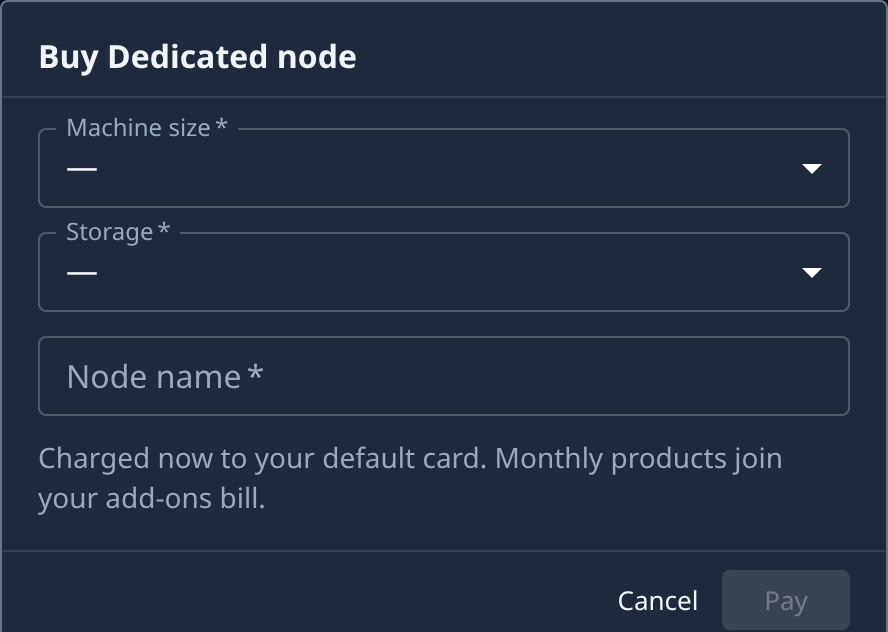
Select Buy on the Dedicated node or Shared node row. A Buy Dedicated node or Buy Shared node dialog opens.
-
Pick the options:
- For a Shared node, pick its Tier.
- For a Dedicated node, pick its Machine size and Storage. Where it is offered, you can also add a Windows licence; Windows needs a machine size it is sold on and enough storage.
-
Type a Node name. This is the name the node shows under in the Nodes list.
-
Read the price under the fields: each line, then the Total (or Due now). Pay stays greyed out until every field is filled and the price matches what you picked.
-
Select Pay. The total is charged now to your default card. If your bank asks you to confirm the payment, follow its prompt. If the card is declined, or your organization can't take another node, the dialog says why and nothing is charged.
What to expect
- The node is set up after payment. It joins the Nodes list, where its progress shows, and becomes a row under Yours on the Products tab.
- Select its name under Yours to open its hosting page: its status, price and renewal date. It reads Active once paid and running.
- It renews each month on your add-ons bill until you cancel it.
- To add more nodes on a running Dedicated machine, use Add to a host when you add a node.
Related
- Change a hosted node's machine or storage: move a Dedicated node to another size or more storage.
- Cancel or resume a hosting: stop paying at the period end, or start a stopped node again.
- How plans and billing work: plans, products and what your plan includes.
- Plans and prices: what each hosted machine costs.