Ask to change your plan
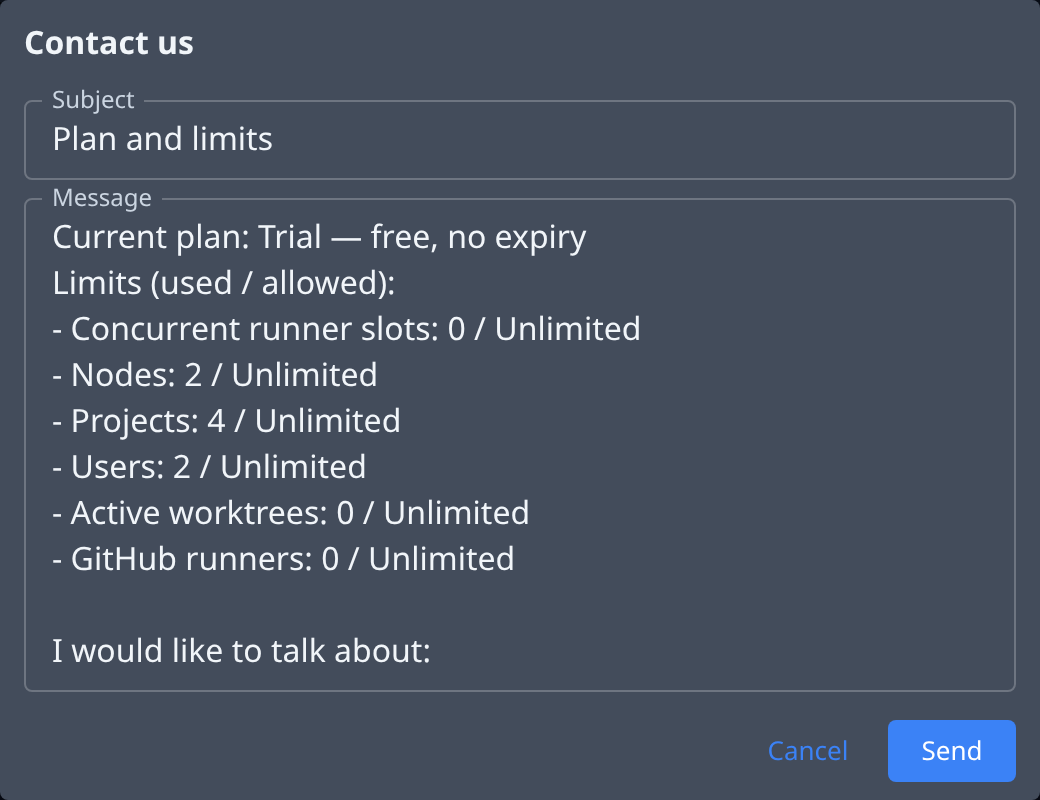
When you need a higher limit, a different plan, or a plan that's arranged with Jaah directly, send a request from the Subscription page. Contact us fills in your current plan and every limit with its usage, so you only add what you want.
Who can do this: Org Owners and Admins. Other members ask an Owner or Admin, or open a ticket from Support.
Send the request
-
In the sidebar, select Billing.
-
On the Products tab, select your plan's row. The Subscription page opens.
-
At the top right, select Contact us. Subject is filled in as Plan and limits. Change it if you like.
-
In Message, keep the plan and limits already listed, and after I would like to talk about: say what you need. For example: "Raise our Projects limit to 10 — we're adding two product teams."
-
Select Send. Send stays disabled while Subject or Message is empty.
-
Check that We'll get back to you. appears on the page. To leave without sending, select Cancel instead.
If sending fails, the form stays open with the reason. Try again.
Follow your request
Your request is a support ticket. To read the reply or add to it:
- Select your initials at the bottom of the sidebar, then Support.
- On the My tickets tab, select the ticket with your subject.
Changing your plan doesn't stop anything that's running. A higher limit applies as soon as it's set.
Related
- Check your plan and limits — see how close you are to each limit first.
- Support — your tickets and their replies.
- How plans and billing work — plans, limits and who can change them.