Change how strictly a rule is enforced
Each rule in a pack has a Mode that says how much it matters: whether it is only recorded, counts toward a repository's level, or stops an agent's change that breaks it. Raise a rule once your repositories are ready for it; lower it, or turn it off, when it gets in the way. What each mode does is in How compliance works.
Before you start: changing a rule needs the permission to edit compliance. Rules in a Ready-made pack can't be changed: open that pack and select Customize to copy it into your own pack first. Gate and Lock are offered only where your organization has the Architectural Guard; without it they read Coming later. Compliance is part of some plans only.
-
In the sidebar, select Settings, then Compliance Packs under Customize, and open your pack — the one marked Active.
-
Select the Rules tab. To find the rule, narrow the list with the Pillar, Level, Mode, On/Off and Kind filters. Rules are grouped by pillar; each row shows its level and mode, and Off for a rule that is turned off.
-
Select the rule to open its page.
-
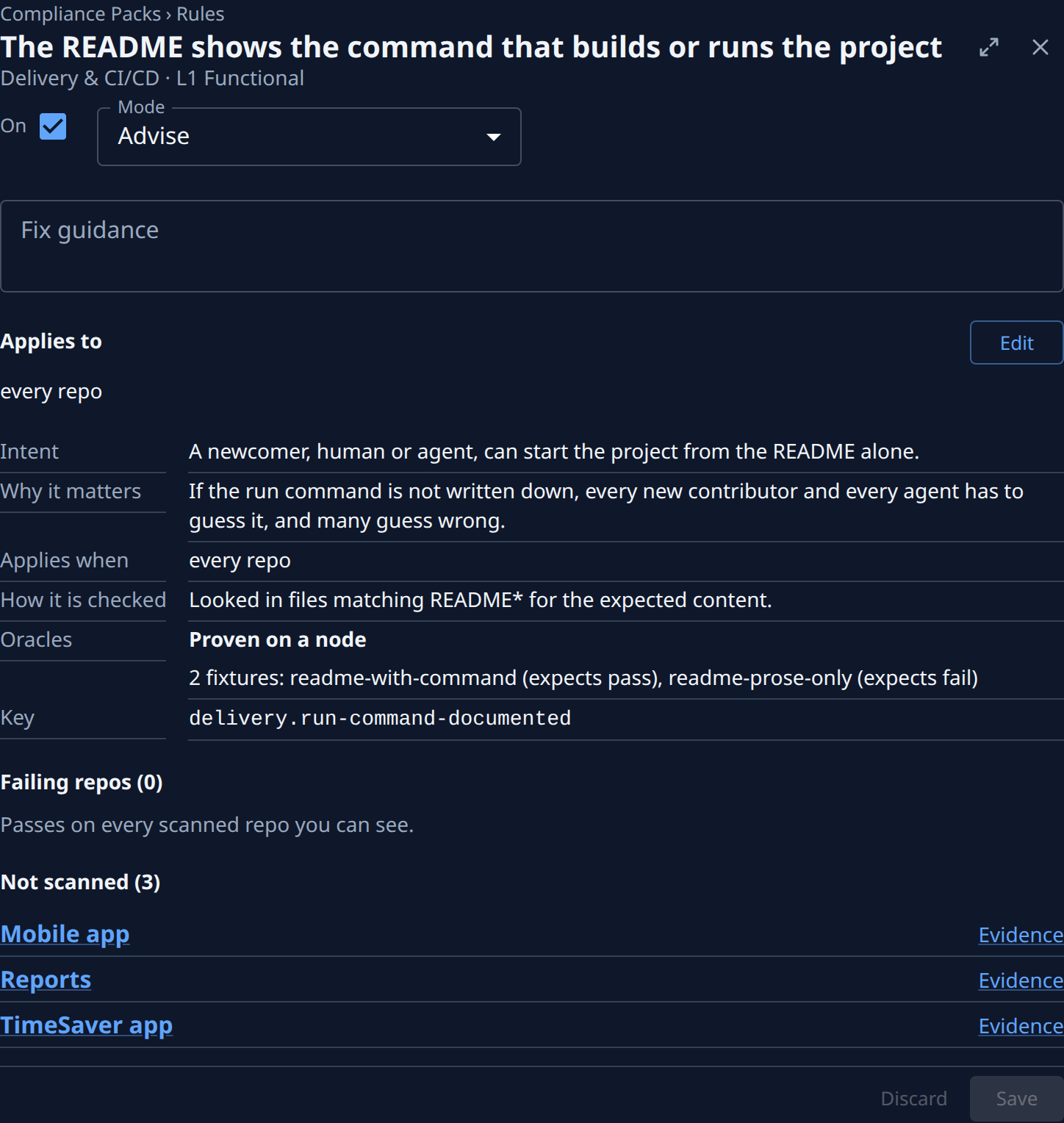
Open Mode and pick one. Each step up does more:
- Observe — recorded only; never counts or shows as a gap.
- Advise — counts toward the level and shows as a gap.
- Nudge — counts like Advise; needs passing oracles.
- Gate — also blocks an agent's change that breaks the rule.
- Lock — blocks the change and allows no waivers.
-
For Gate or Lock, fill in Fix guidance: what a blocked agent is told to do instead. Save is refused without it.
-
To keep the rule but leave it out of levels and gaps, clear its switch so it reads Off. To apply it to fewer repositories instead, select Edit beside Applies to and narrow its scope; the page saves once the preview of the matching repositories loads.
-
Select Save. The note beside it says the pack was published as a new version. Discard drops your changes instead.
-
Run a scan to see the effect: a raised rule can drop a repository's level or add gaps, and a lowered one can lift it. See Run a compliance scan. A Gate or Lock rule blocks agents' changes from now on, without waiting for the scan.
Before you raise a rule to Gate or Lock, check where it still fails: a blocking rule stops every agent working on those repositories until the gap is fixed or waived. Fix a rule across many repositories fixes it everywhere first.
Related
- Review what the guard blocked — see whether a blocking rule stops too much.
- Waive a compliance gap — accept a failing rule on one repository instead of lowering it for all.
- Add a rule to a compliance pack — write a rule the ready-made packs miss.