Rename or delete your own compliance pack
When you customize a ready-made pack, Jaah names the copy after it, such as Agent Readiness (fork).
That name shows in setup, scans and the Compliance Packs tab. Rename it to one your team recognizes,
such as Acme engineering standard. When a copy is no longer used, delete it so nobody picks it by mistake.
Who can do this: requires the permission to edit compliance across the organization. Only your organization's own packs can be renamed or deleted. Jaah's Ready-made packs show their name read-only and offer no Delete.
Rename a pack
-
In the sidebar, select Settings, then Compliance Packs under Customize. Your own packs read Fork of and the pack they were copied from.
-
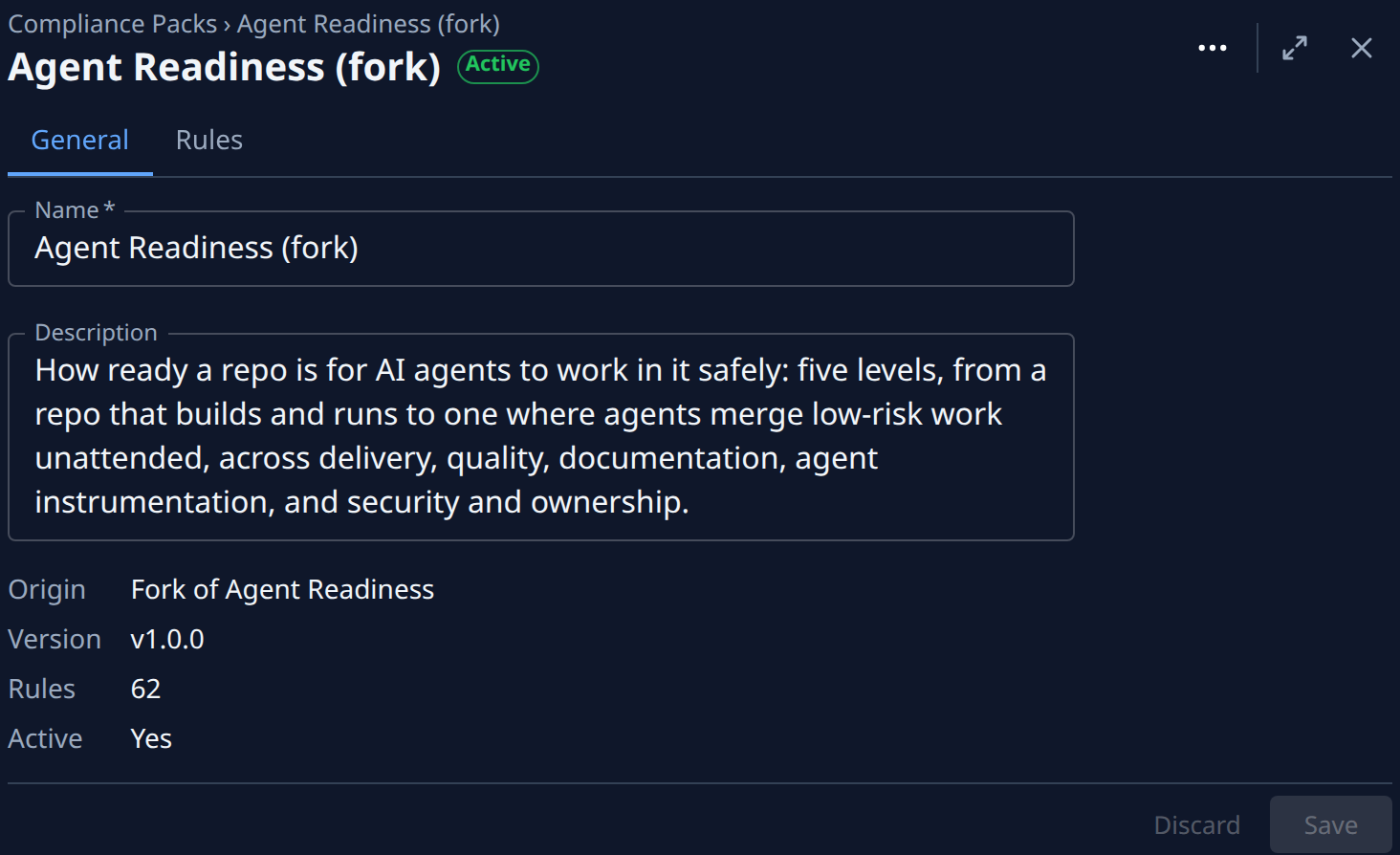
Select your pack. Its page opens on the General tab.
-
Change Name. It is required.
-
Optional: change Description. It shows on the pack's page.
-
Select Save. The new name shows in the list and on every scan from now on.
To drop your changes instead, select Discard. Leaving with unsaved changes asks whether to save them first.
Delete a pack
Deleting can't be undone: the pack's rules, and the changes you made to them, are gone.
- Open the pack from Compliance Packs, as above.
- Select ⋯ at the top right, then Delete.
- Read the confirm. For a pack that is not in use it says This cannot be undone. For the active pack it also names the pack that takes over, such as It is active: Agent Readiness becomes active.
- Select Delete. You return to Compliance Packs, and the pack is gone from the list.
- If you deleted the active pack, rescan, so every repository is scored against the pack now in use. See Run a compliance scan.
To stop using a pack without losing it, make another pack active instead; see Switch your compliance pack.
Related
- How compliance works: packs, rules, pillars and levels.
- Add a rule to a compliance pack: customize a ready-made pack and add rules to your copy.
- Switch your compliance pack: compare packs and make another one active.