Request security documents from the trust center
When a security review asks for Jaah's audit reports or test results, request them from the trust center. Some documents are shared only under the mutual NDA, so they aren't downloadable: you ask for them, Jaah reviews the request, and approved documents are sent to you by email.
Who can do this: anyone, signed in or not. The trust center is a public page.
-
Open the trust center: on any legal page, select Trust in the row of links at the top.
-
In the table, find the framework you need. Where its What you can get column says available on request, select that phrase to jump to Request documents at the foot of the page.
-
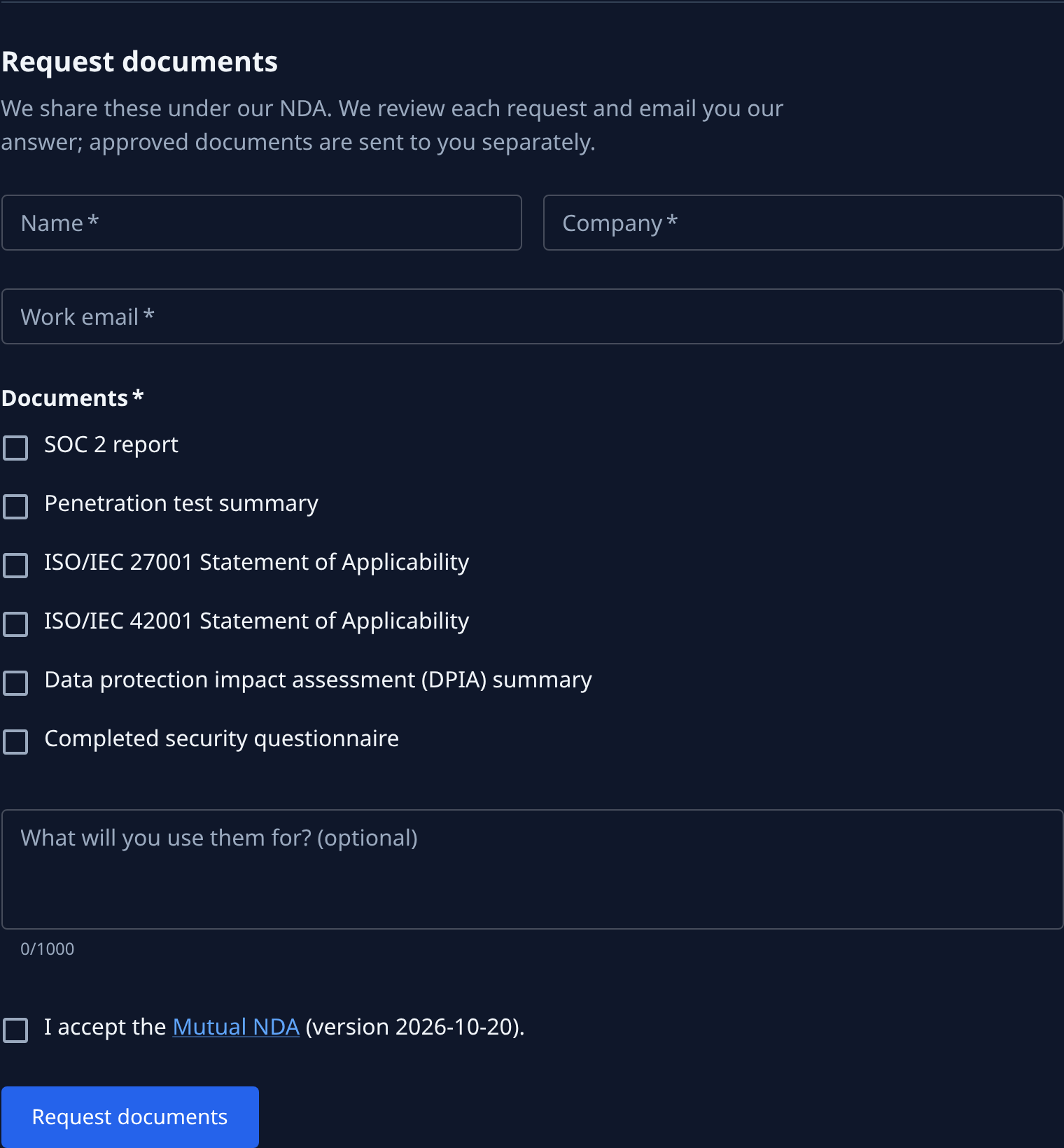
Fill in Name, Company and Work email. All three are required, and the answer goes to the email address.
-
Under Documents, tick each document you want, for example SOC 2 report or Penetration test summary. Pick at least one.
-
Optionally, say what the documents are for under What will you use them for? (optional), up to 1,000 characters. It helps the reviewer.
-
Tick I accept the Mutual NDA. Mutual NDA opens the agreement, and the version you accept shows after it. Read it first if your legal team needs to.
-
Select Request documents. It reads Sending… while a spam check runs. When it is done the form is replaced by Request sent. and the email address the answer goes to.
A missing field shows its message under the field and nothing is sent. If an ad or privacy blocker stops the spam check, the form says so: allow it, reload the page and send again. What each other message means is in the Legal pages reference.
Related
- Keep your data in one region — choose where your organization's data is stored.
- How compliance works — the rules Jaah checks your own repositories against.
- Architecture and data flow — what runs where and how your data moves, for a security review.