Keep your changes when you leave a page
Most pages where you change something in Jaah, such as your profile, a project or a playbook, keep your edits only until you select Save. If you try to leave before then, Jaah stops and asks what to do with them, so a stray click on the sidebar doesn't lose your work. This guide uses your profile as the example; other pages ask the same question in their own words.
Who can do this: everyone.
-
Select your initials at the bottom of the sidebar, then My Profile. Settings opens on Profile.
-
Change something, for example your First name. No changes beside Save goes away and Save is no longer greyed out.
-
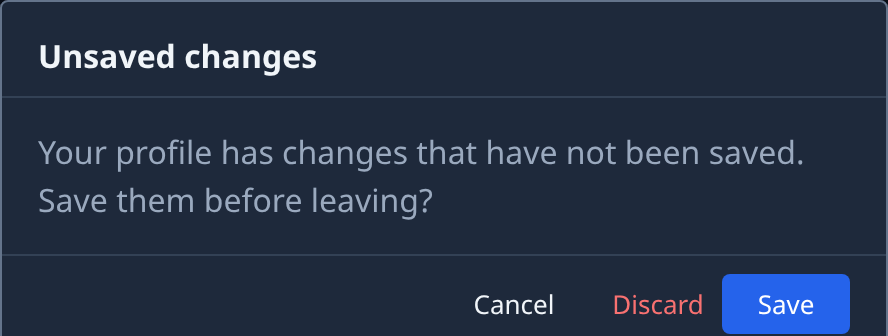
Select something that leaves the page, such as another category under Organization, or an item in the sidebar. Jaah doesn't leave yet. Unsaved changes opens instead, saying Your profile has changes that have not been saved. Save them before leaving?
-
Pick one:
- Save saves your change, then takes you where you were going.
- Discard drops your change and takes you there.
- Cancel keeps you on the page with your change still in place. Pressing Escape does the same.
-
If you chose Cancel, finish your edit and select Save at the bottom of the page. The top of the page reads Saved.
-
Leave the page as you meant to. With nothing unsaved, Jaah no longer asks.
Moving between Profile, Preferences, Security and Git stays on the same page, so it keeps your change and doesn't ask. Your browser's back button asks the same question. Reloading or closing the tab gets your browser's own warning instead of Jaah's.
Next steps
- Set up your profile: add your name, connect your Git account and check where your alerts go.
- Find a setting: search Settings by what a setting does.
- Every field on the profile page: Your profile.
- Changing a playbook: Edit a playbook.