Share a model account with people
Share a model account when people outside the Org Owners and Admins need to use it, for example a contractor who runs tasks on your team's subscription. Adding a person or a group to the account's list lets their tasks run on it; it reaches nothing else in your organization. An account has no roles: everyone on the list may use it.
Who can do this: requires the Org Owner or Org Admin role. Anyone else sees the Access tab without Add or Remove.
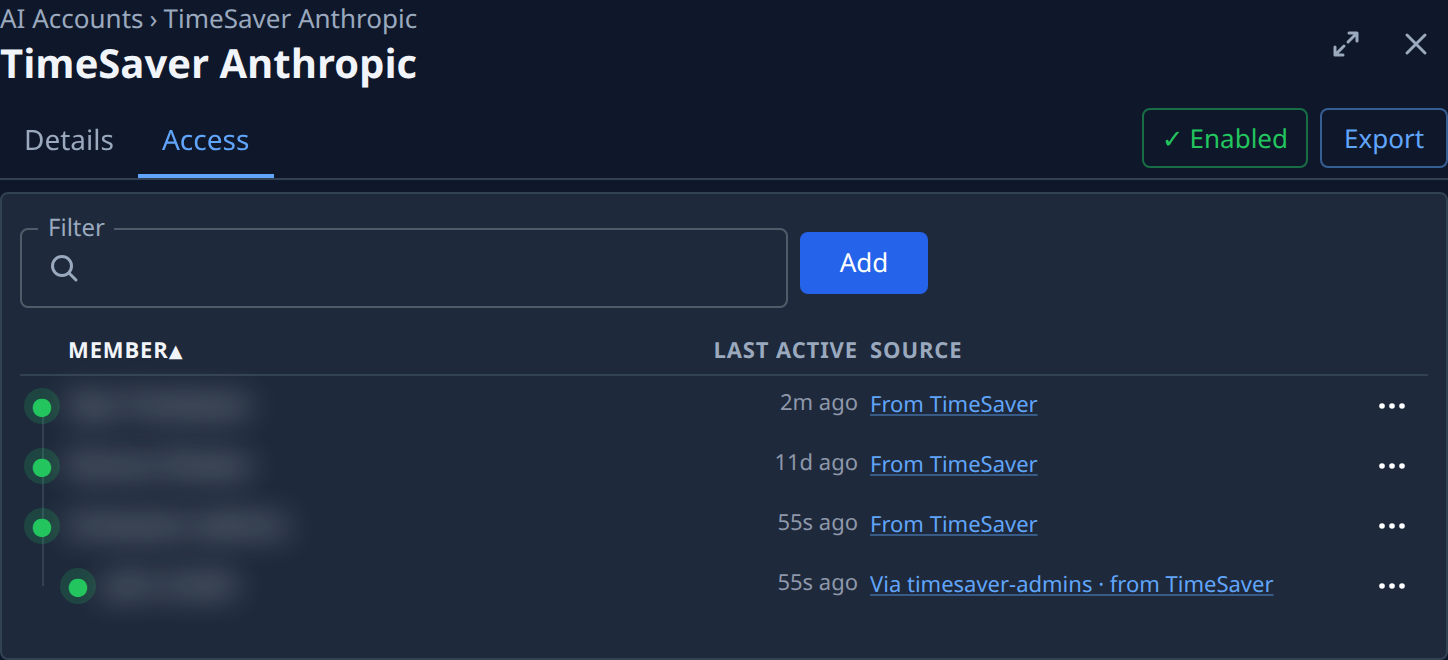
Add people or groups
- In the sidebar, select Directory, then AI Accounts.
- Select the account's name, then its Access tab.
- Select Add.
- In Who, type a name and pick the person or group. You can pick several.
- Select Add.
- Check the list: each person or group has a row with Direct under Source.

Remove someone
- On the account's Access tab, find the row. Type in Filter to narrow the list.
- Select ⋯ at the row's end, then Remove.
- Confirm with Remove. The row goes, and the person or the group's members can no longer use the account.
A row whose access comes from a group or the organization offers Open group to remove or Open org to remove instead: it opens the place where the access is held, and it is removed there.
Related
- Limit how a model account is used — keep an account for some tasks, and cap its runners.
- How model accounts work — who sees and manages accounts.
- Every column on the tab: Access.