Sign a model account in again
A subscription's sign-in can expire or be refused. Until you renew it, the account can't run tasks on that node. Signs that it needs you: a ✕ mark, or a node row whose state reads Login, missing or needs login. The re-login in time chip warns that a sign-in expires soon.
An API-key account has no sign-in. To change its key, open Edit on its row and type the new key into API key.
Who can do this: signing in needs permission to add accounts.
From the row menu
The row menu offers Re-login once the account's sign-in has been refused, unless a node row already offers Login for it. In that case, sign in from the node row instead.
- In the sidebar, select Directory, then the Model Accounts tab.
- Find the account and open its ⋯ row menu.
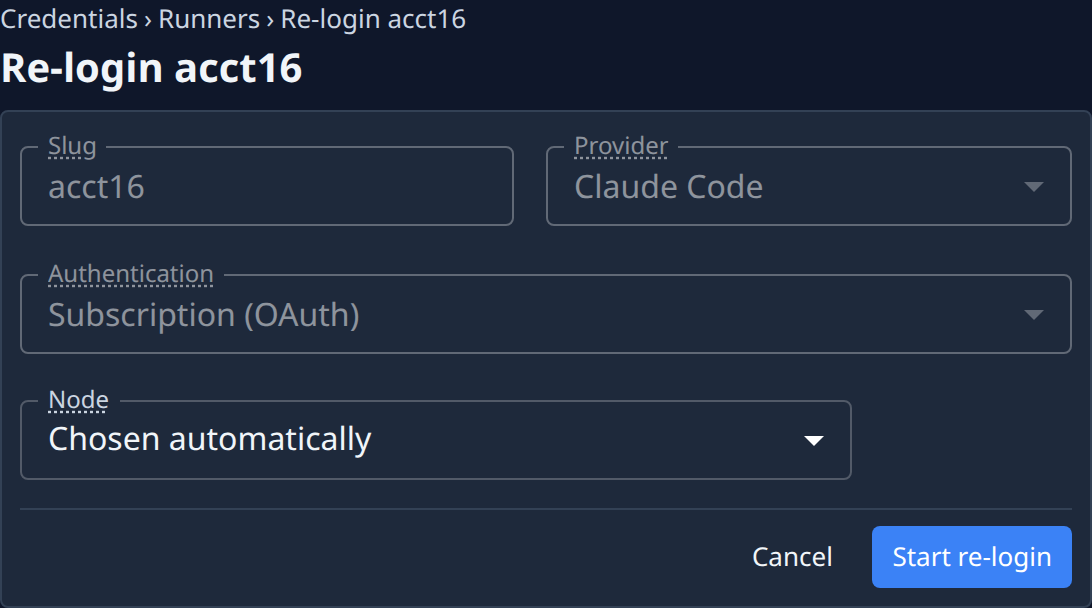
- Select Re-login. The Re-login form opens beside the list, with the Slug, Provider and Authentication fixed.
- Pick the Node the sign-in runs on, or leave Chosen automatically. A sign-in belongs to its node and doesn't move to another.
- Select Start re-login.
- Authorize as when adding the account: open the link, authorize, paste the code into Authorization code and select Submit code — or copy the one-time code with Copy code and enter it where the link asks.
- Wait for Re-login complete — credentials refreshed.
On one node
To sign the account in on one particular node:
- Select + beside the account's name to list its nodes.
- Find the node's row and check its state:
- Refused there: select Login in the state. The Re-login form opens with the node set.
- Not on that node yet (○): select Login in the row's ⋯ menu.
- Select Start re-login for a refused node, or Start login for a new one, then authorize as above.
- Wait for Re-login complete — credentials refreshed., or Signed in on this node. for a new node.
Two states can't be fixed by signing in again: Billing means the subscription needs payment, and Seat means the seat is suspended. Fix those with the AI provider, or ask an administrator.
Related
- Add a model account — the first sign-in.
- What each node state means: Model accounts.
- Why a sign-in belongs to one node: How model accounts work.