Delete a hosting
Delete a hosting when you no longer want a node Jaah runs for you and don't want to wait for its paid month to end. It is removed at once. To keep it running until the end of the month you paid for instead, cancel it; see Cancel or resume a hosting.
Who can do this: Org Owners and Admins. Other members don't see Billing; ask an Owner or Admin.
Deleting can't be undone. A Dedicated hosting takes its machine and every node on it with it, and ends the sessions running there.
Delete it
-
In the sidebar, select Settings, then Billing under Organization. The Products tab opens.
-
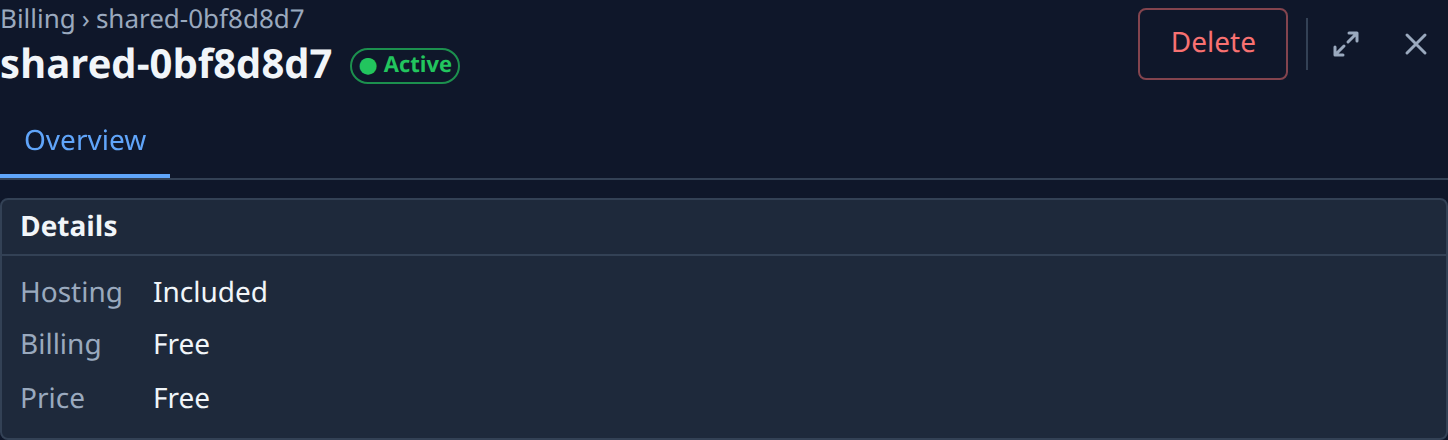
Under Add-ons, select the node's name. Its hosting page opens beside the list, with its status beside its name and Delete at the top right.
-
For a Dedicated hosting, open the Sessions tab and check what runs there now. Every session listed ends when you delete it, so let the work finish first.
-
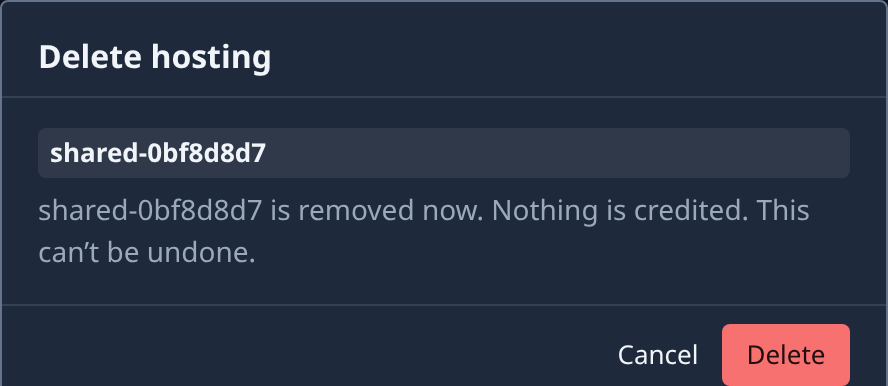
Select Delete. The Delete hosting dialog names the node and says what happens to the money:
- Nothing is credited. for a node your plan includes;
- about how much for the unused days is credited to your next bill, or refunded to your card when nothing else will be billed, for a paid monthly hosting (without an amount when none is known);
- Hours used so far are billed. for an hourly hosting.
-
Select Delete to remove it, or Cancel to back out.
-
Check the hosting's status. Once it reads Ended, the node is gone from your organization. If the page says Could not delete. Try again., nothing was removed; try again.
A node your plan includes offers only Delete: there is nothing to cancel. While a product change runs on a Dedicated hosting, Delete waits until it ends.
Related
- Hosting: each status and the actions it offers.
- Check a hosting's changes and sessions: see what runs on a hosting before you delete it.
- Delete a node: delete a node from Directory, including one Jaah hosts.
- Buy a hosted node: get a new one later.