Limit how many subtasks run at once
An epic normally starts each subtask as soon as the ones before it are done, so a wide build stage can take many runners at once. To leave room for other work, set the epic's Throttle to a number: at most that many of its subtasks run together, and the rest wait their turn.
Who can do this: creating an epic needs permission to create tasks; changing a saved epic needs edit access to its project.
Set it when you start the epic
-
In the sidebar, select the project, then select New Task on the board.
-
Describe the outcome you want, then select the Epic size button (hover the icons to see each name).
-
Select Advanced. Throttle sits after Priority and shows for an epic only. Hover its label to read Most subtasks running at once.
-
In Throttle, pick a number. The list starts with No (no limit), then counts down from the number of agents your plan runs at once to 1 (from 10 when the plan sets no limit), and ends with Manual.

-
Select Go. The epic is saved and started, and never runs more subtasks at once than the number you picked.
Change it while the epic runs
-
Open the epic and select its Task tab.
-
Select Advanced, then pick a new number in Throttle.
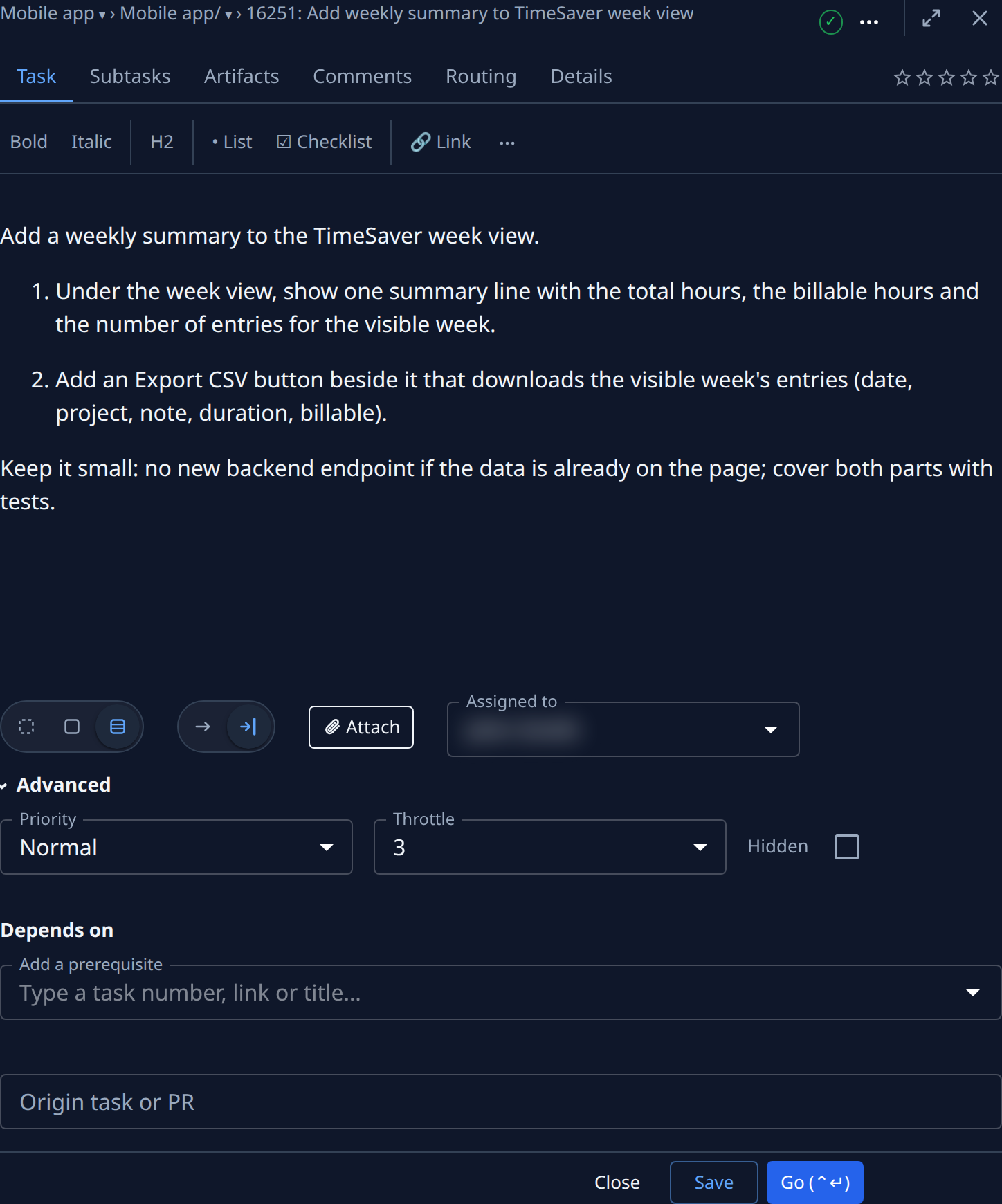
-
Select Save. The new limit applies at once. Raising it lets waiting subtasks start. Lowering it stops the most recently started subtasks and queues them; each one resumes where it stopped when a place frees.
To remove the limit, set Throttle back to No and save. Each subtask then starts as soon as the ones before it are done.
The limit belongs to the epic, so a subtask's own page has no Throttle. To check every stage yourself instead of capping them, pick Manual; see Run an epic one stage at a time.
Related
- How epics and features work — what each Throttle choice does.
- Start an epic and follow its stages — the same epic, run with no limit.
- Run an epic one stage at a time — hold every subtask until you start it.
- New task › Advanced — every setting under Advanced.