Send the same events to a second receiver
An endpoint has one URL, so it sends to one receiver. When a second receiver needs the same events, for example a staging copy of your receiver while you test a change, or a reporting system beside your ticket tracker, give it an endpoint of its own with the same events and projects. Each endpoint has its own signing secret, its own delivery log and its own retries, so trouble at one receiver never holds up the other. How endpoints and deliveries work is in How webhooks work.
Requires the org admin role: you need to be an Owner or Admin of your organization, on a plan that includes
webhooks, and the second receiver must answer at a public https:// address.
-
Open Settings, select Integrations, then Webhooks. Hover the existing endpoint's Events count to see which events it sends.

-
Select the existing endpoint's name. On Settings, note every event ticked under Events, and whether Projects is All projects or a list of ticked projects.
-
Go back to Webhooks and select New webhook.
-
Enter a Name that tells the two apart, such as
Tickets (staging), and the second receiver's URL. -
Under Events, tick the same events you noted in step 2.
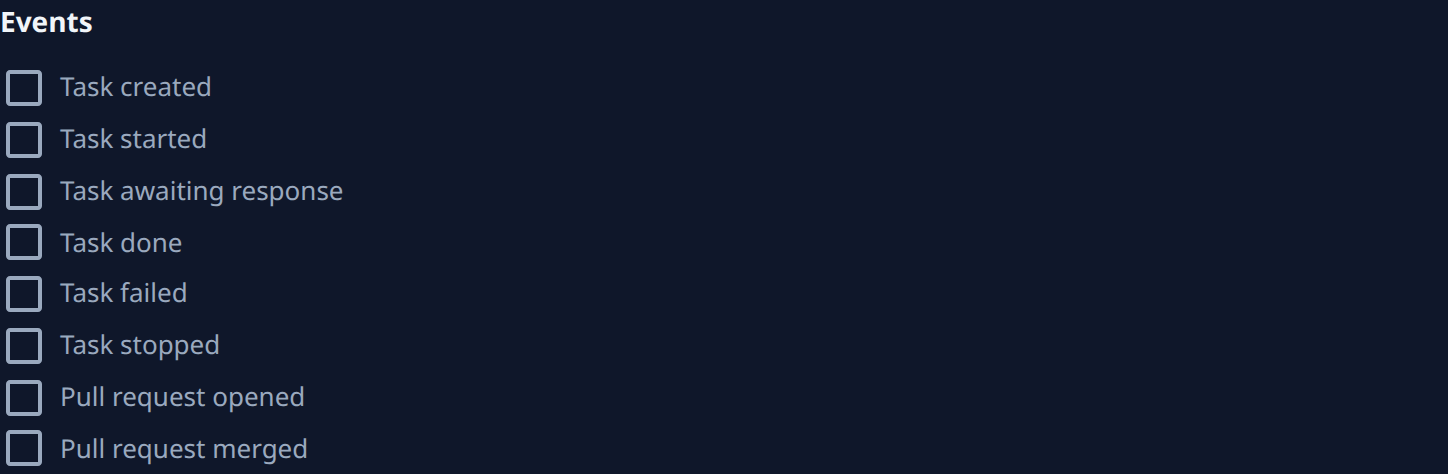
-
Under Projects, keep All projects, or clear it and tick the same projects as the existing endpoint.
-
Select Create. Copy the signing secret from the dialog into the second receiver's configuration, then select Done. This secret is not the first endpoint's, and Jaah shows it only once.
-
On the new endpoint's page, select Send test. The Deliveries tab opens, and the
pingrow should read Delivered. Anything else: see Fix a failing webhook. -
From now on each event goes to both receivers. On the Webhooks list, the Last delivery column shows how each endpoint is doing.
The two endpoints stay separate. Adding an event or a project to one does not change the other, so change both when both receivers need it, as in Change which events a webhook sends. When the second receiver is no longer needed, for example once your staging test is over, remove its endpoint as in Delete a webhook. The first endpoint keeps sending.
Related
- Receive events with webhooks: what a delivery looks like and how to check its signature.
- Send a project's events to its own receiver: move one project's events to a receiver of its own, instead of sending them to two.
- Webhooks: every column, tab and button on the screens.