Get warned before your Jaah AI balance runs out
Work on the Jaah AI account is paid from your organization's Jaah AI balance. When the balance falls to its pause point, that work stops until someone adds credit. Set an amount a little above the pause point, and Jaah sends a low-balance alert when the balance reaches it, so there is time to top up.
Who can do this: requires the org admin role. Other members don't see Billing.
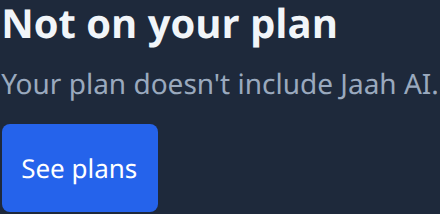
Plan: the Jaah AI page is there only while your plan includes Jaah AI. On any other plan it shows Not on your plan with See plans.
Set the alert
- In the sidebar, select Settings, then Billing.
- On the Products tab, select the Jaah AI row. The Jaah AI page opens on Overview.
- Read the balance. Under it, Pauses at gives the amount at which work stops. Jaah sets it.
- In Low-balance alert, type an amount in dollars above the pause point, such as
25.00. Pick one that covers a few days of your usual spend: see Check your Jaah AI spend. - Select Save. Saved. shows under the field. An amount below the pause point is refused with Must be at or above the pause point.
Make sure the alert reaches you
- Select your initials at the bottom of the sidebar, then My Profile, then Preferences.
- Under Alerts, find Billing and tick the channels that should get it. A Slack channel gets the Jaah AI balance alerts too. See Get told when a payment or budget needs you.
- When the balance reaches your amount, the balance shows Low balance, and the alert arrives. Add credit then: see Buy Jaah AI credit. At the pause point it shows Paused.
To avoid running low at all, turn on automatic top-up when you buy credit. A top-up that fails sends a Billing alert of its own.
Related
- Run tasks on the Jaah AI account: switch your work to the Jaah AI account.
- Jaah AI: every item on the balance card.