Stop a compliance scan that is hanging
A scan can stall when the node it runs on goes offline or a run never reports back. Its rows keep reading Scanning and you can't start another scan until the first one ends. Stop ends it now, so you don't have to wait for Jaah to give up on its own after 6 hours.
Who can do this: anyone with compliance edit on at least one project the scan covers. Without it, Stop isn't shown.
-
In the sidebar, select Compliance. The page opens on its Repos tab.
-
Below Order, check the status line. While a scan runs it reads Scanning X of Y, with Stop beside it. If the X count has not moved for a long time, the scan is hanging.
-
Select Stop. Each project still waiting on a result leaves Scanning at once. Results that had already come in stay as they are.
-
Look under Scan failed below the list. Each stopped project is listed there with its reason and its own Rescan button. A project that had a level from an earlier scan keeps it.
-
Fix what made the scan hang, such as a node that went offline (see Get every project a compliance level).
-
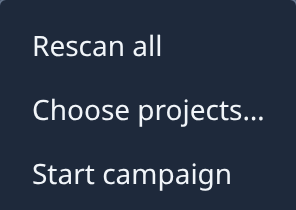
Start again: select Rescan on one project, or open the ⋯ menu and select Rescan all. Rescan all is greyed out with A scan is running until the stop lands.
Stop ends only the runs of projects you can edit. A project you can't scan keeps waiting until someone who can stops it, or until the 6 hours run out.
Related
- Run a compliance scan: start a scan, read the results and keep them current.
- Get every project a compliance level: clear what keeps a project from being scanned.
- How compliance works: what each scan result means.