Stop agents adding a code pattern
Do this when a piece of code should never be added to some of your files, such as a leftover console.log(
call or a direct database call outside its own module. A Forbidden pattern rule checks each change an
agent makes. A change that adds the pattern to a matched file fails the rule, and at Gate or Lock the
Architectural Guard blocks it and tells the agent what to do instead. Code already in the files does not count:
only what the change adds.
To block imports of whole modules, see Stop agents importing across a module boundary instead.
Who can do this: anyone with the permission to edit compliance, in your own pack. A ready-made pack shows Customize this ready-made pack to add rules. instead of the form.
Plan: needs Compliance and Advanced Compliance on your plan, which bring the Architectural Guard. Without them, Check kind offers no Change rule.
The rest of the page, such as Applies to, works as in Add a rule to a compliance pack. These steps cover only what differs.
-
Open your own pack's Rules tab and select New rule. Enter a Name; Key fills in from it.
-
Under Rule, pick a Mode. Gate or Lock blocks the change. Both need Fix guidance: what the blocked agent is told to do instead, such as "Use the shared logger".
-
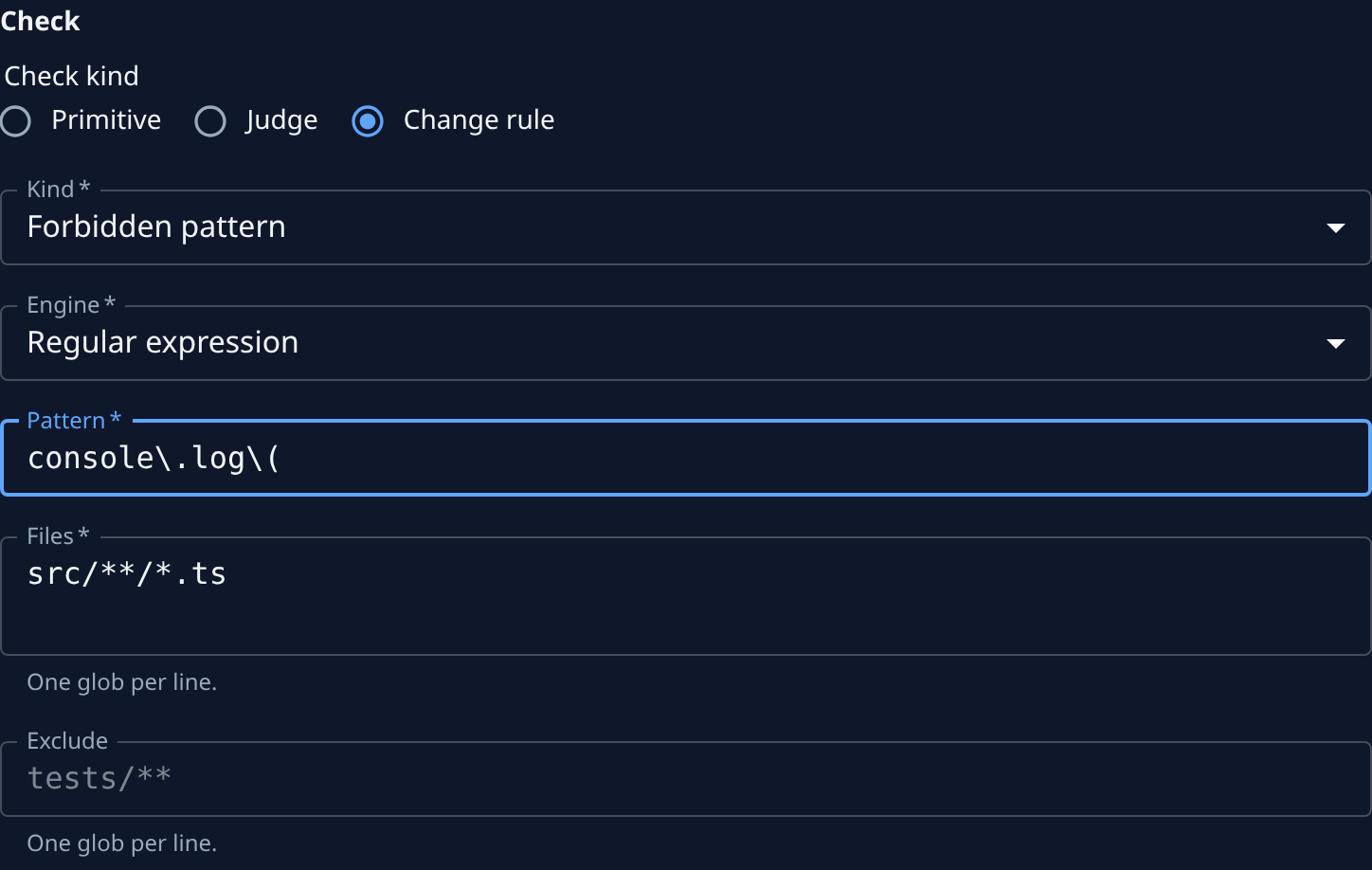
Under Check, set Check kind to Change rule, then set Kind to Forbidden pattern. Its fields show under it.
-
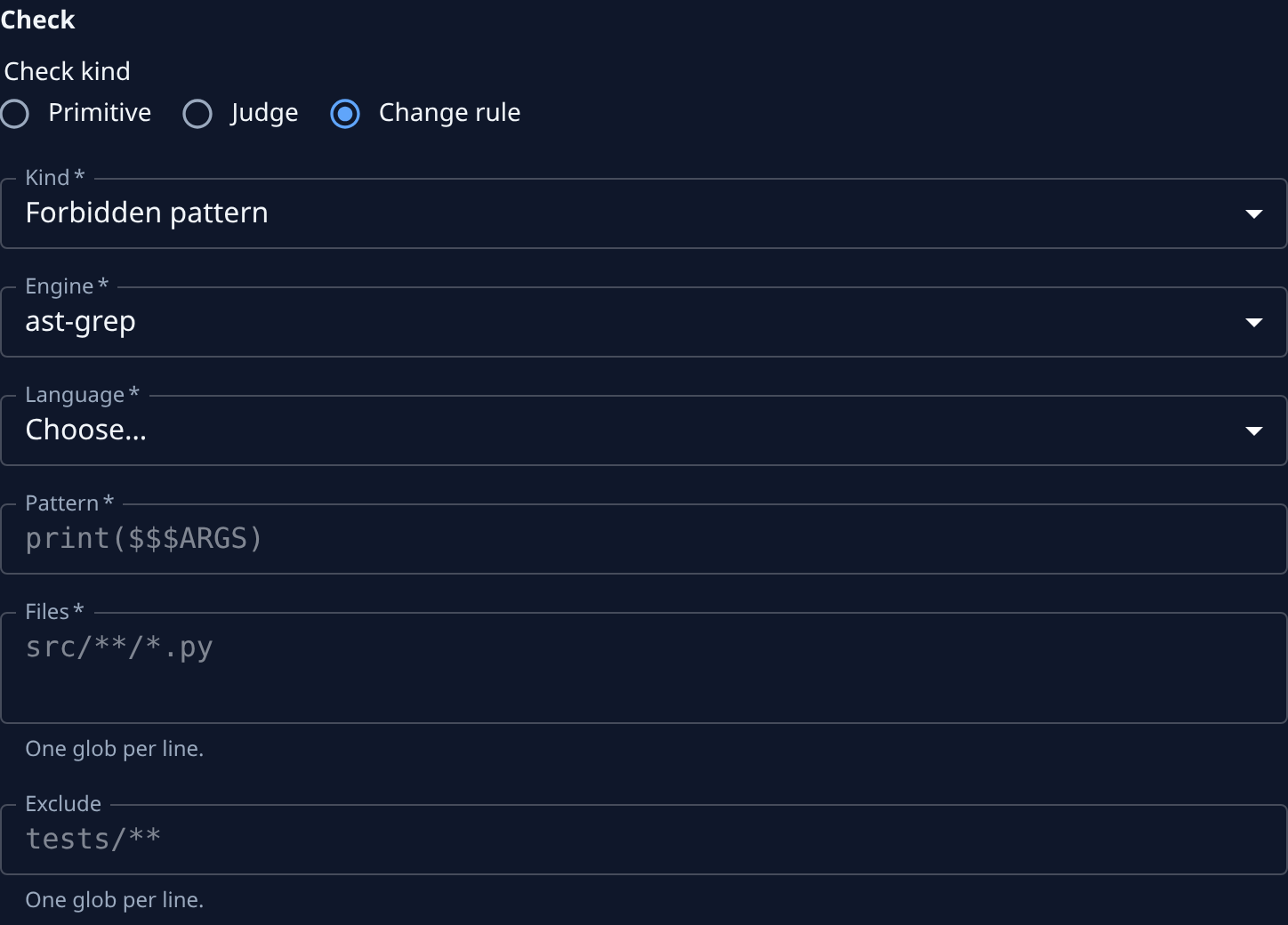
Pick the Engine:
- Regular expression matches the pattern against each line of text. It works on any file.
- ast-grep matches the structure of the code, parsed in the language you pick. It needs a Language: Python, TypeScript, TSX, JavaScript, Go, Java or Rust.
-
In Pattern, enter what the rule looks for: a regular expression such as
console\.log\(, or for ast-grep a code shape such asprint($$$ARGS). -
In Files, enter the files the rule checks, one glob per line, such as
src/**/*.ts. -
Optional: in Exclude, list files to skip even when they match Files, such as
tests/**. -
Under Oracles, fill in the two sample changes. Keep Expect at Allowed on the first and Blocked on the second. In each, add the files under Before (leave it empty for a new file) and After. The allowed change adds code without the pattern; the blocked change adds a line with it.
-
Select Save in the bar at the foot of the page. Jaah checks the samples when you save. When they pass, the new rule's page opens.
If a sample gives the wrong result, the rule isn't saved and the sample shows why. Common causes are a
sample file that Files does not match, or a regular expression that uses . or ( without a backslash. Fix the
sample or the pattern, then save again.
Required pattern is the opposite kind, with the same fields: it blocks a change that removes or leaves out the pattern, such as a licence header every file must keep.
Related
- How compliance works: what the Guard checks and when it blocks.
- Review what the guard blocked: see the changes your rule stopped.
- Let agents import only approved modules: the allow-list kind of change rule.