Try a rule before it counts
A new or stricter rule can drop a repository's level overnight, or flag code that is fine. To find out first, run the rule in Observe mode: each scan still checks it and records what it found, but it never counts toward a level and never shows as a gap. Once its findings look right, raise it. What each mode does is in How compliance works.
Before you start: changing a rule needs the permission to edit compliance, and only rules in your own pack can change. A Ready-made pack is read-only: open it and select Customize to copy it into your own pack first. Compliance is part of some plans only.
-
In the sidebar, select Settings, then Compliance Packs under Customize, and open your pack, the one marked Active.
-
Select the Rules tab. To see the rules already on trial, set the Mode filter to Observe; No rules match these filters means there are none. Select the rule you want to try to open its page. For a rule that does not exist yet, select New rule and start it at Observe: see Add a rule to a compliance pack.
-
Open Mode, pick Observe and select Save. The note beside Save says the pack was published as a new version.
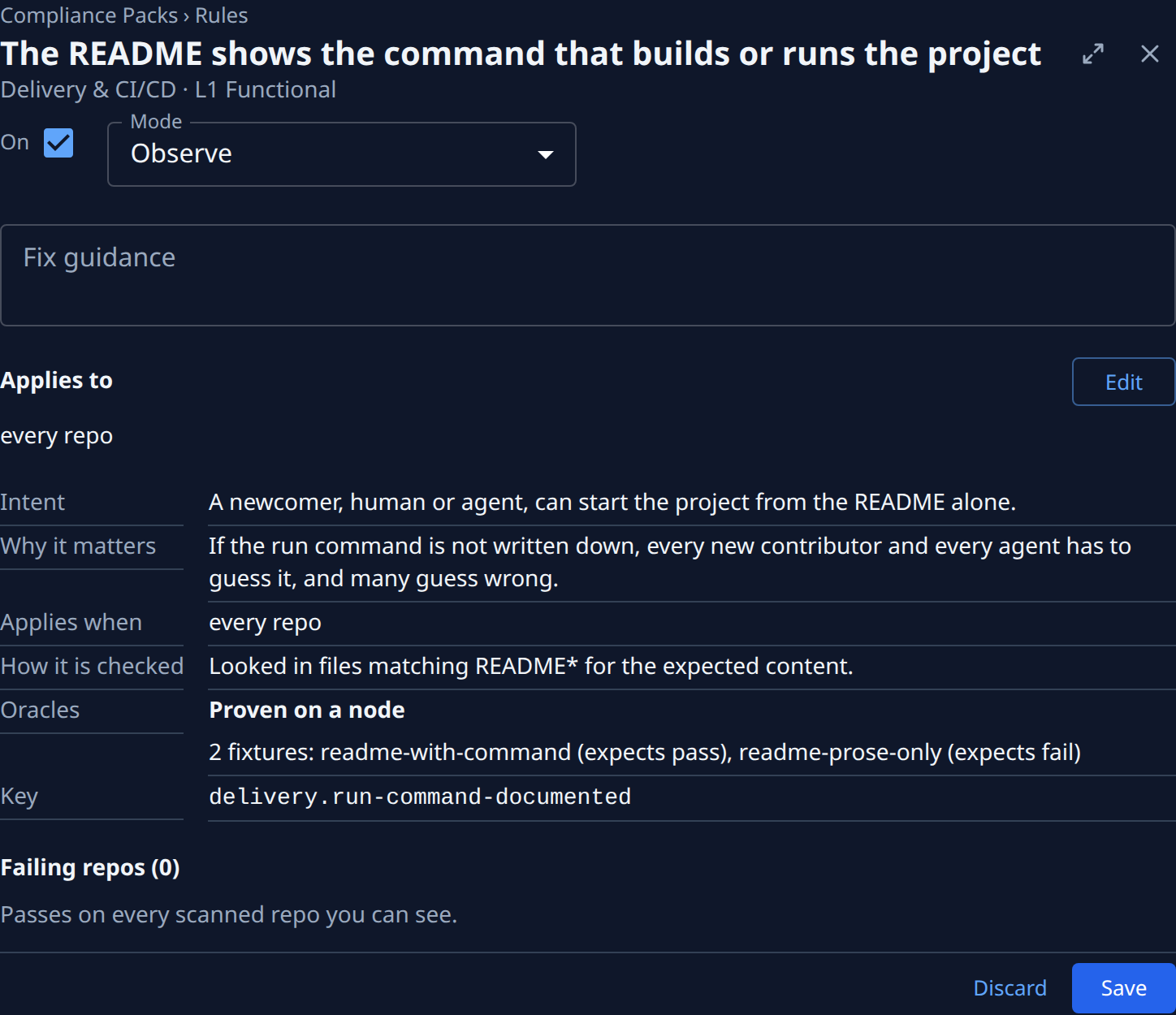
-
Run a scan of the projects you care about, or wait for the daily one. See Run a compliance scan.
-
In the sidebar, select Compliance and select a project's row. On its page, open the Rules tab and leave the filter on All. Below the pillars, the Observed group lists every rule on trial, greyed out and with its count. Levels and gaps on the page ignore them.
-
Select Evidence beside the rule to read what the check found in this repository: What was checked, the Commit, when it was Scanned and What was found. Repeat for a few repositories, including ones you know are in good shape.
-
If the rule flags code that is fine, or misses what it should catch, fix it before going on: narrow where it applies with Limit a rule to some repositories, or change the rule itself, then scan again.
-
When the findings look right, open the rule again, set Mode to Advise and select Save. From the next scan it counts toward each repository's level and shows as a gap where it fails.
Raise a rule to Gate or Lock only after it has run at Advise for a while: those modes block agents' changes at once, without waiting for a scan. See Change how strictly a rule is enforced.
Related
- See where a rule fails: every repository failing a rule once it counts.
- Fix a rule across many repositories: clear the gaps a newly raised rule opens.
- Find out why a rule does not apply: when the rule shows n/a instead of a result.