Set the workspace an API key account's requests use
Workspace ID names the Anthropic workspace an API key account's requests run in. Jaah sends it with every request the account makes. Only a Claude Code account that uses an API key has the field.
You need it only for a key that isn't scoped to a workspace. Anthropic refuses such a key unless each request names a workspace. A key created inside one workspace always runs there, so leave the field blank for it. Anthropic explains the two kinds of key in its workspaces guide.
Who can do this: on an existing account, requires the Org Owner or Org Admin role. When you add an account, anyone who can add model accounts can fill it in.
- Find the workspace ID in the Claude Console, on the
Workspaces page. It starts with
wrkspc_. Use a workspace the key's user or service account has access to. - In the sidebar, select Directory, then AI Accounts.
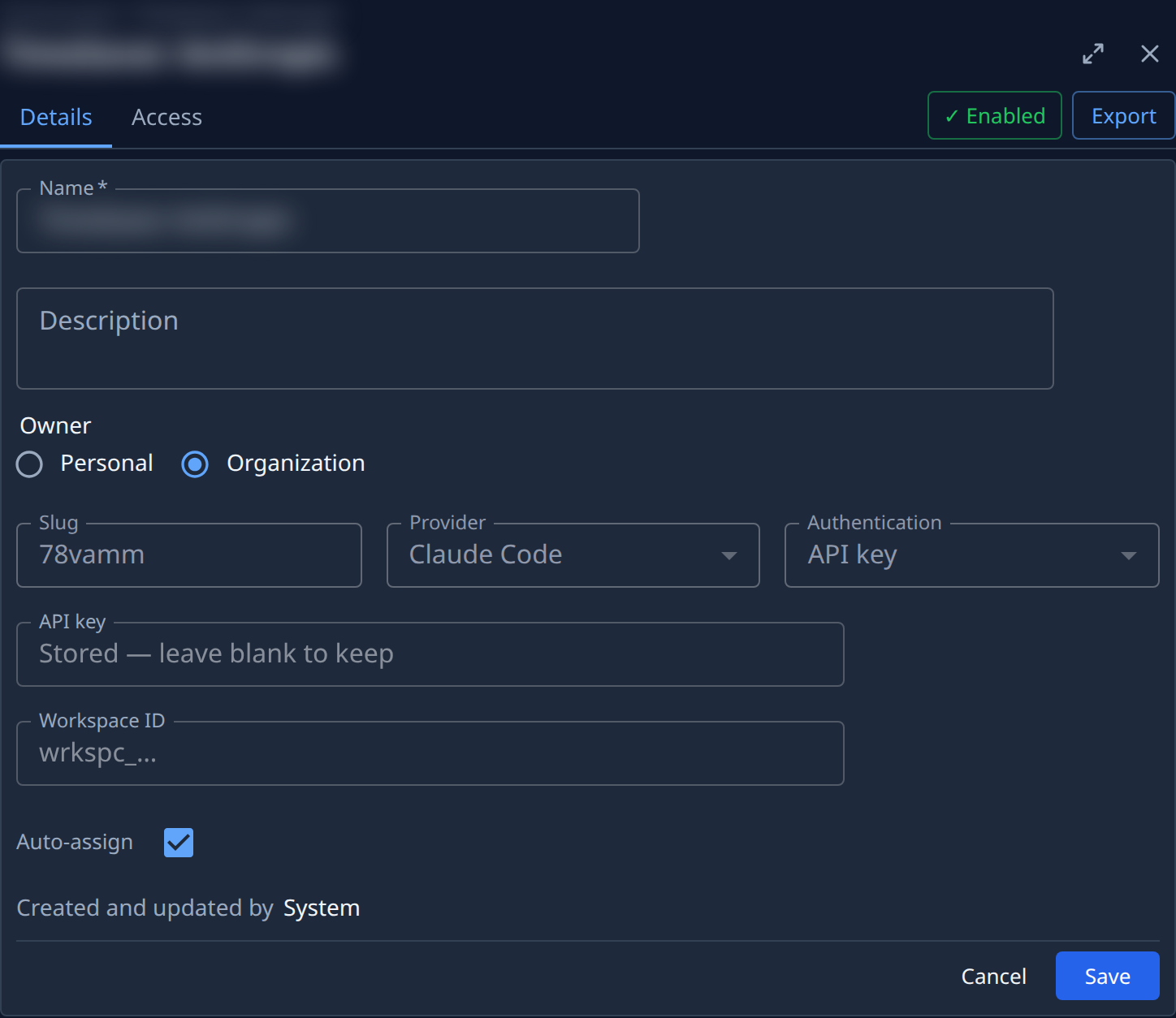
- Select the account's name, or Edit in its ⋯ row menu. Its Details tab opens beside the list. To set it on a new account instead, select Add account, pick Claude Code and API key, and enter the key first.
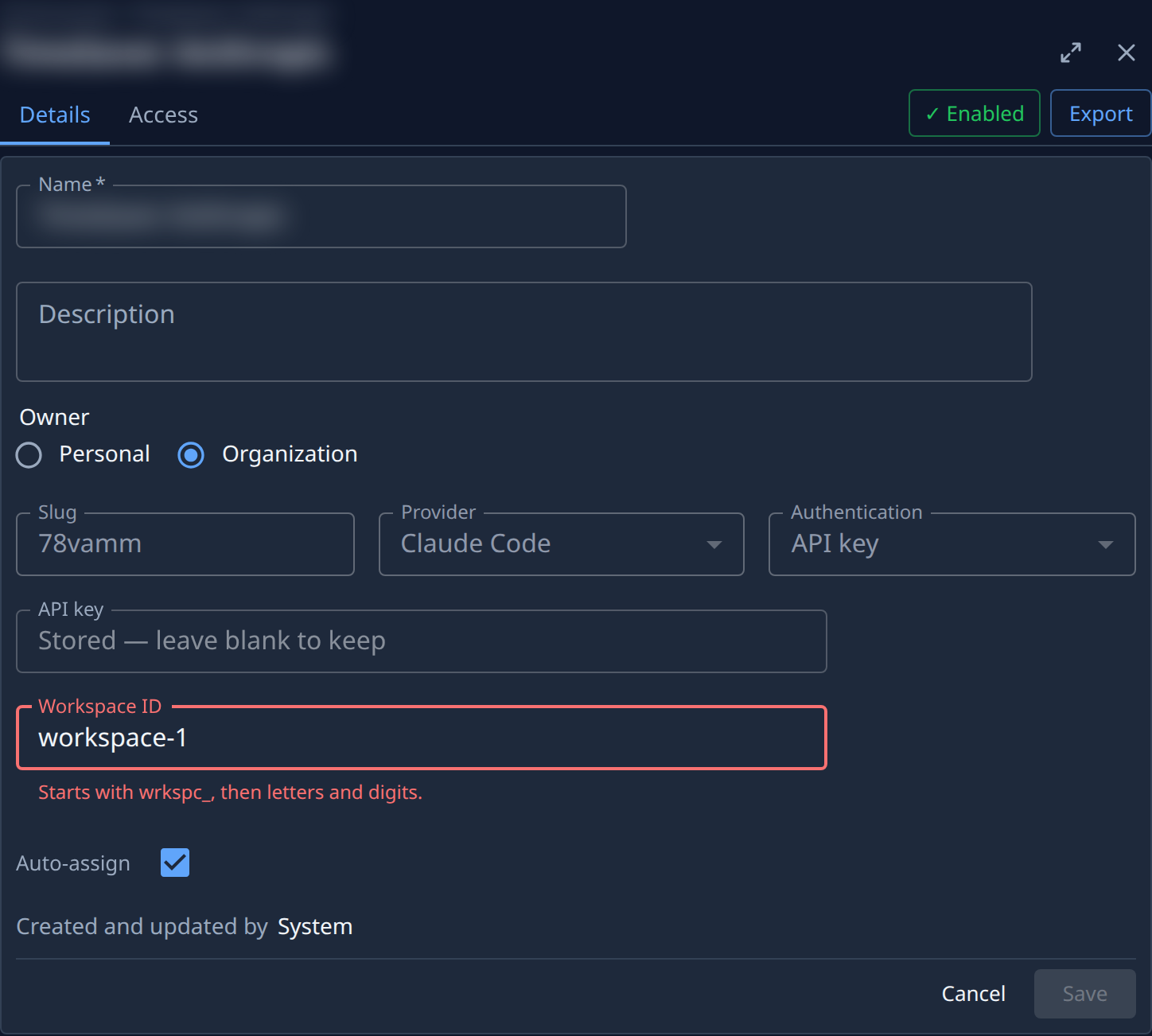
- Paste the ID into Workspace ID. An ID in the wrong form shows Starts with
wrkspc_, then letters and digits. under the field, and Save stays greyed out until you fix it. - Select Save. Jaah checks the key and workspace together with Anthropic before storing them. If
Anthropic refuses them, the error shows above the form and nothing changes:
- a message beginning Anthropic: API key is not scoped to a workspace means the key needs an ID and the field is blank.
- a message beginning Anthropic: workspace not found for this key means the key can't reach that workspace. Check the ID, or the key's access to the workspace.
- Check the account's row in the list: ● means the account is available. Runs that start after Save use the new workspace.
To clear the field, delete its contents and select Save. Clear it only for a key scoped to its own workspace: Jaah checks the key again, and a key that needs a workspace is refused, so the old ID stays.
When you also replace the key, change Workspace ID in the same save if the new key belongs to another workspace. See Replace a model account's API key.
Related
- Add a model account: add an API key account, with its workspace, from the start.
- Replace a model account's API key: put a new key on the account.
- How model accounts work: API key or subscription, and what the round marks mean.
- Model accounts: every field on the Details tab.