Find nodes that can't hold NodeVault keys
A secret kept in NodeVault opens only on a node that holds your organization's NodeVault key. Each node reports whether it can hold one: Holds keys or Can’t hold keys. A task that needs a NodeVault secret on a node marked Can’t hold keys can't open it. Check your nodes before you move secrets into NodeVault, and again when a task can't read one.
Who can do this: anyone who can view nodes. Updating a node needs the org admin role.
Find them in the list
-
In the sidebar, select Directory, then the Machines tab.
-
Find the NV column. A ✓ in it means the node holds keys; no mark means it can't.
-
Select the NV heading to sort by it. Nodes that hold keys come first.
-
Select it again to reverse the order. Nodes that can't hold keys come first. If the first row shows a ✓, every node you can see holds keys.
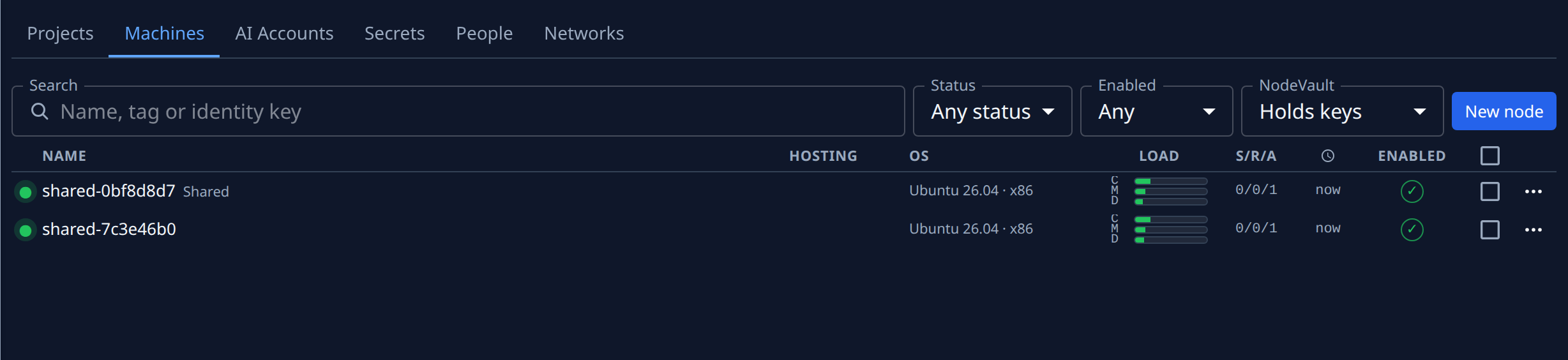
The sort stays in the page address, so you can copy the address and send a teammate the same list. When the list is narrow, for example on a phone or beside an open node, NV gives way; check each node as below instead.
Check one node
-
Select the node's name. Its details open beside the list.
-
Select the Properties tab.
-
Under Identity, read NodeVault: Holds keys in green or Can’t hold keys in amber.
-
Hover it to see when the node last reported it, such as Reported 1h ago. On a node that can't hold keys, the hover also says Update Jaah on this node.
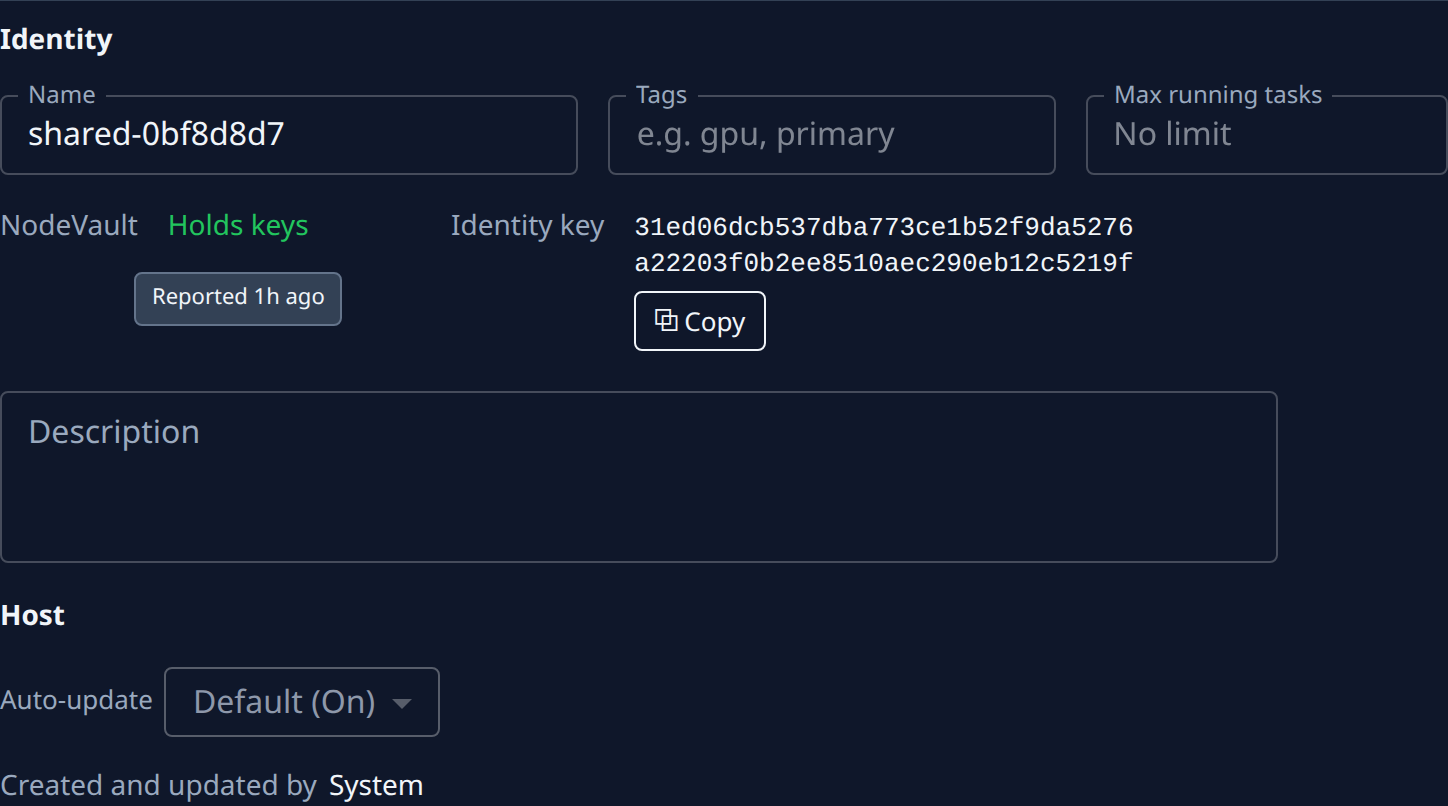
A node that holds keys also shows its Identity key beside it, with Copy. Compare it with the fingerprint in your NodeVault settings before you trust the node with your key.
Fix a node that can't hold keys
The node runs a version of Jaah too old to hold the key. Update it: see Keep a node up to date. Once it runs the new version it reports Holds keys on its own. If it still has no key after that, see Send the NodeVault key to a node again.
Until then, keep tasks that need NodeVault secrets off that node: drain it, or run the project only on nodes that hold keys. See Drain or disable a node and Run a project on some nodes only.
Related
- How NodeVault works: what the key protects and who holds it.
- Read a node's status: the rest of a node's row and details.
- Nodes: every column and field on the Machines tab.