Set your organization's default VM size
On a MicroVM node, each session runs in its own VM. Jaah gives every VM a default size. Set your organization's own size when most of your work needs more room, or less, than that default, so you don't have to set it on every project or node.
Four levels can set a size, and the most specific one wins: a node's own size beats a project's, a project's beats your organization's, and your organization's beats Jaah's default. Each of vCPUs, RAM and disk is decided on its own, so a project can set only RAM and take the rest from your organization.
Who can do this: requires the org admin role. Your plan must include MicroVM nodes; without it, the MicroVM card does not appear.
Set the size
-
In the sidebar, select Settings.
-
Under Organization, select Features, then find the MicroVM card.
-
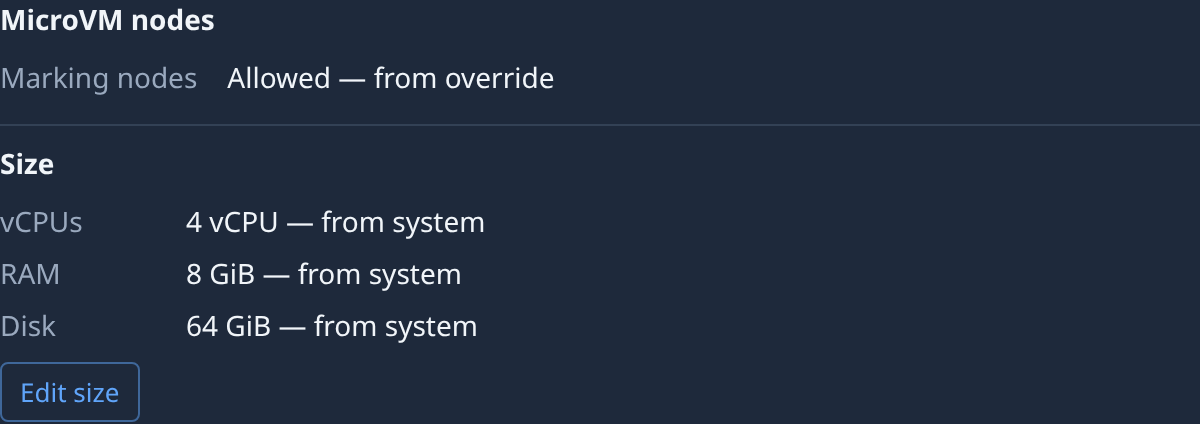
Read Size. It lists vCPUs, RAM and Disk, each with its value and where it comes from, such as 4 vCPU — from system. from system is Jaah's default; from org is a size your organization set.
-
Select Edit size. A box opens for each size: vCPUs, RAM (MiB) and Disk (GiB). A box holds your organization's own value, or reads Inherit when it has none. Under a blank box, Now shows the size in force.
-
Type a whole number in each box you want to change, such as
8vCPUs or16384MiB of RAM. Clear a box to go back to Jaah's default for that size. -
Select Save, or Cancel to leave the sizes as they were. Save stays unavailable until something changed and every box holds a whole number.
-
Check Size again: each value you set now reads from org. VMs that start from now on get it, except on projects and nodes that set their own.
A node starts a VM only while it has the free RAM and disk for it. A larger size means fewer VMs fit on each node, so tasks may wait longer for one.
To give one project a different size, see Change how big a project's session VM is. To size the VMs on one node, see Change how big each session's VM is. The rest of your organization's settings are in Organizations.