Run a template when an event arrives
Some work starts with something outside Jaah: a GitHub issue is opened, a webhook fires, an email lands. If your team already has a template for that work, such as Fix a bug, let an automation start it for you. Each event files one task from the template in the projects you pick, titled from the event so you can tell the tasks apart.
Each task uses the template as it is when the event arrives, so a change to the template changes the next task. To run a template at set times instead, see Run a template on a schedule.
Who can do this: Automations are shown only to Owners and Admins of your organization. The list of templates offers the published templates you may start.
-
In the sidebar, select Audit, then the Automations tab.
-
Select New automation (+ on a phone). It opens on When.
-
In Source, pick the event, such as GitHub, and fill in what it listens for. For new issues, type
issuesin Events andopenedin Actions. Select Next.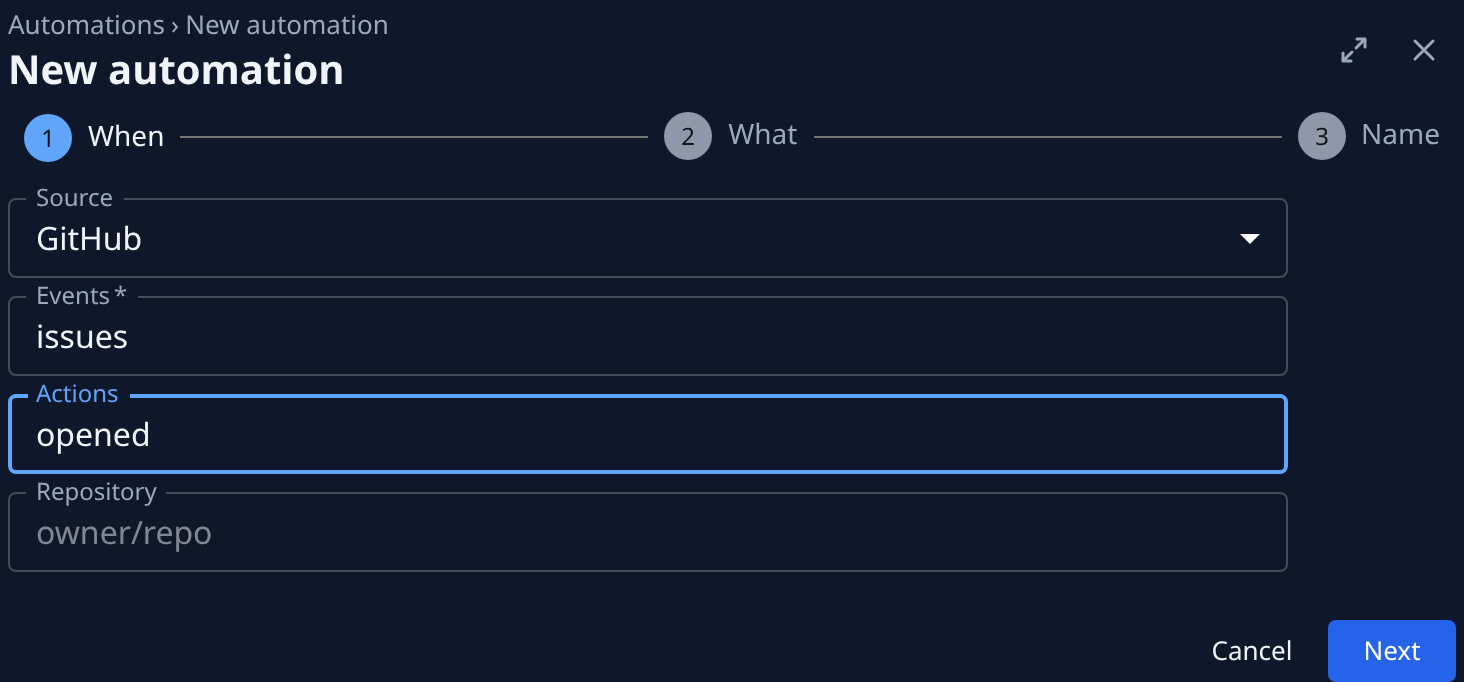
-
On What, leave Action at Task. Under Target, pick Projects, then choose them in Run in projects.
-
In the list that reads Body, pick Template. Title and Template appear.
-
In Title, type how each task should be named, quoting the event with placeholders, such as
Issue: {{body.issue.title}}. Hover the Title label for the placeholders this source offers. Left empty, the title comes from the template.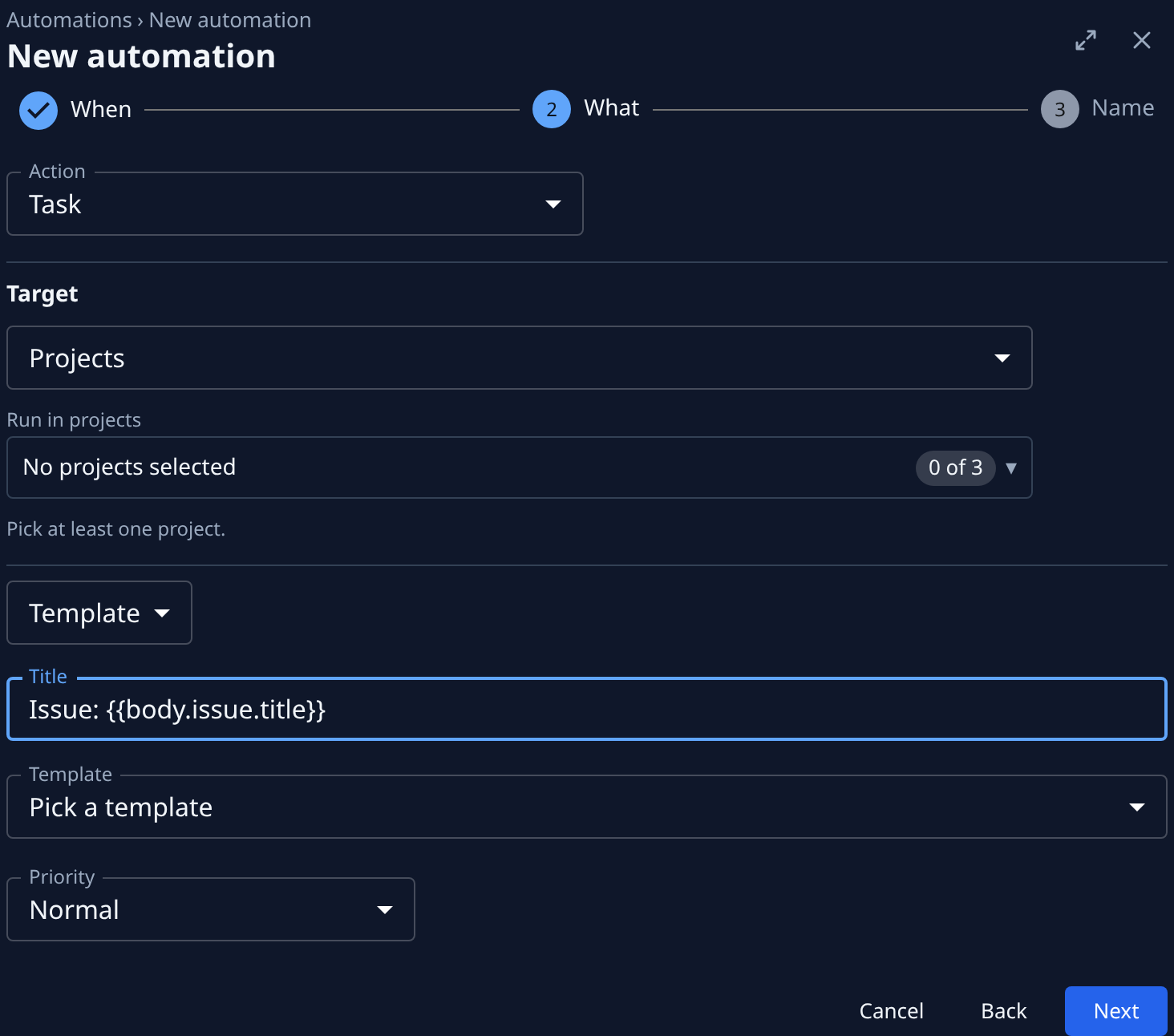
-
In Template, pick the template. Its name, persona and brief show below it. Fill in its inputs, if it has any: every event uses the same values.
-
Optional: set Priority. Select Next.
-
On Name, give it a name you'll recognize, such as
New issue → Fix a bug, and select Create. -
Connect the event's sender, and test it with a sample before the first real event, as in Create an automation.
To check each task before it runs, open the automation's Settings tab, set Start to Leave as draft and select Save. The tasks then wait in the board's Draft section.
If the template is deleted or taken out of the gallery, the automation stops filing tasks until you pick another one. See Change or delete a template.
Related
- Run a template on a schedule: the same, at set times.
- Start tasks from Jira: let issues in a tracker start tasks instead.
- How templates work: what a template carries into each task.