Fix an automation whose template stopped it
An automation that files its task from a template reads the template at every run. When the template changes under it, the run files nothing and the automation says why:
| What it shows | What happened |
|---|---|
| Template deleted | Someone deleted the template. |
| Template unavailable | The template still exists but can't be started: it was set back to Draft, or your plan no longer includes Templates (org). |
| Template input missing, with the input's name | The template gained a required input the automation has no value for. |
Tasks filed before the change are not affected. Only new runs stop.
Who can do this: Automations are shown only to Owners and Admins of your organization. The Template list offers only the published templates you may start.
Fix it
-
In the sidebar, select Audit, then the Automations tab.
-
Find the stopped automation. Its row shows ⚠ Template deleted or ⚠ Template unavailable after its name. A missing input shows when it runs: set Status to Failing (or Partly failing) and read the reason on each row.
-
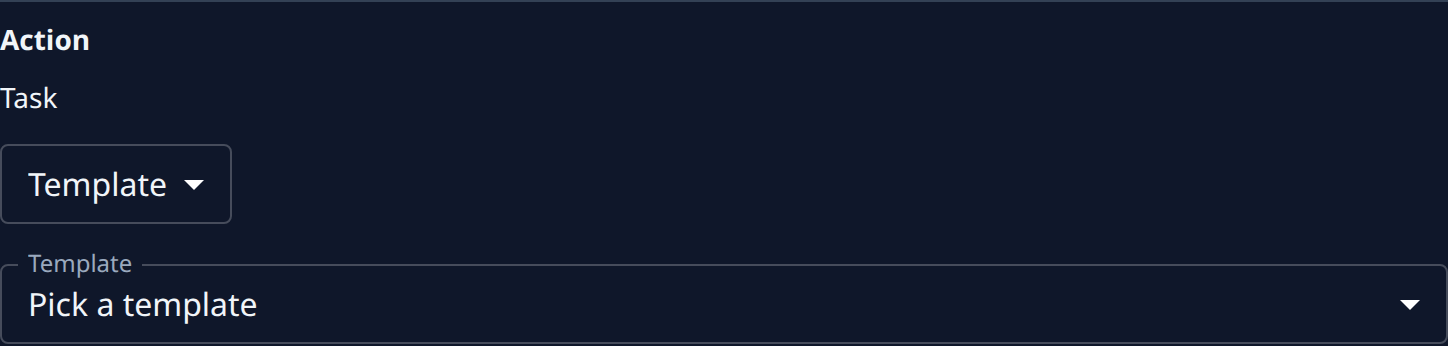
Select the row. On the Setup tab, the Action section shows the template it files from, with the same warning below it.
-
Choose what it should file from now on:
- Another template: open Template and pick one. Its name, persona and brief show below, as each run will file them.
- The same template, with a new input: fill in the input that is now required.
- A written brief instead: change the list above Template from Template to Body and write the task.
-
Select Save.
-
Select Run now at the top of the page to check it. A few seconds later the newest run on the Runs tab shows the task it filed, and the status beside the name goes back to Active.
If the template was only set back to Draft by mistake, you can publish it again instead: open it in Manage templates, set Status to Published and save. The automation picks it up on its next run with no change of its own.
Related
- Run a template on a schedule — set up an automation that files from a template.
- Change or delete a template — what an edit, a draft or a delete does to the automations that use it.
- Find out why an automation failed — read any failing automation's cause and its failed runs.