Change how big a project's session VM is
On a MicroVM node, each task runs in its own VM. Every project gets the same size by default. When one project's builds or tests need more room, such as a large repository or a heavy test suite, give that project's VMs more vCPUs, RAM or disk. Other projects keep theirs.
A size set on a node wins over the project's, and the project's wins over your organization's and Jaah's default.
Who can do this: anyone who can edit the project. Others see the sizes but no Edit size.
Plan: needs MicroVM nodes on your plan. The MicroVM section of a project's settings shows only while your plan includes it.
-
In the sidebar, select Directory, then the Projects tab.
-
Select the project's name, then the Settings tab, then MicroVM in the list of sections.
-
Read Size. It lists vCPUs, RAM and Disk, each with its value and where it comes from: from project, from org or from system, the default. A node's own size can still override it.
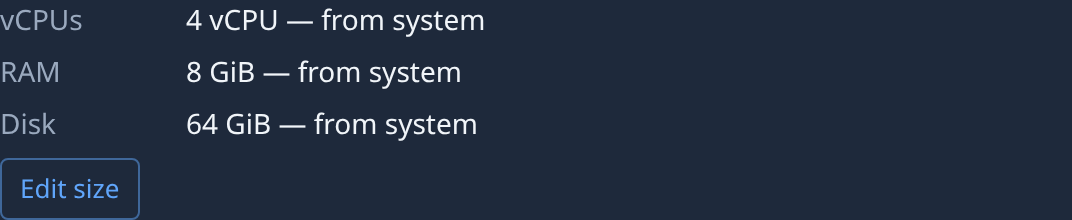
-
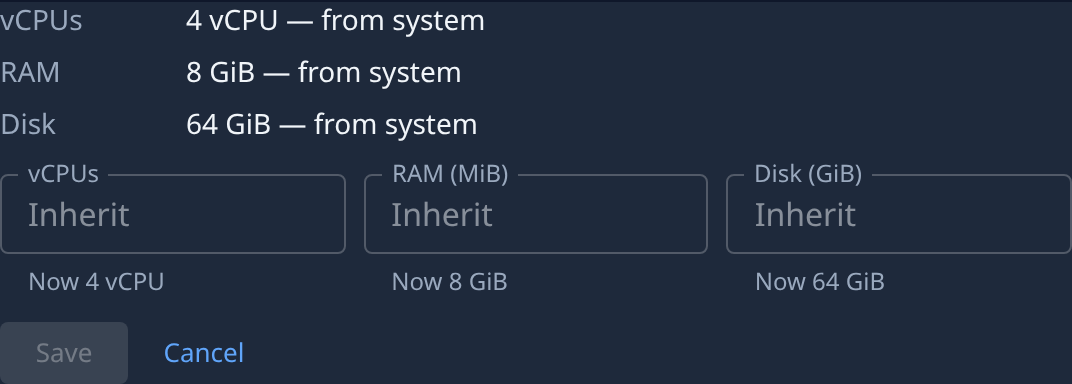
Select Edit size. A box opens for each size: vCPUs, RAM (MiB) and Disk (GiB). A box holds the project's own value, or reads Inherit when the project has none. Under a blank box, Now shows the size in force, such as Now 8 GiB.
-
Type a whole number in each box you want to change, such as
8vCPUs or16384MiB of RAM. Clear a box to inherit that size again. A box that doesn't hold a whole number says A whole number. -
Select Save, or Cancel to leave the sizes as they were. Save stays unavailable until something changed and every box is valid. The sizes save at once; there is no other Save to press.
-
Check Size again: each value you set now reads from project. Tasks that start from now on get the new size.
A node starts a VM only while it has the free RAM and disk for it. If tasks of this project now wait for a node, lower the size or give the node a bigger machine.
Related
- Change how big each session's VM is: set the size on one node, which wins over the project's.
- Let a project's sessions reach another site: the other half of the MicroVM section.
- Projects: every field of the MicroVM section.