Get told when a compliance rule starts failing
Compliance can tell you when a scan finds a new problem, so you do not have to check the Repos tab yourself. The Compliance nudge alert covers two cases:
- A rule in Nudge mode starts failing on a project. Everyone who can edit compliance on that project hears about it: the message names the rule and says it "now fails on" the project.
- A waiver you own expires. You read "Your waiver for" the rule "on" the project "expired. The rule counts as failing again."
The alert goes to your Slack, email and Telegram channels. Compliance is part of some plans only.
-
Select your initials at the bottom of the sidebar, then My Profile.
-
Select Preferences. Channels lists every place your alerts go.
-
Select a channel's row (Expand) to open its alerts.
-
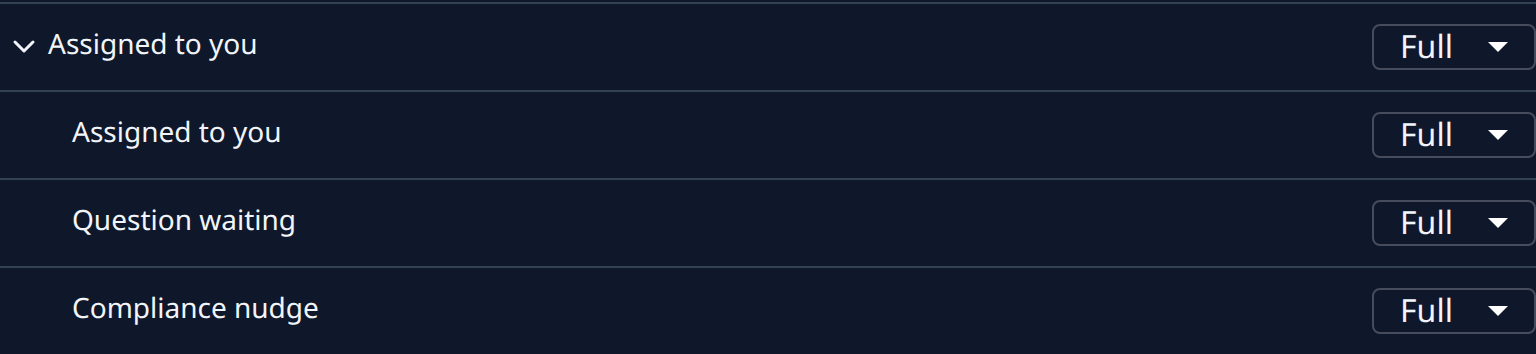
Select Assigned to you to open the alerts in that group.
-
On Compliance nudge, select Full for the whole message, Brief for a headline and a link, or Off to stop it on this channel. It saves at once.
-
Repeat on your other channels.
-
Check that the rules you care about are in Nudge mode. A rule in Advise mode counts toward a project's level and one in Observe mode is only recorded; neither sends an alert. To raise one, see Change how strictly a rule is enforced.
A nudge is sent once, when a rule goes from passing to failing. A rule that keeps failing on the next scan, or a scan that did not finish, sends nothing new.
When the alert arrives
- In the sidebar, select Compliance, then the project's name on the Repos tab.
- Find the rule under Gaps (N) and read what was found.
- Select Fix to file a task that fixes it, or ⋯ and then Waive to accept it for a time. See Fix a repository's compliance gaps and Waive a compliance gap.
Related
- Choose which alerts you get: every group of alerts on every channel.
- How compliance works: rule modes, levels and waivers.
- Add chats as alert channels: add a Telegram chat to get this alert there.