Get told when a node or AI account needs you
Tasks stop quietly when the machine they run on goes away or the AI account they sign in as loses its login. Jaah watches for both and sends an alert to your email, Slack and Telegram channels. All of these alerts also land in the bell, so you see them in the console even with every channel turned down. Set each channel to how loud you want them.
Who can do this: Org Owners and Org Admins. The Node failures and AI account login groups are not offered to other members.
Choose how you hear about it
-
Select your initials at the bottom of the sidebar, then My Profile.
-
Select Preferences. Channels lists every place your alerts go.
-
Select the row of the channel you want to change (Expand). With only one channel, it is open already.
-
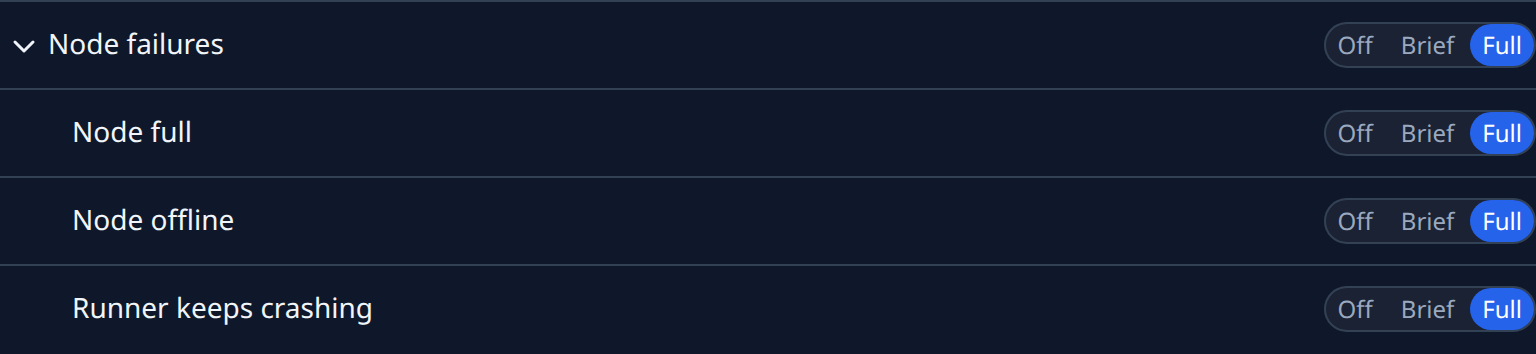
Select Node failures to open its alerts: Node full, Node offline and Runner keeps crashing.
-
On each alert, select Full for the whole message, Brief for a headline and a link, or Off to send nothing to this channel. Each choice saves as you select it.
-
Select AI account login to open Login expiring and Login code needed, and choose the same way.

-
Repeat for your other channels, for example Full on Slack and Off by email.
Both groups start at Full on every channel, so you hear about these until you turn them down.
What each alert means
| Alert | When it comes |
|---|---|
| Node offline | A node stopped reporting in. A node that has never reported, such as one still starting, is not alerted. |
| Runner keeps crashing | Runners on one node failed to start or died three times within 30 minutes. |
| Node full | A node's disk, or its room for temporary files, is nearly full. On a full disk Jaah pauses new runners there until space is freed. |
| Login expiring | A subscription's login runs out within three days. No refresh extends it. |
| Login code needed | A subscription's login has run out, and its runners have stopped. |
Node alerts come once each time something breaks; another comes only after it recovers and breaks again. Login alerts come once per login that is running out or has run out.
Every one of these alerts also posts an item to the bell of every Org Owner and Admin, whatever their channels are set to. It reads Node offline, Runner keeps crashing, Node full, AI account login expiring or AI account login expired, with the reason under it, and its kind on the Notifications page is Alert. See Notifications.
Act on an alert
From the bell, select the item: a node alert opens the node, a login alert opens AI Accounts. From a channel, go there yourself:
- Node offline, Node full or Runner keeps crashing: open Directory, then the Machines tab, and open the node to see its status and recent runs. See Nodes.
- Login expiring or Login code needed: open Directory, then AI Accounts, and open the subscription's nodes. Select Login on the node that needs it, or Re-login in the account's row menu while the login has not yet run out. See Sign a model account in again.
Related
- Choose which alerts you get: every group of alerts, Off, Brief or Full.
- How nodes work: what a node is and what its status means.
- How model accounts work: subscriptions, logins and quotas.