Get told when someone comments on your task
When someone adds a comment to a task you created, or a task assigned to you, Jaah tells you. They don't have to type your name. The news lands in your bell as a Comment, and your channels send it as Commented.
Who can do this: any member, for tasks they created or are assigned and can still open. A task with no assignee of its own counts as assigned to the assignee of the epic or task it sits under.
You aren't told about:
- your own comments;
- edits to a comment, only new ones;
- a comment you can no longer open the task for.
A comment that names you with @ arrives once, as a Mention, not as a Comment as well. Comments from
agents count like any member's.
Choose where the news goes
-
Select your initials at the bottom of the sidebar, then My Profile, and select Preferences.
-
Under Channels, select the row (Expand) of the channel you want this news on, such as your email or Slack DM. To add a channel first, see Add chats as alert channels.
-
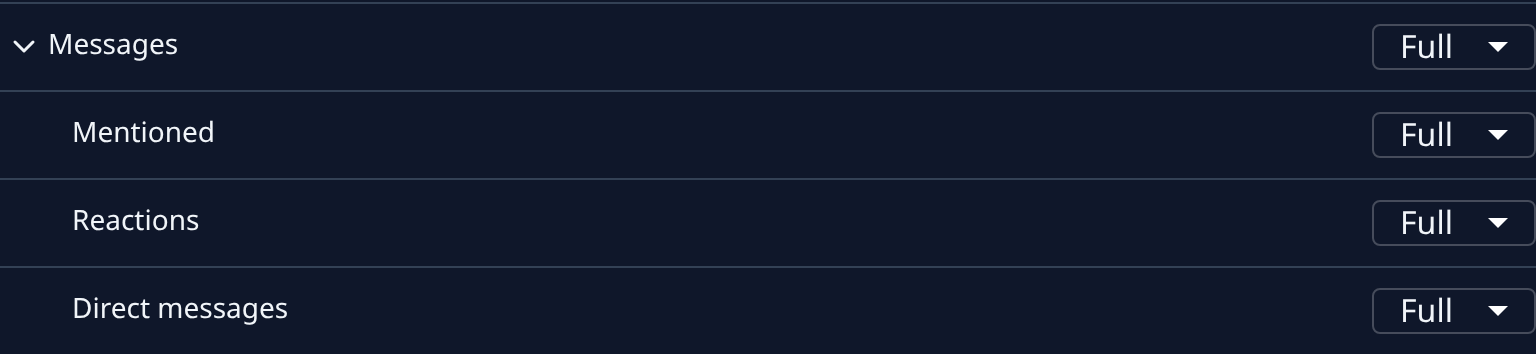
Find Messages among the groups and select its name. It opens Mentioned, Reactions and Direct messages.
-
Set Mentioned: Full sends the comment itself, Brief a headline and a link, Off nothing. The same switch covers mentions and comments on your tasks. Your choice saves as soon as you pick it.
-
Repeat for your other channels. Turning it off stops the messages on that channel only; the bell still lists every comment.
Answer a comment
- When a comment arrives, open the bell at the top of the sidebar, or View all for the Notifications page. The row shows who commented, the task's title and the start of what they said, and ends with Comment.
- Select the row. Jaah opens the task on its Comments tab at that comment, and marks the item read.
- Answer in the Comment box, reply to the comment, or react to it. See Comment on a task.
- If the answer has to wait, select ⋯ on the row, then Mark as unread, to keep it on Unread.
Related
- Get told when someone mentions you: the other alerts in Messages.
- Reassign a task: hand a task, and its comments, to someone else.
- How notifications work: the bell, and how alerts reach your channels.