Get told when your tasks finish or need you
A task can run for an hour and then stop to ask one question. Rather than keep the board open, have Jaah tell you on one of your channels when a task you own finishes, fails, gets stuck or waits for an answer. Two things decide it: who filed the task, and your choices for two groups of alerts on your profile. What each group holds is in How notifications work.
You hear about a task when you are its assignee, or, while it has none, when you filed it. A subtask of an epic reports through its epic.
-
File the task yourself on the board or the new-task form. Jaah reports on tasks a person files in the console, and on Production QA's incident tasks. Tasks a schedule, trigger or agent files stay quiet, so routine automated work sends nothing.
-
Select your initials at the bottom of the sidebar, then My Profile, and select Preferences.
-
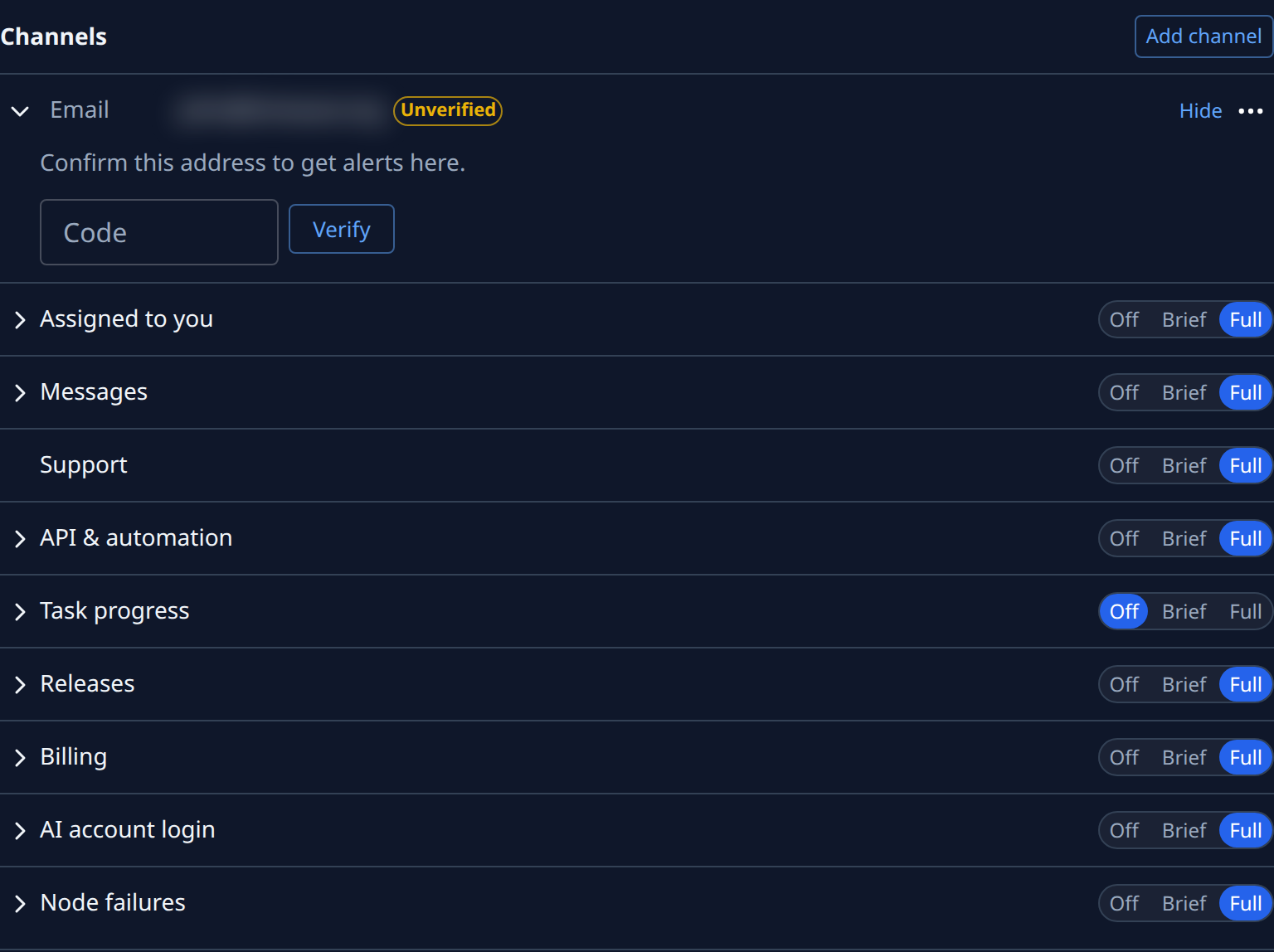
Under Channels, select the row (Expand) of the channel you want this news on, such as your Slack DM. With only one channel, it is open already.
-
On Assigned to you, select Full. Among its alerts are Assigned to you, a task handed to you, and Question waiting, a task that stopped to ask a question.
-
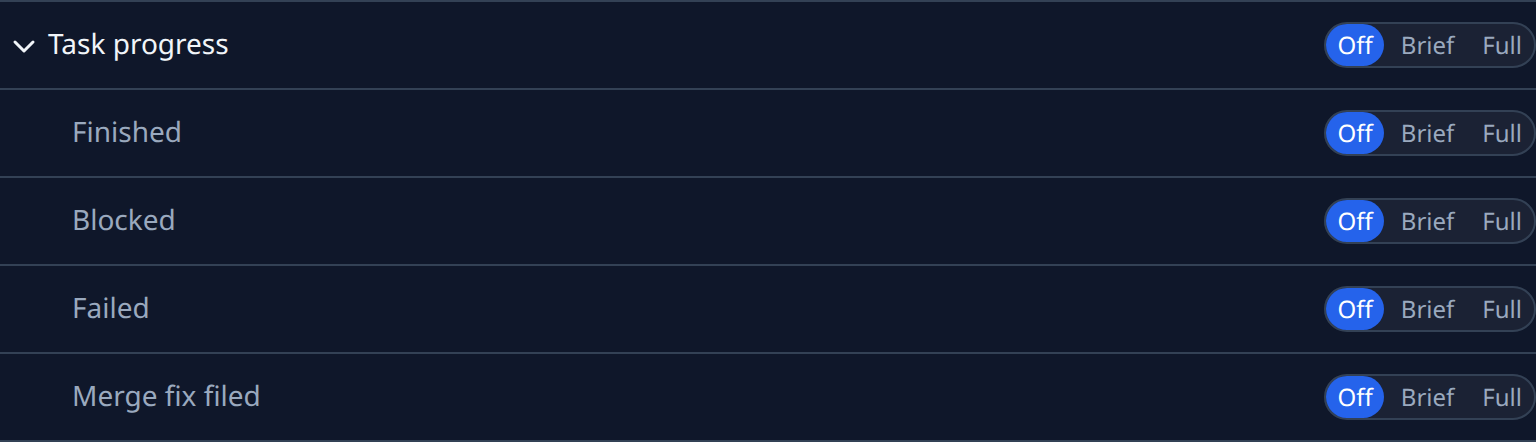
Select Task progress to open its alerts, and set each one: Finished, Blocked, Failed and Merge fix filed. Brief sends a headline and a link, Full the whole message. Task progress starts Off on email and Brief on Slack and Telegram, so on email you must turn it on here.
-
Each switch saves as soon as you select it. Select the channel's row again (Collapse) to close it, and repeat on any other channel, such as Off for Finished on email if Slack is enough.
-
When an alert arrives, follow its link to the task. To answer a waiting question, see Answer a question.
The bell inside the console doesn't list finished or failed tasks; the board marks a finished task until you open it.
Related
- Choose which alerts you get — every group and switch in the Alerts section.
- Add chats as alert channels — add a Slack or Telegram channel first.
- New task — every field on the new-task form.